
Clause 23- Section 40A(2b)
Clause 23-Section 40A(2b)
- Section 40A(2) of the Income Tax Act allows an Assessing Income Tax Officer to disallow an individual or an entity to claim expenses as deductions.
- Section 40A(2) of the Income Tax Act is applicable when the transaction meets the following three objectives:
- The payment is an expenditure of any type.
- The payment is made or to be made to “specified persons“ as mentioned in the Income Tax Act.
- The expenses are made or to be made above the fair market value of the services, goods or facility in question.
The system captures the details in the following steps:
Step1 - Ledger Selection
- Use this step to add related party ledgers.
- System does not pre-populate any ledgers for the client for year -1
- If this information has been entered for the previous year, system will auto-populate the list with the same ledgers (if they are still valid ledgers as per current year's trial balance)
- Enter the PAN, Related Party Name and Nature of relationship. These fields are optional when adding the ledger in Step
Step2 - View / Download report
- Here, the system populates a summary of transactions with the related party, along with the nature of the transaction (expense ledger).
- The system considers the gross expenditure amount recorded in the books for reporting purposes.
- Where TDS has been deducted, the system identifies the original bill/invoice value and does not reduce the reportable amount by the TDS deducted.
- The amount displayed in the report represents the actual bill/invoice value or gross expense booked to the Profit & Loss Account, ensuring that the full expenditure incurred with the related party is disclosed.
- The transaction summary, including the related party, nature of expense, and reportable amount, can be downloaded to Excel for further processing and audit review.
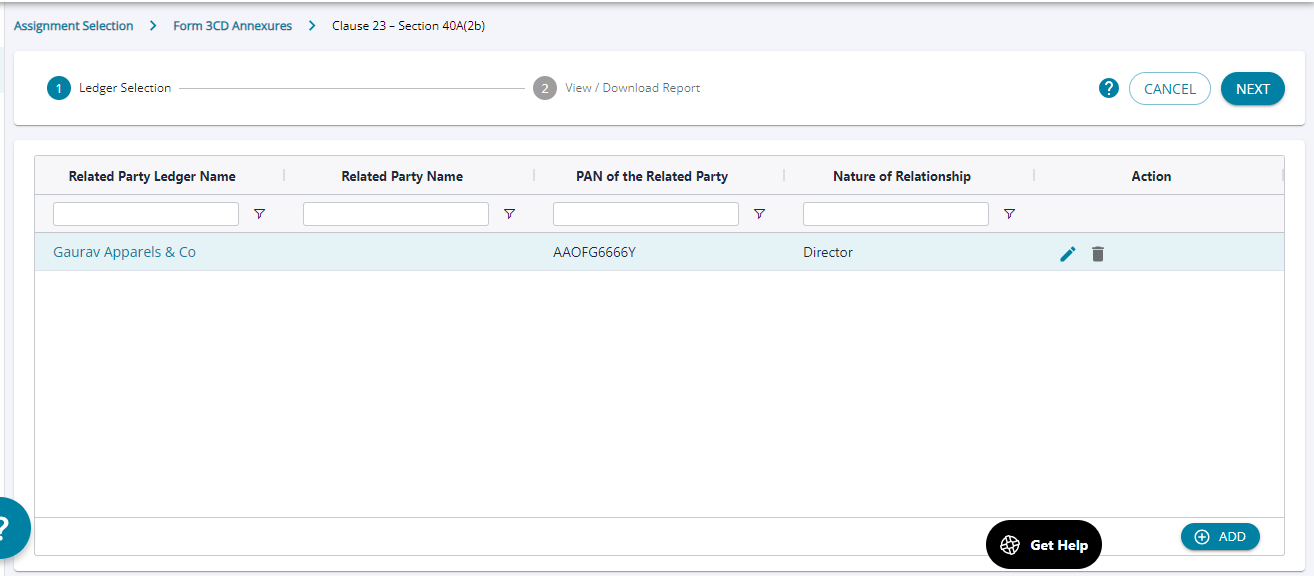
1. The user can “Add” any party as related party by adding the ledger name and describing the nature of relationship.
2. Any number of ledgers can be added as a related party a required by the business.
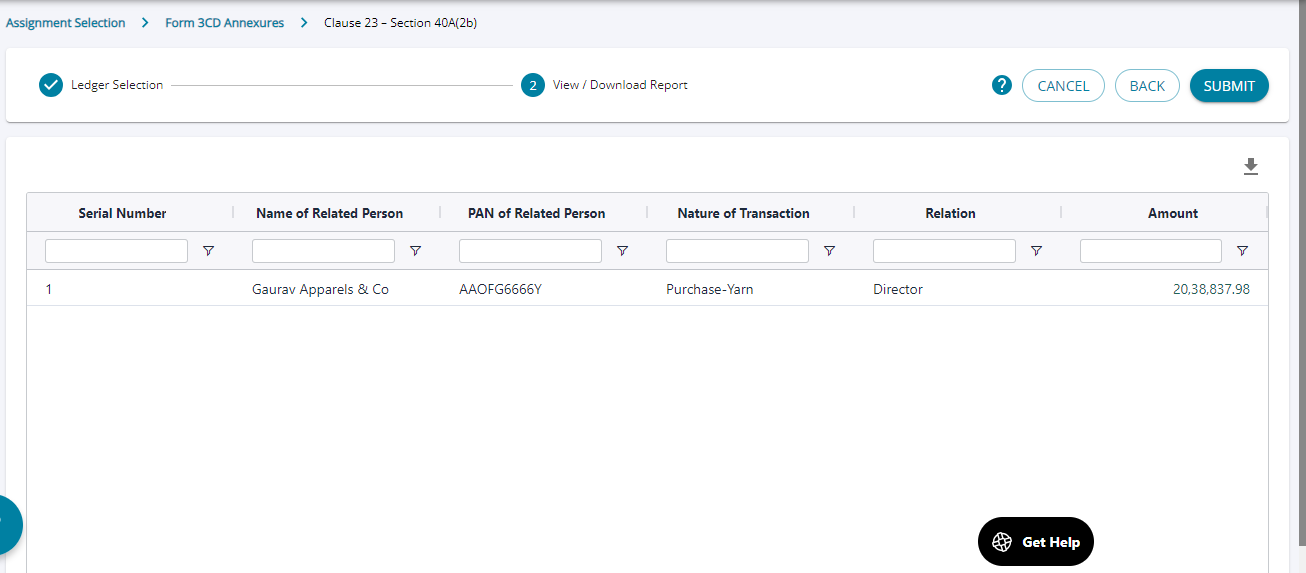
1. Once added any voucher pertaining to the related party is displayed on the screen and the user can submit the details on the screen to complete filling in details under this clause.
2. The “ Name of related person” field can accept any ledger from the list of ledgers added into the system.