
Data Validation - Opening Balance Verification Status
Data Validation - Opening Balance Verification Status
1. One of the problems often faced during Opening Balance Verification is the change of the ledger name by the client
2. Some slight modifications like a space, hyphen, etc., will make the system to consider that as a new ledger
3. There is a need to link the ledgers that are shown as different ( only in name as the balances will be matching) in the OB verification screen to eliminate this discrepancy.
4. This is more important given the fact that Revised Schedule III provides for aging analysis of receivables and payables and multiple ledgers with the same balances will be highlighted as a difference in Opening Balance.
5. This will mean an inaccurate ageing analysis.
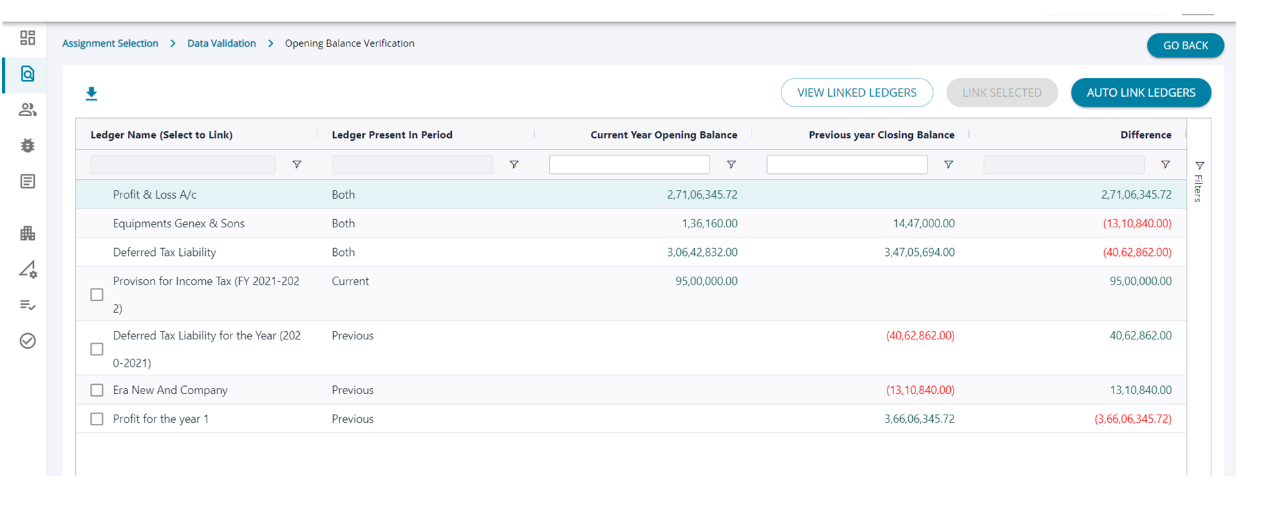
1.The second data validation is - Opening Balance Verification Status - The ledgers from previous years finalized accounts and the current year are matched and are checked for matching opening balance and differences if any.
2.The differences are shown and the user can highlight the issues by downloading the report and raising the issue from the Data Validation screen.
Data Validation - Opening Balance Verification Status –Link ledgers
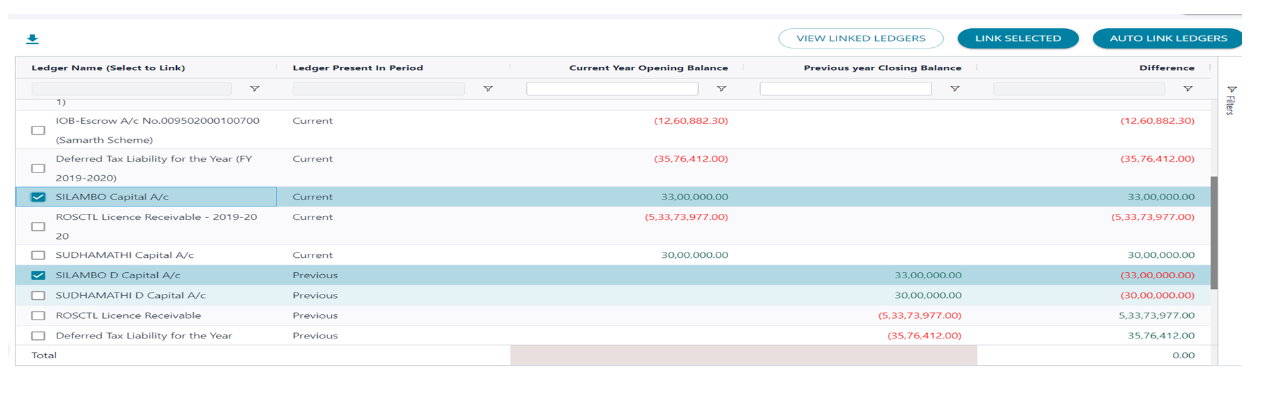
1.When the user is running data validation checks for the first time , the list of Op. Bal. in the screen above shows
a long list of ledgers where the Op. Bal. of the current year and Clo. Bal. of the previous year do not match.
2.However not all mismatches are errors, in the highlighted scenario the names of the ledgers are slightly different
but the balance matches ,the system can link the two legers as same and the difference can be resolved .
3.When the ledgers are selected the ‘ Link Selected’ button is activated and the user can manually link the ledgers to resolve
the difference highlighted . The user can also click on the ‘ Auto Link Ledgers’ button and the system will list the ledgers that can be linked as same.
Data Validation - Opening Balance Verification Status – Auto Link ledgers
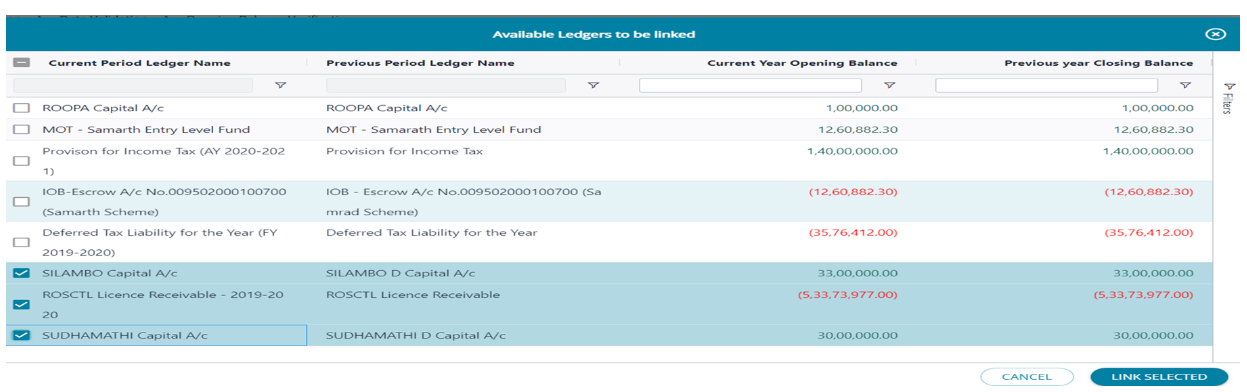
1. ‘Auto Link Ledgers’ option opens a new screen listing all ledgers that have been identified to have matching balances. The
algorithm picks up ledgers based on matching the previous year closing and current year opening balances and not the similarity in the ledger names.
2. In the highlighted scenario on the screen , note the balances are same , however there is a small difference in the name of the ledger
3. The user can select only the ones that they want to map or select the check box next to ‘ Current Period Ledger Name’ on the header row, to select and map all ledgers listed on the page and click on ‘ Link Selected’ at the end of the screen.
Data Validation - Opening Balance Verification Status –Link ledgers
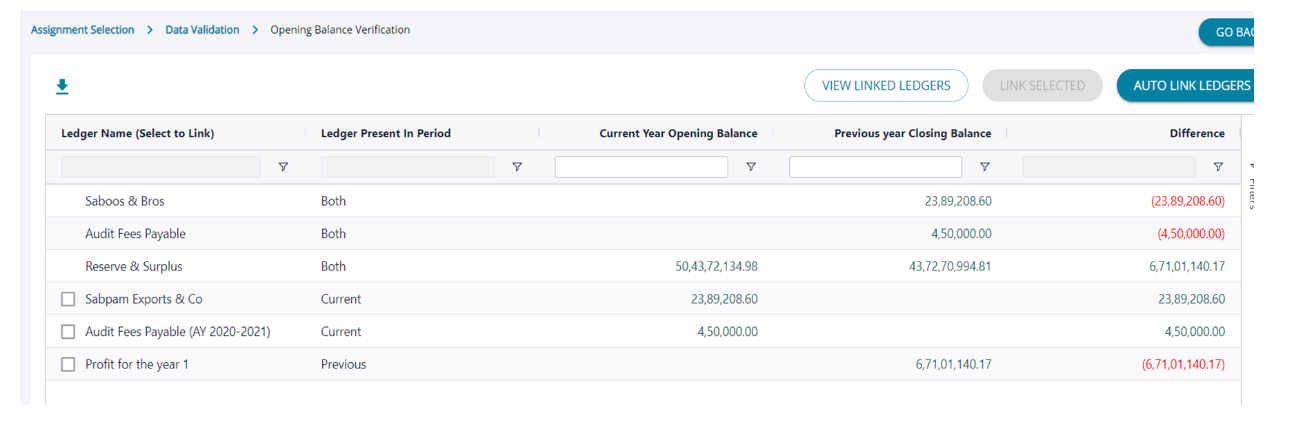
1. The user will now see only the ledgers with actual differences in the balance and not due any mismatch in naming the ledgers.
2. The list of linked ledgers can be viewed under ‘ View Linked Ledger’ and from this screen the user can de-link the ledgers if required.