
Identified & Corrected Misstatement Task - Step-1 : Record Identified Misstatements
Identified & Corrected Misstatement Task can be started once the Determine Materiality and the FSLI Testing tasks have been completed and marked as Complete. The final task under Materiality & Testing is the Identified & Corrected Misstatement Task. 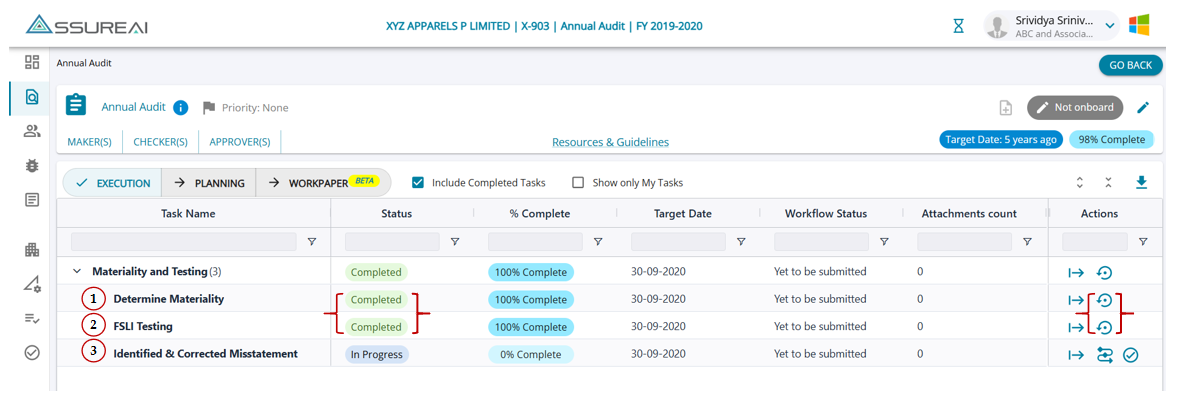
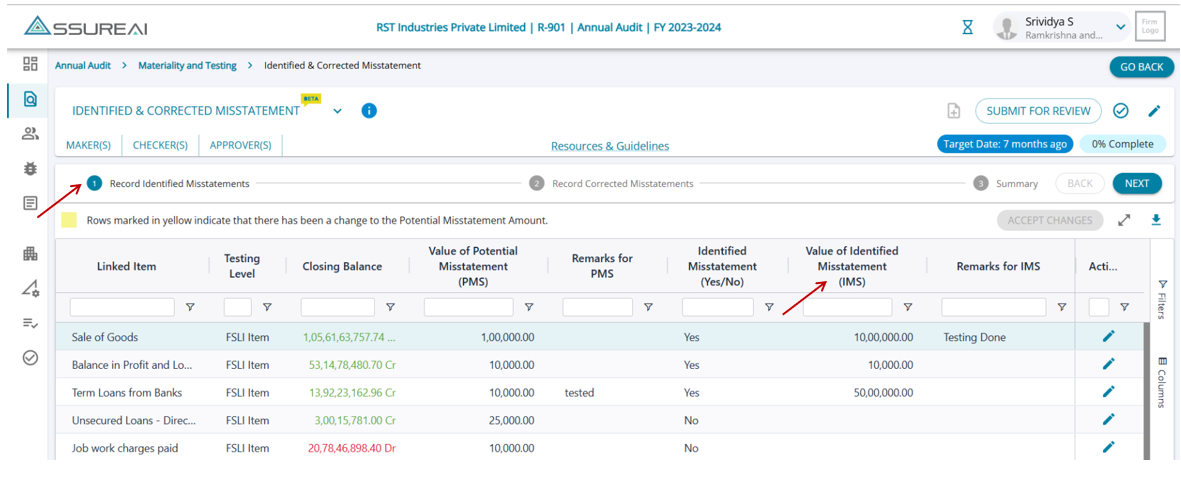
- Testing Level - FSLI Item or Ledger
- Head Name
- Closing Balance
- Value of Potential Misstatement (PMS): PMS amounts entered for the linked items in the FSLI Testing task
- Remarks for PMS
- Identified Misstatement (Yes/No): When the user clicks on edit (Actions Column), the field is enabled with drop-down options, Yes/ No
- If Identified Misstatement = No: IMS Amount field is disabled, and defaults to 0 on save; the linked item will be displayed in Step 2
- Identified Misstatement = Yes: the IMS Amount field is enabled and the user can enter amount (positive, negative, and 0 allowed); linked item is shown in Step-2 if IMS <> 0.
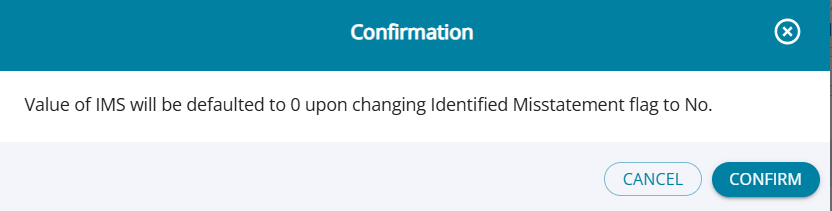
- Switch Yes ➔ No: The system shares a toast message indicating the IMS amount will reset to 0, and the linked item will be removed from Step 2.
- Value of Identified Misstatement (IMS): This is a user-enterable field; the field will be enabled if the drop-down selection under the field Value of Identified Misstatement (Yes/No) is = Yes
- Default values for all line items will be blank. The user can enter any amount into the field (positive/negative).
- The field accepts only numeric values.
- There are no validations for the entered amount against the closing balance of the PMS amount.