Add Context for AI - Ledger & Vouchers
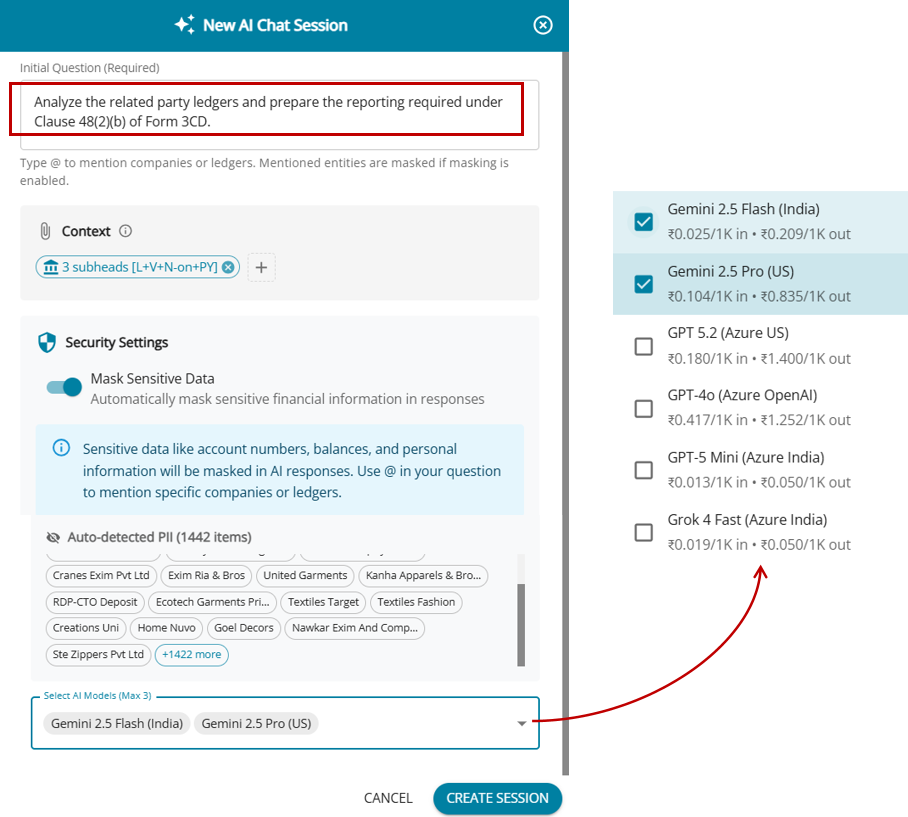
Ledger & Voucher Query – Context Selection
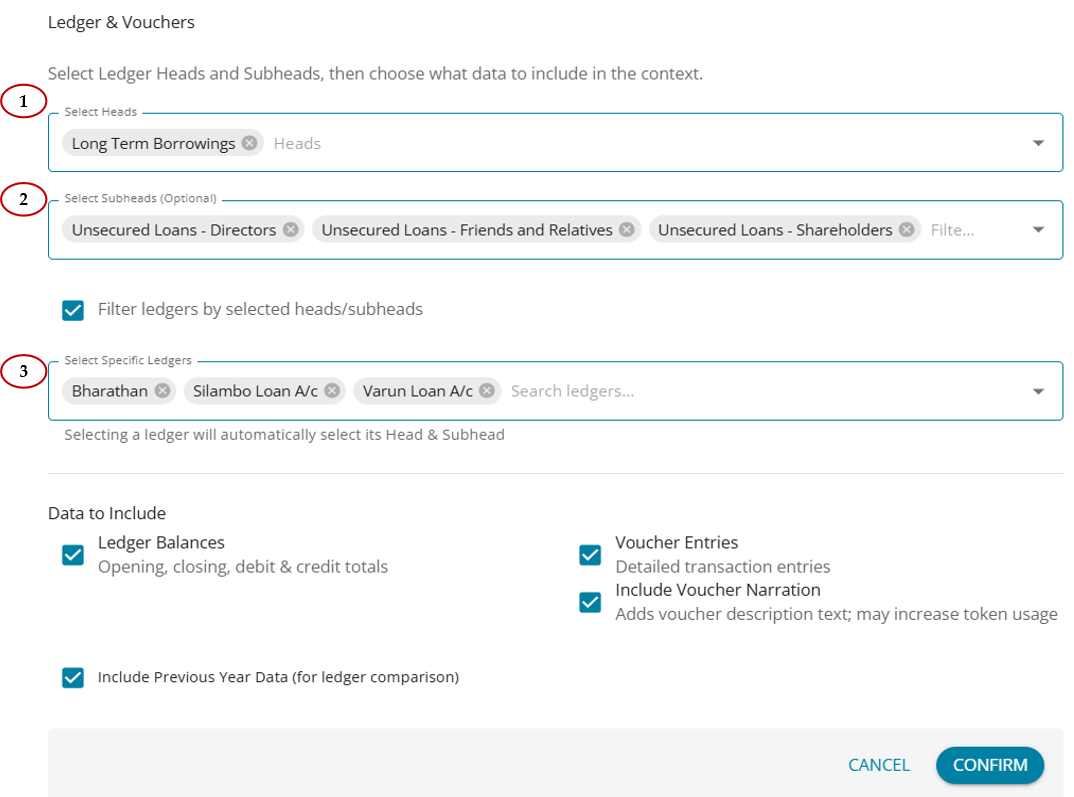
- Under Ledger and Voucher, users can select specific Heads relevant to the query.
- Based on the selected Head, the system will filter and display the corresponding Sub-Heads.
- Once a Sub-Head is selected, the system will further filter and display the related Ledgers.
- Users can choose the required Ledgers based on the analysis they want to perform.
- After completing the Head → Sub-Head → Ledger selections, the user can enter the query in natural language.
- Narration fields can be excluded from the analysis to avoid large data processing.
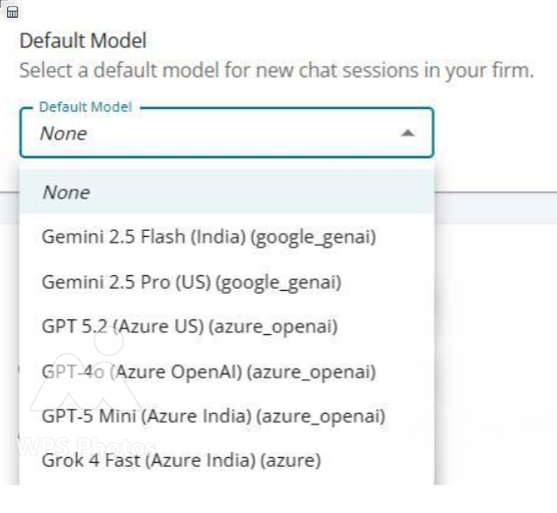
- The user can then select the AI model on which the query should be executed.
AI Output
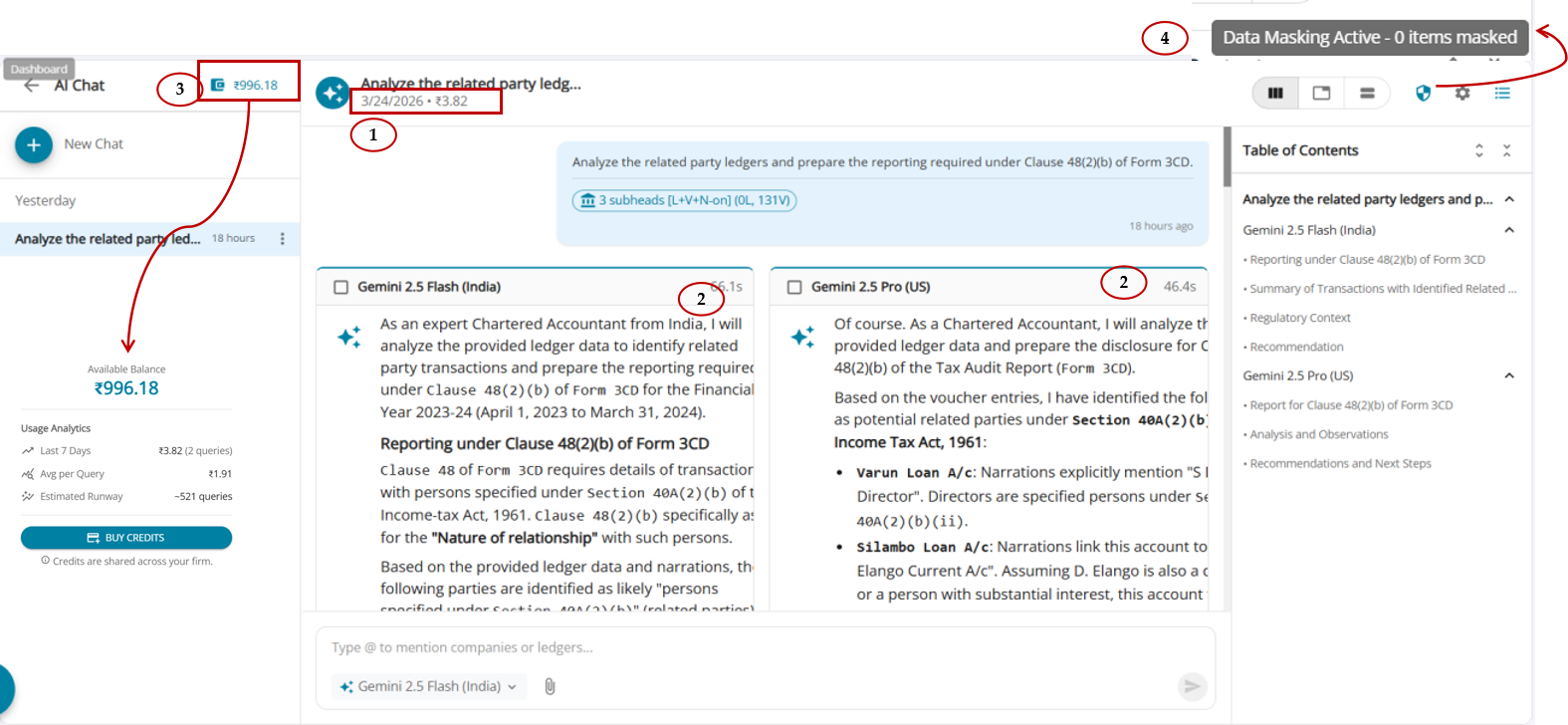
The output screen displays the analysis generated based on the query and the context that was initiated. If multiple AI models are selected, the system provides a comparative response from each model based on the same request.
The screen shows the following details:
1. Date and time of the analysis run, along with the total credits consumed for the analysis.
2. When more than one AI model is used for comparison, the window is split into multiple panels, enabling a side-by-side comparative view of the responses.
The time taken by each AI model to generate the response is also displayed.
3. The system shows the available credits balance and the credits pending.
In future, users will have the option to add more credits, allowing them to continue running additional analyses.
4. The system also displays the list of masked items used when sending data to the AI model.
This includes:
- The original value
- The masked value that replaced it before being sent to the AI model.
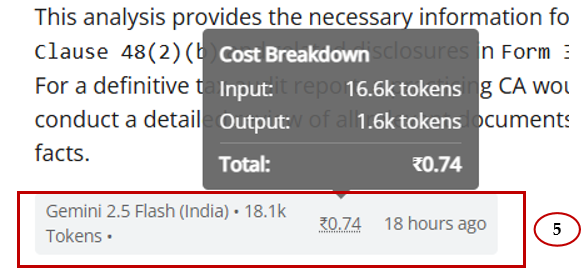
5. At the end of the analysis, a detailed cost breakdown is displayed, including:
- Input tokens
- Output tokens
- Total credits consumed for the analysis