
Assignment Planning
Once the client's preferences are duly set, proceed to plan the first assignment for the client.
Click the My Clients tab from the left scrollbar. The following screen will pop up.
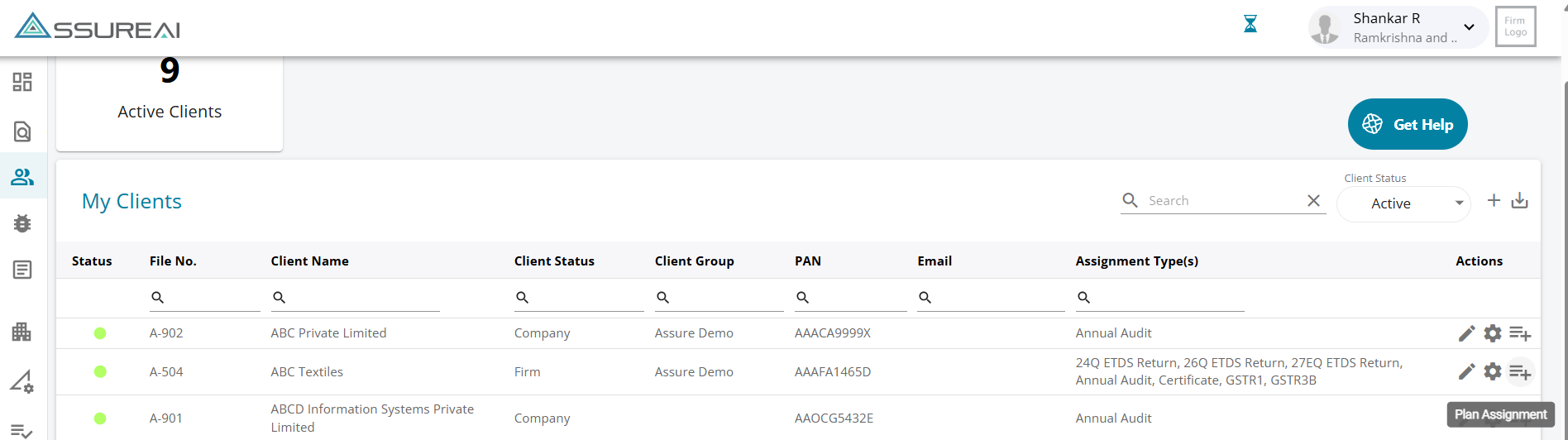
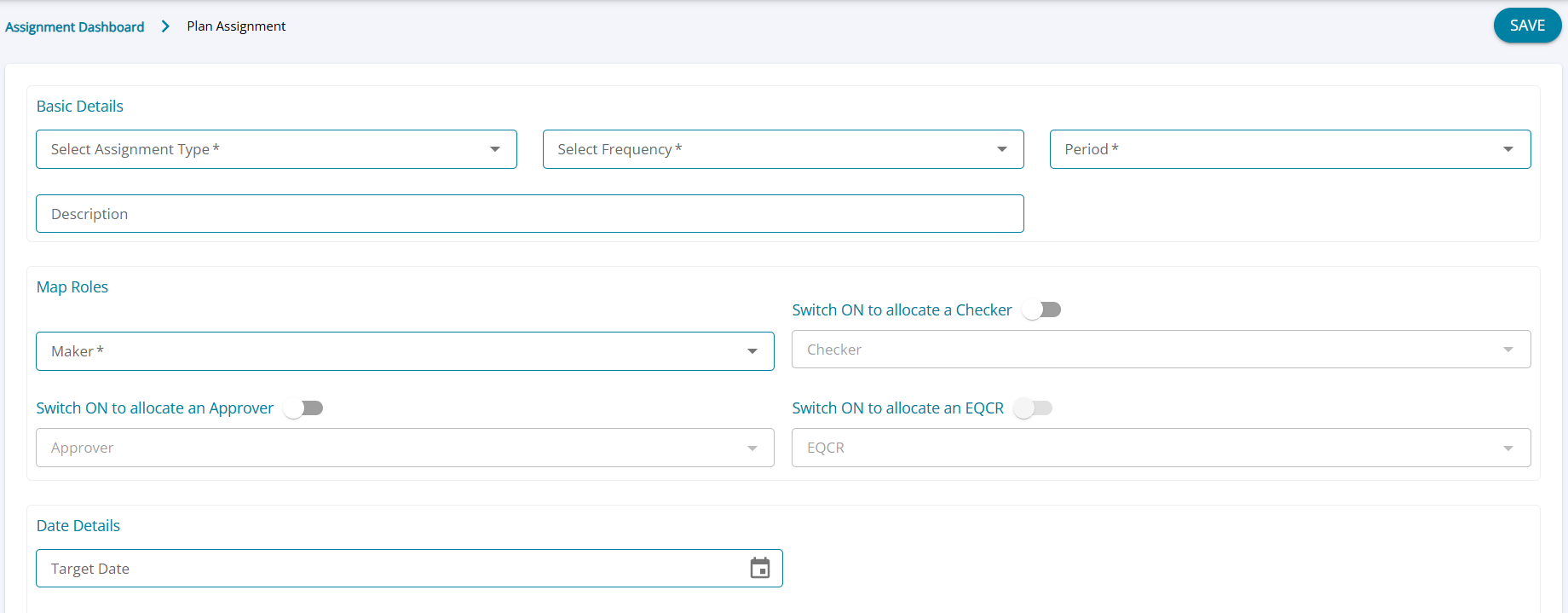
To plan an annual audit assignment, select the assignment type as Annual Audit and proceed to select the other fields such as period, maker, checker, and EQCR. Also select a target date for completion of the current assignment.
Initiating Annual Audit Assignments Across Financial Years
Annual Audit assignments can be initiated for prior financial years even when an assignment for a subsequent financial year has already been initiated.
For example, if the audit for FY 2025–26 has been initiated and work for FY 2024–25 is subsequently required, the FY 2024–25 assignment can also be initiated, subject to the following conditions:
- Periods must be continuous: Assignments cannot be initiated with gaps between financial years.
- Finalized periods cannot be bypassed: If the subsequent-period assignment is already Finalized, it must first be unfinalized before initiating the prior-period assignment.
Once done, click SAVE and the created assignment will now be available under 'Assigned to Me' tab as you are the maker of the Assignment.