
Voucher Verification
Voucher verification – Landing Page
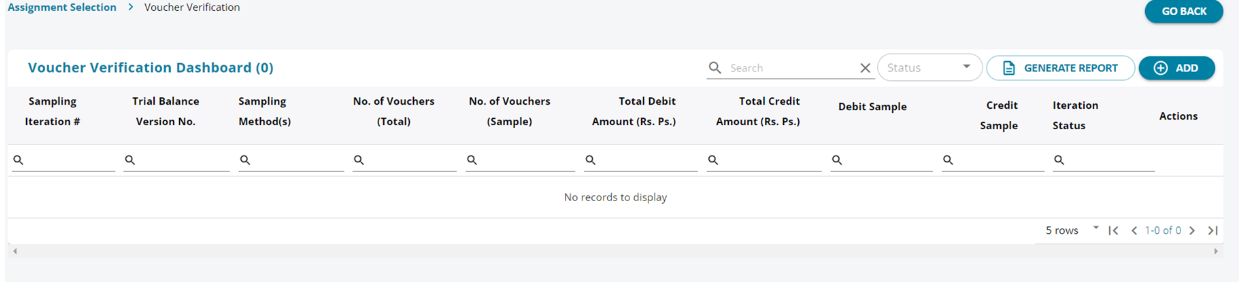
1. The user can sample the vouchers that have been loaded from the tally . By clicking on the “Add” button the user can initiate a sampling.
Voucher Verification – Add Sample
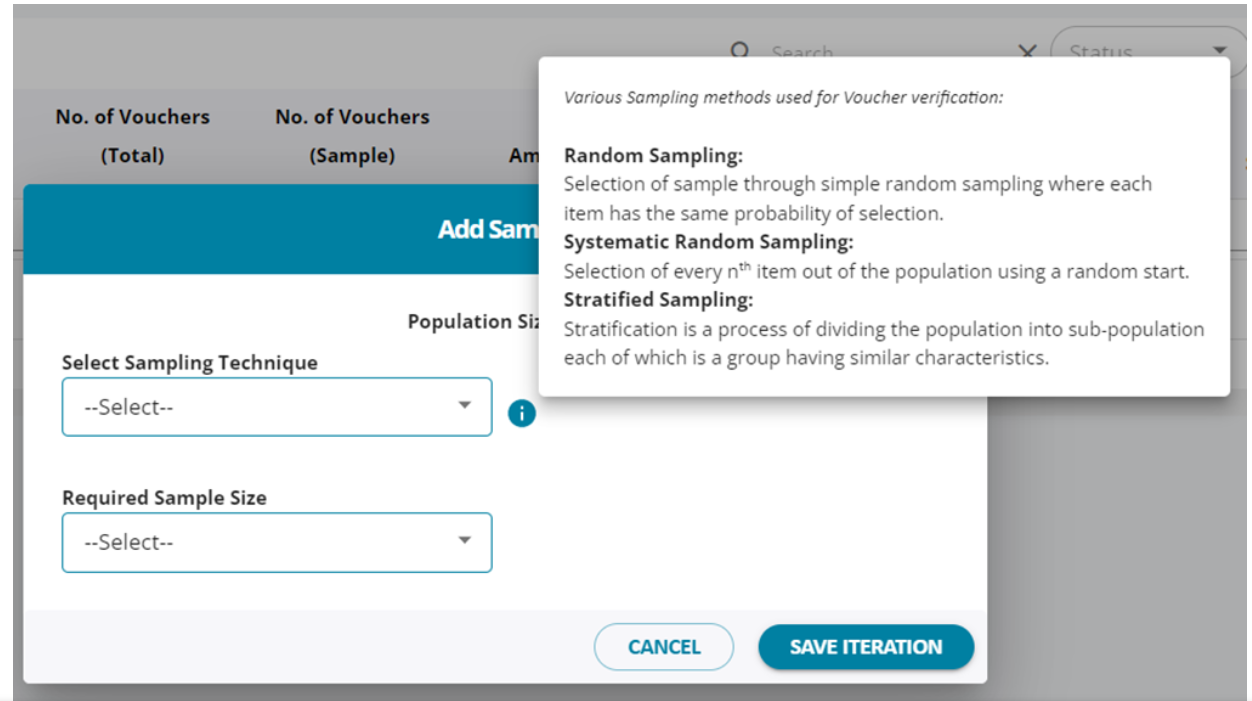
1. There are 3 methods of sampling Random , Systematic Random and Stratified Sampling.
2. The most commonly used method is Stratified sampling as it allows the user to test a condition based sampling .
3. The options under sample Size are in Figure or in percentage.
4. Once the choices are made the user can navigate to the next screen.
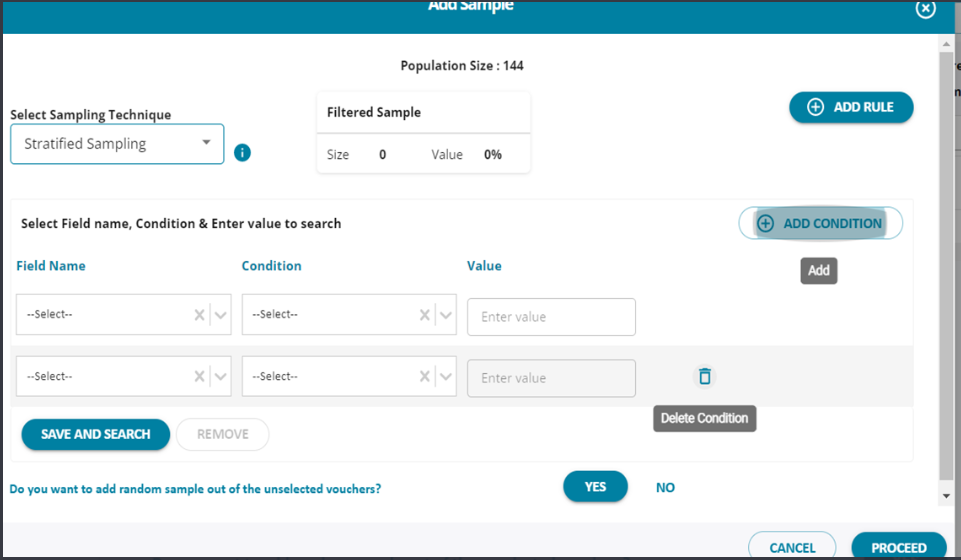
1. The user can add / delete / remove rules and conditions and on “ save and search” the system pulls out the vouchers
that pass the criteria for search.
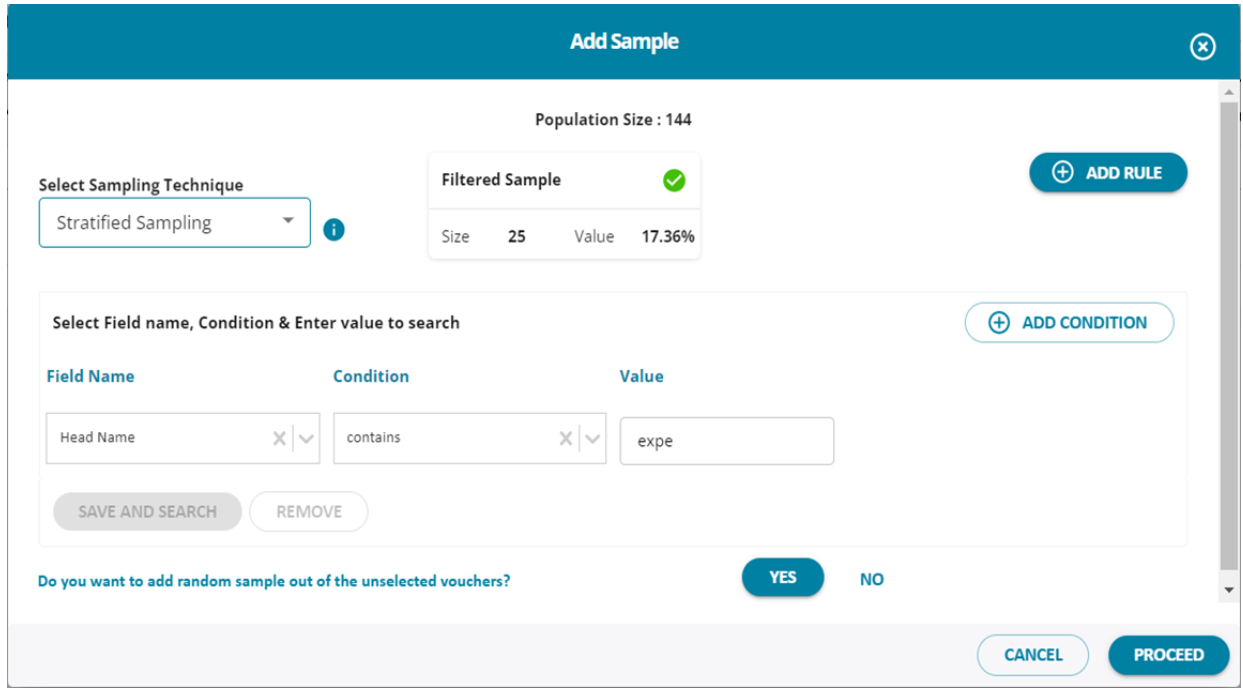
1. The example given in the screen shot searches for head name , that contains “ expe”
2. Press “ save and search” and click on “ proceed”
3. The results have populated 25 vouchers.
Voucher Verification
1. The user can click on “ verify vouchers” button
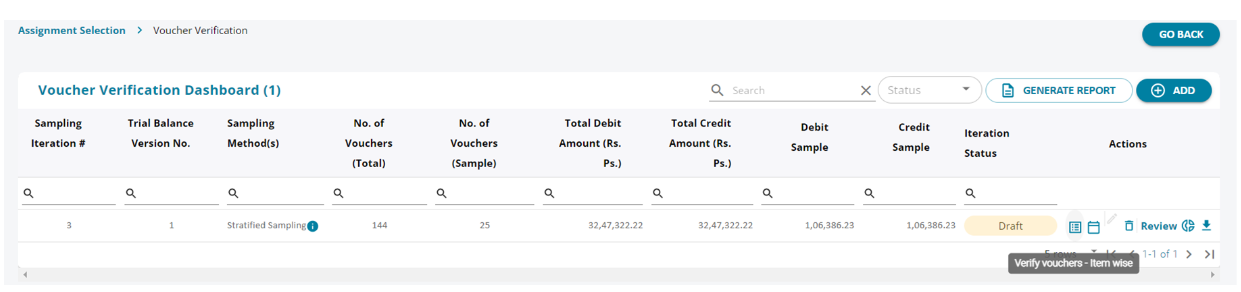
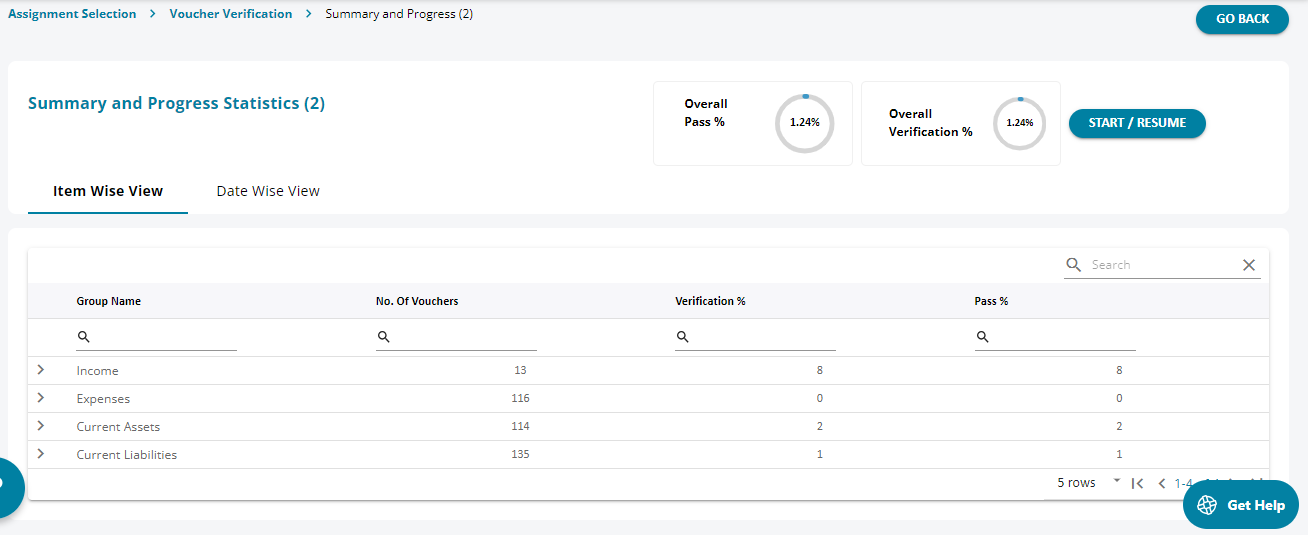
1. The screen opens the vouchers under various group heads and the number of vouchers under each group name.
2. The initial screen shows the over all pass as 0%
3. As the user starts to verify the vouchers the pass % increases.
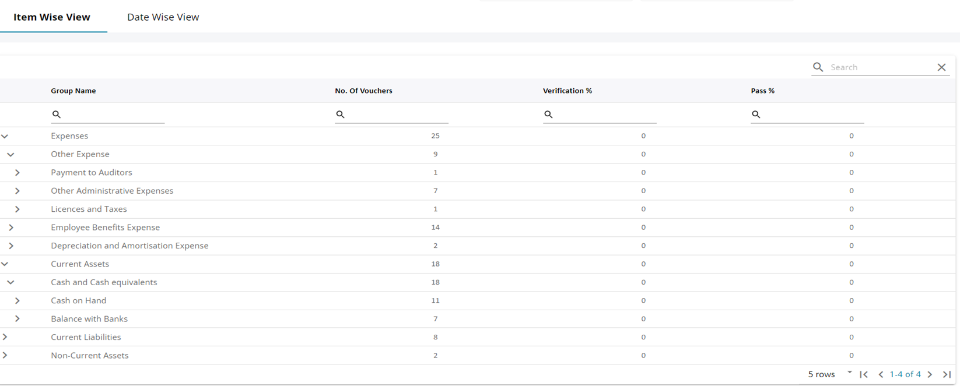
1. The heads can be expanded to show the break down of the other sub-hears under which each voucher is captured.
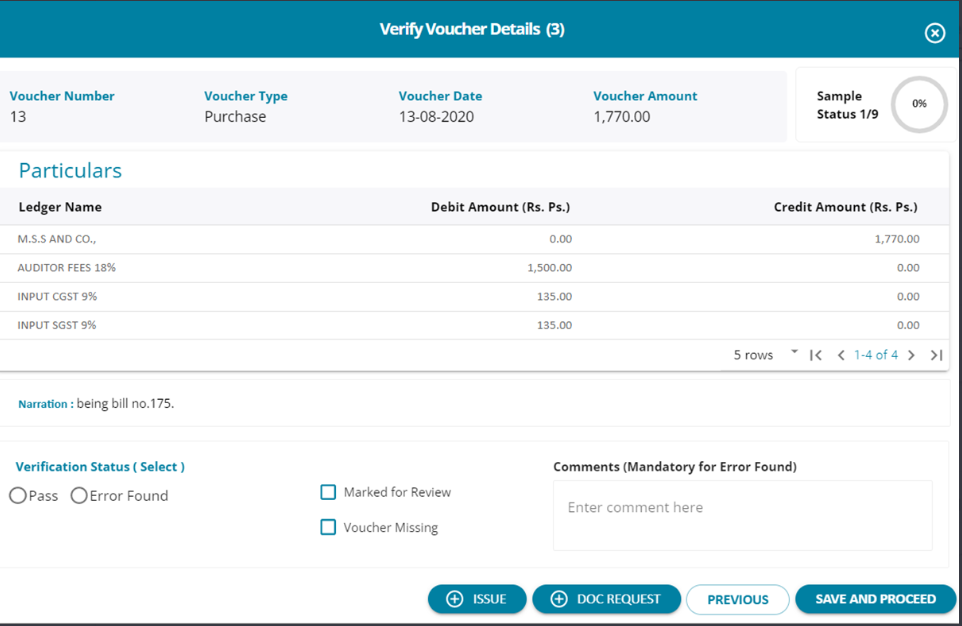
1. The user can open each and very voucher and either choose to “Pass” it or if any error is found , the user can take necessary
steps to highlight the error and accordingly update the system.
2. As and when a voucher is marked “Pass” the sample status % keeps increasing