
ITR Excel - Computax
After the successful configuration and generation of single-click ITR for Genius, the feature now extends support to the ‘Computax’ format.
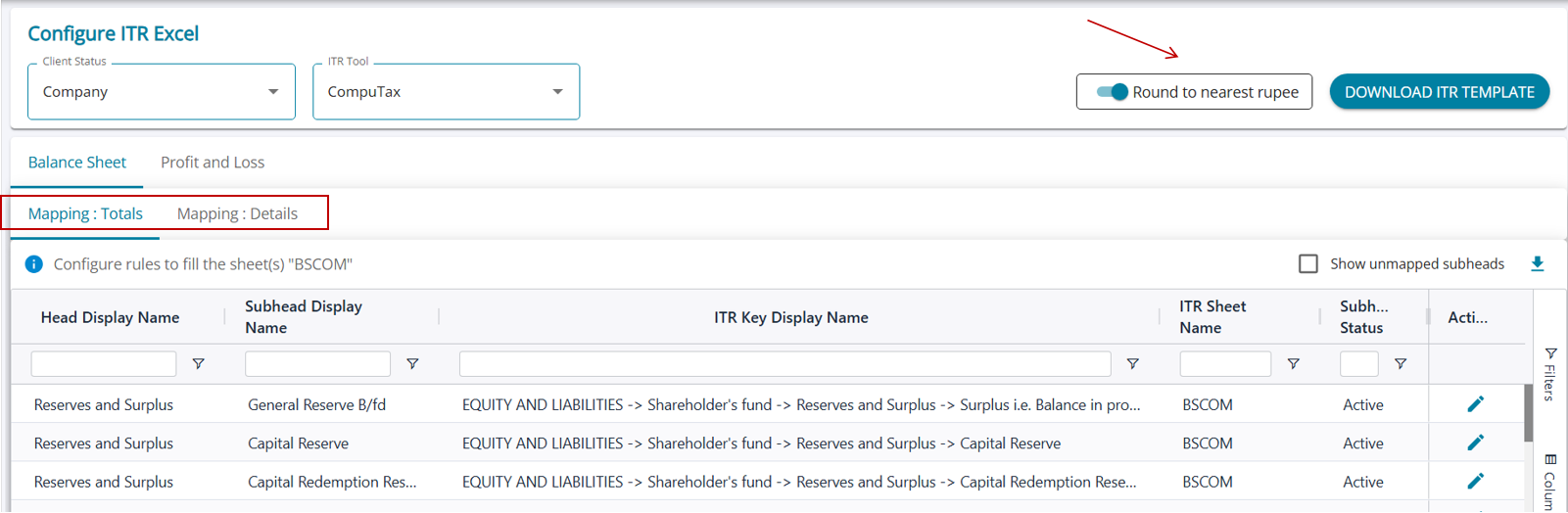
The Computax format can be configured from the ‘Configure ITR Excel’ feature.
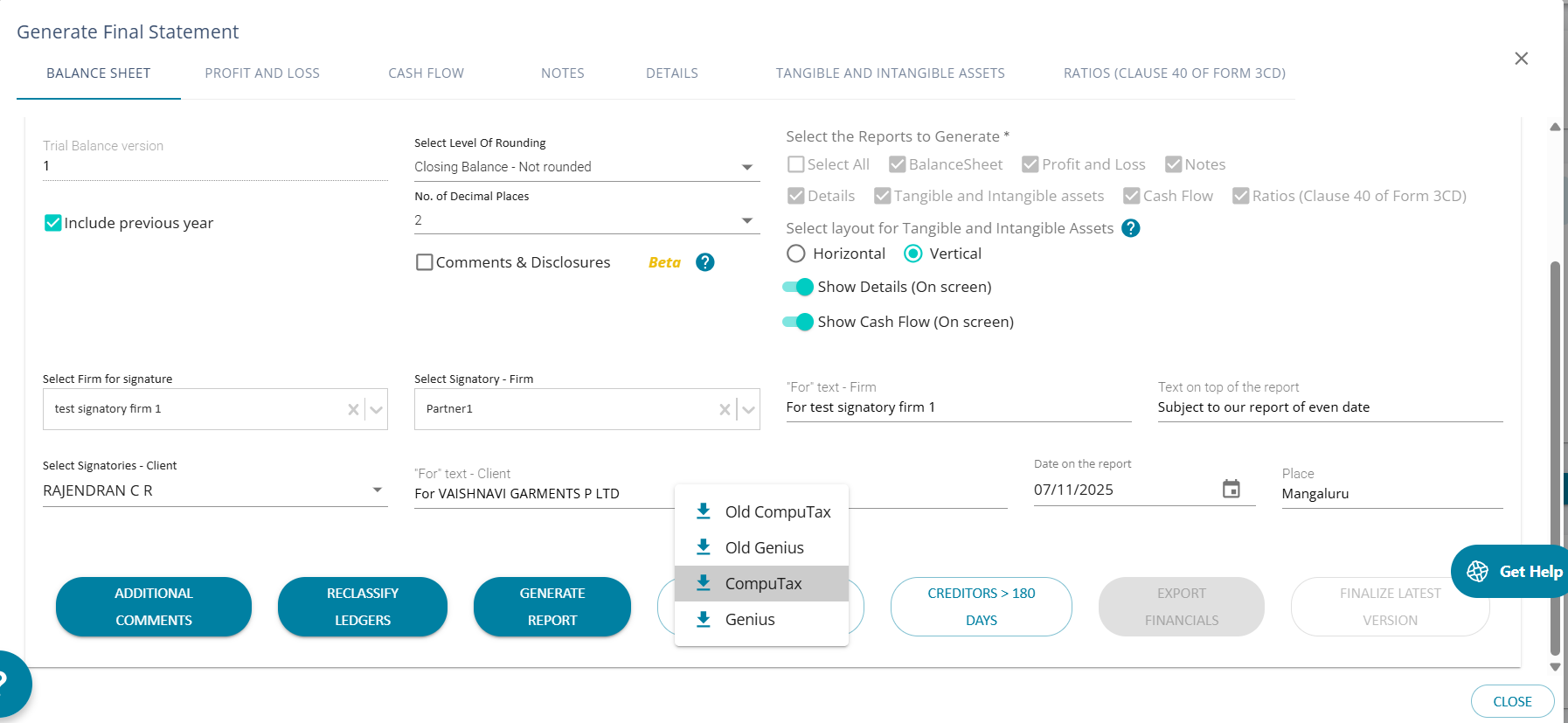
The previous option, “Computax” to download Trial Balance, has now been renamed “Old Computax ”.
The option “Computax” will now download a full-fledged ITR Excel with multiple sheets of required information.
Option to Round to nearest rupee’. If the toggle is switched on, the generated Excel will have all figures rounded, else, the amount can be show as it is - with paise
The process of mapping subheads in AssureAI to the required Computax format mirrors the same approach as that of the Genius ITR Excel mapping process.
https://assureai.productfruits.help/en/article/itr-excel-genius