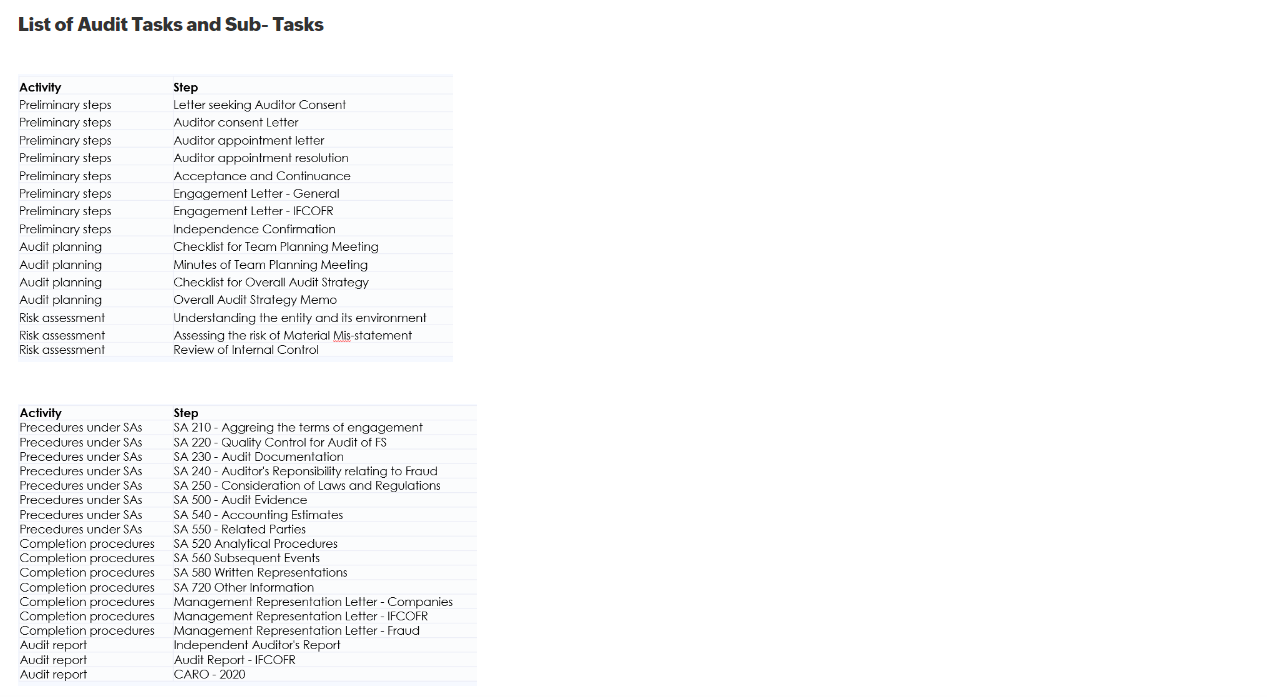
Audit Tasks - Other Tasks and Sub -Tasks
Audit Tasks - Other Tasks and Sub -Tasks
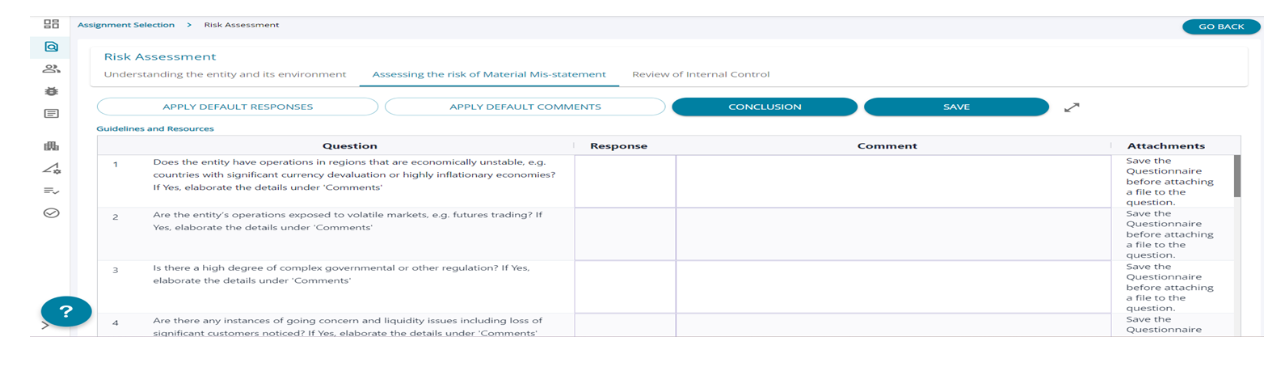
1. All tasks and sub-tasks screens have similar features . The user can apply default responses and comments. If saves already the same will be populated for the user.
2. The user can add comments by clicking on the “conclusion” button which will be displayed in the audit summary screen, where the user can download the reports saved and updated under each task under “Audit Tasks”.
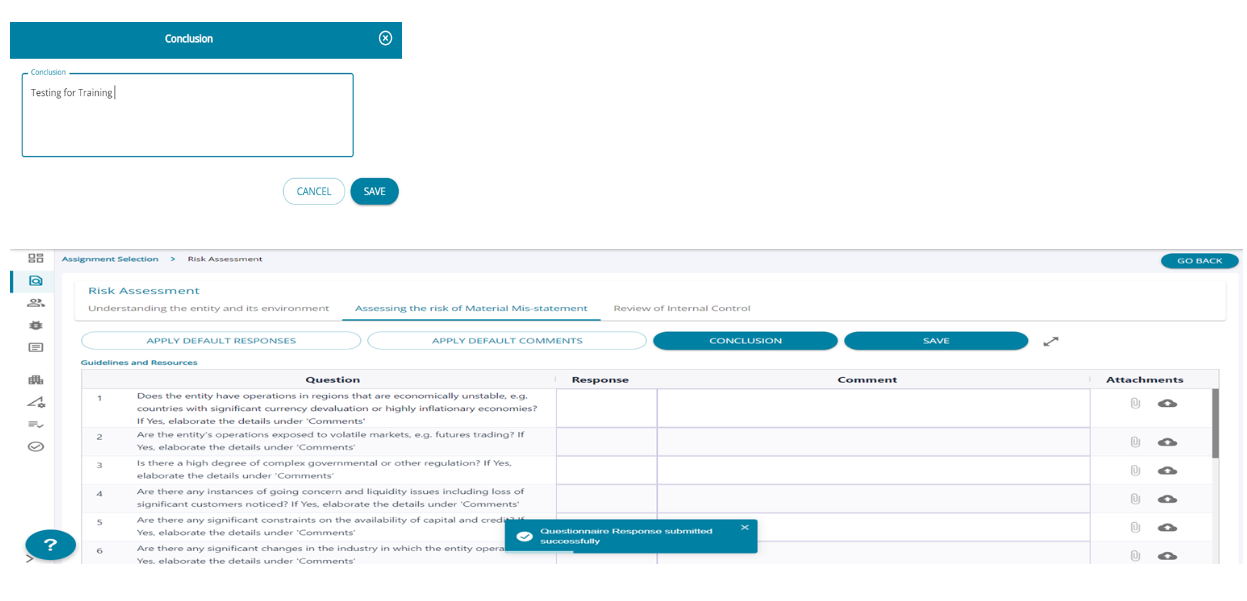
1. Once the responses are submitted the user can see option to upload attachments for each question if the user needs to substantiate the response.
2. The user can upload more than 1 attachment / question