Issues Dashboard - Load Audit Program
Load Audit Program - Issues Tab
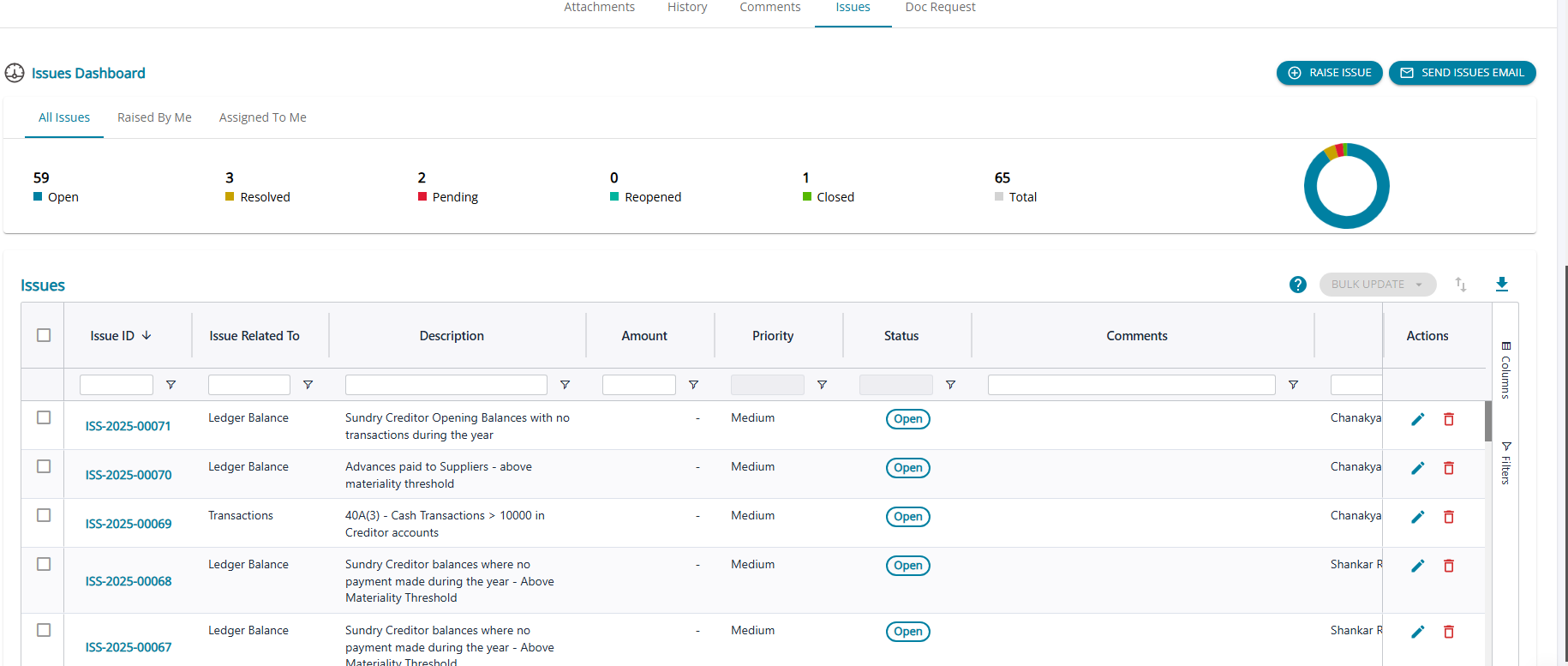
In the Load Audit Program module, the Issues dashboard lists all issues raised from various screens.
1. Issues Module is a feature to raise Audit Queries / Issues which will reflect in the Client Portal
2. Once a set of issues is raised, the user may also click the ‘Send Issues Email’ button so that an automated email will be sent to the client informing the issues raised by the CA user
3. The user can click on the Issue ID# for any open issue to navigate to the ‘ Update Issue’ screen
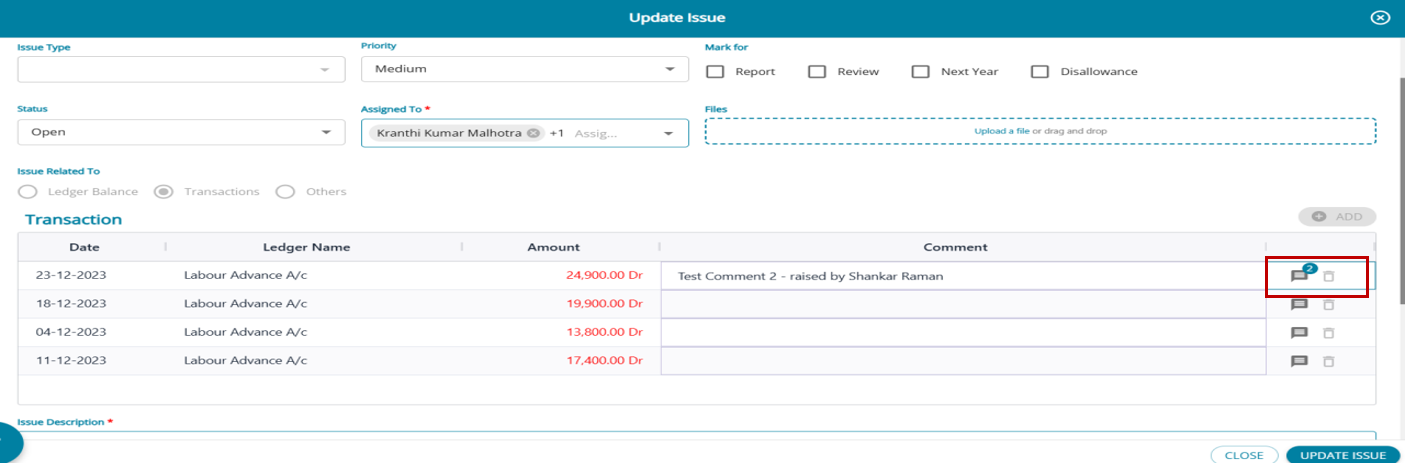
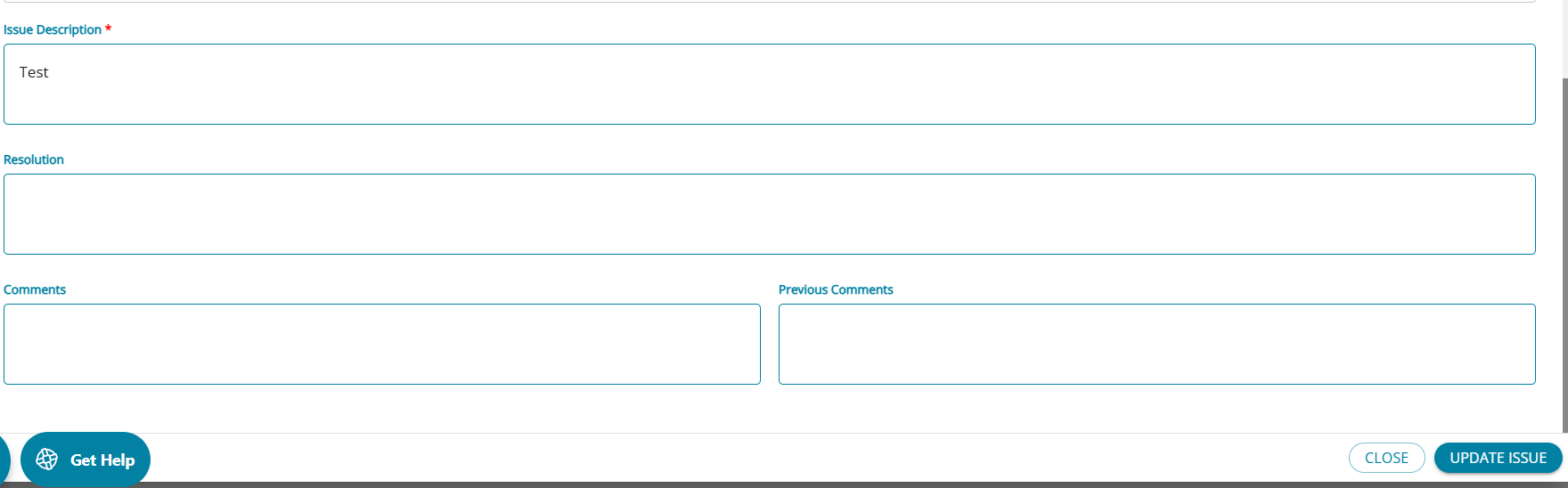
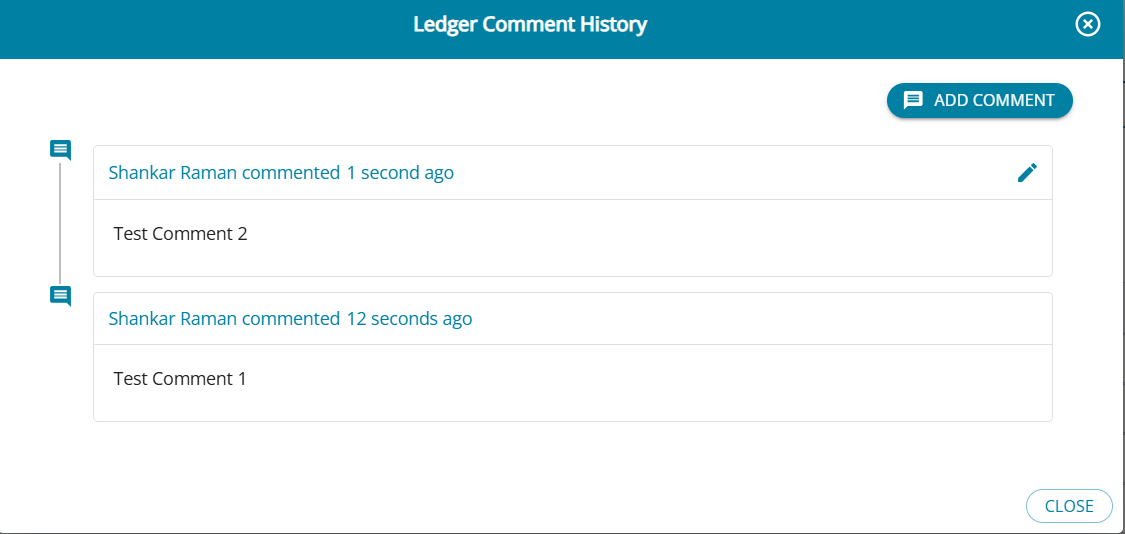
- On the ‘update Issue’ screen, the user can resolve or keep the issue pending but adding necessary comments. A limit of 500 characters is set for comments.
- The Action column displays the number of comments raised for the row, and by clicking the comments icon, users can view existing comments and add new ones.
- Client will be able to resolve the Issues by typing necessary comments in the “Resolution” tab on this screen and update the Status of the issue as ‘Resolved’
- Once the issue is resolved, the dashboard is accordingly updated with the status of the issue
- The status can be changed for the issue while updating the details
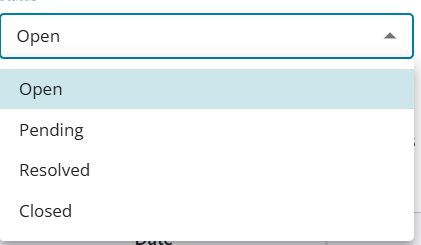
Raise Issue- Summary
1. Type the Issue Description and Click Raise
2. Once raised, the issue will reflect under ‘Open’ Status in both the CA user as well as Client User Portals
3. Client User / Assignee may click on the ‘Open’ button in the Issues Dashboard when all the open issues are populated in the table below
4. Client User / Assignee may update the status of the issue as ‘Resolved’ and proceed to type the response in the Resolution box.
5. Individual Comments may also be given against each line item in the issues table
6. Any Document / Evidence may also be attached by the Client/Assignee as part of the resolution
7. Once the Client / Assignee resolves the query, the issue will move to ‘Resolved’ Status in the Issues Dashboard
8. The CA user can review the response can proceed to update the status as ‘Closed’
9. If the CA user is unable to decide on the issue, then the same may be marked as a ‘Pending’ issue
10. Any Closed issue can also be ‘Re-opened’ in case it is subsequently found that the response was not adequate.
Export Issues.
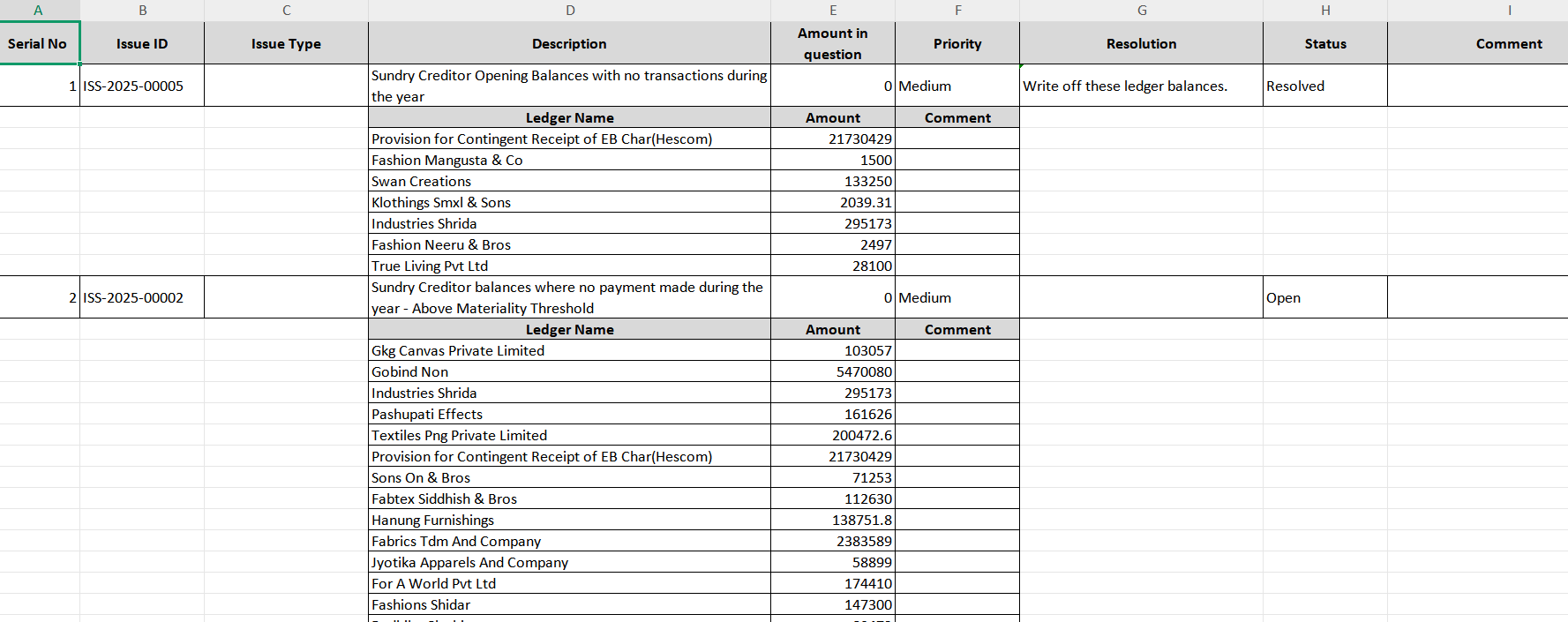
A summary of all the issues raised can be downloaded into an excel from the dashboard.
There are 2 format options available for the users :
- Short Format
- Long Format

Short Format Sample
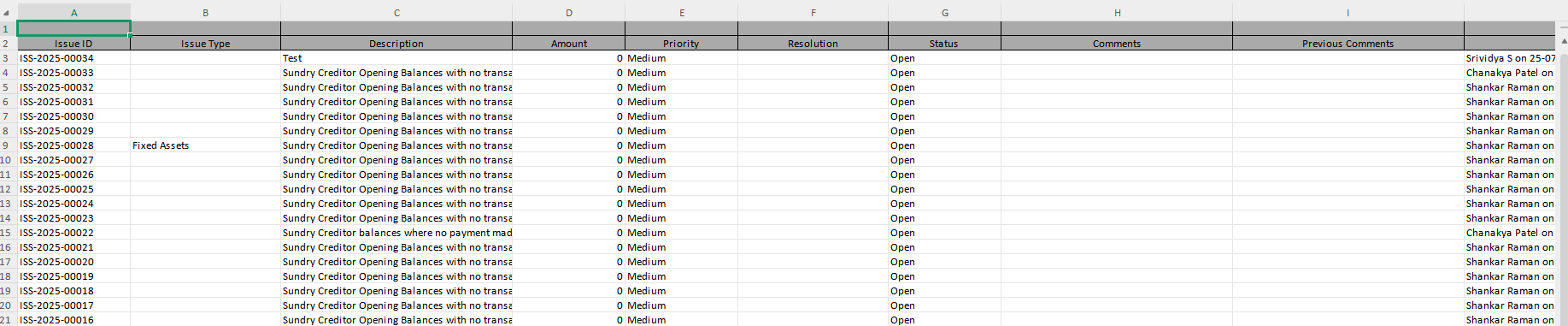
Long Format Sample