
Ad-Hoc Tasks Settings
The task Management Settings has a tab for settings for Ad-Hoc Tasks.
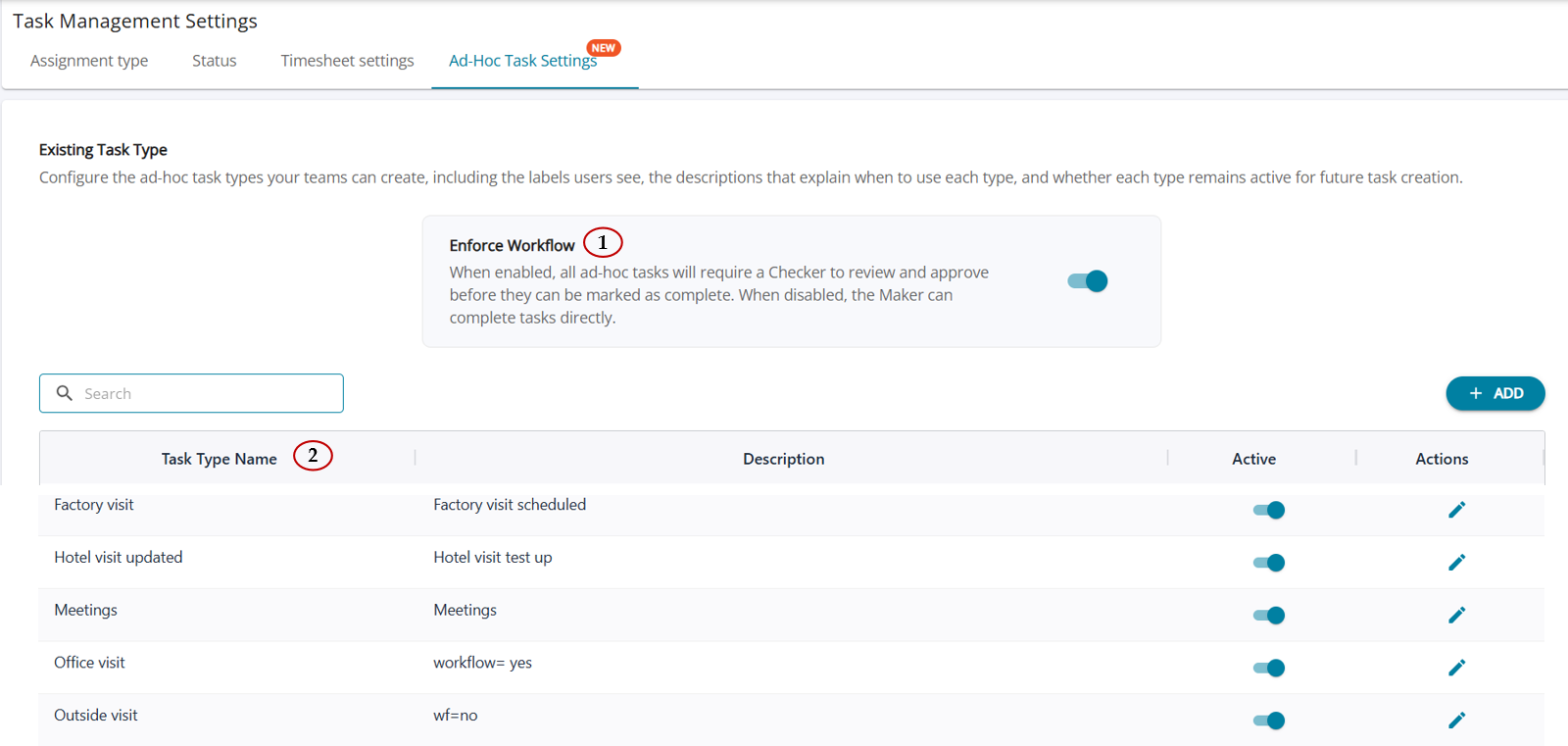
1. Ad Hoc Task Workflow Behaviour
The behaviour of Ad Hoc Tasks is controlled through the Enforce Workflow configuration. This setting determines whether the task must mandatorily pass through the Maker–Checker review process before completion, or whether users can directly complete the task without workflow enforcement.
1.1 Workflow Behaviour Configuration
1.1.1 Behaviour when Enforce Workflow = ON
When the Enforce Workflow option is enabled, the system ensures that all Ad Hoc Tasks strictly follow the configured review workflow before they can be completed.
Behaviour
1. Users cannot mark an Ad Hoc Task as Complete without completing the required workflow steps.
2. The task must be submitted for review and approved by the assigned Checker.
3. The task can be marked as Complete only after the workflow status becomes Approved.
4. Once the task reaches Approved status, the Maker, Checker, or Supervisor can perform the Mark as Complete action based on authorization.
1.1.2 Behaviour when Enforce Workflow = OFF
When the Enforce Workflow option is disabled, the review process becomes optional, allowing users to complete tasks directly without mandatory approval steps.
Behaviour
1. Users can mark the task as Complete without submitting it for review.
2. The Maker / Checker workflow becomes optional.
3. Tasks can be completed directly by the assigned Maker or any authorized user, irrespective of workflow status.
2. Task Type Configuration
The Task Type Configuration feature enables administrators to define and manage categories under which Ad Hoc Tasks can be created. Task Types help standardize task classification, improve reporting, and ensure users select the appropriate category while creating tasks.
Feature & Behaviour
By clicking on the 'Add' button, users can add task types for ad-hoc tasks, and once successfully added, the new type is added to the table.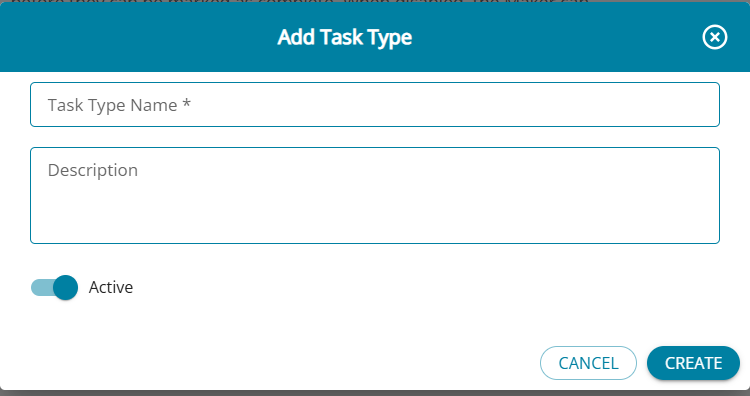
2. Description: Provides additional information about the purpose or nature of tasks that fall under the Task Type. Helps users select the correct category while creating tasks.
3. Active Toggle Controls whether the Task Type is available for selection while creating an Ad Hoc Task.
(i) Task Type Active = ON. The Task Type appears in the Task Type dropdown while creating an Ad Hoc Task.
(ii) Task Type Active = OFF The Task Type is hidden from the dropdown for new task creation but is retained for historical and existing tasks.