
Clause21(d) B- Section 40A(3A)
Clause21(d) B- Section 40A(3A)
The system captures the details in the following steps:
What is it ?
1. Section 40A(3)(a) focuses on individuals who make payments in cash of more than ₹ 10,000 in a single day and cannot claim those payments as deductions when filing income tax returns ( there are some exceptions to this general rule)
2. However, if a firm purchases machinery or land, it is not an expenditure. Instead, it comes under the provisions of the Capital Gains of Income Tax Act.
3. If an individual or business completes a transaction in the following payment modes, then they can claim those payments as a deduction:
(a) Demand draft
(b) Account payee cheque
(c) ECS or other digital payment modes
4. AssureAI allows user to mark all creditors who have made payment to the client in excess of Rs. 10,000 by cash.
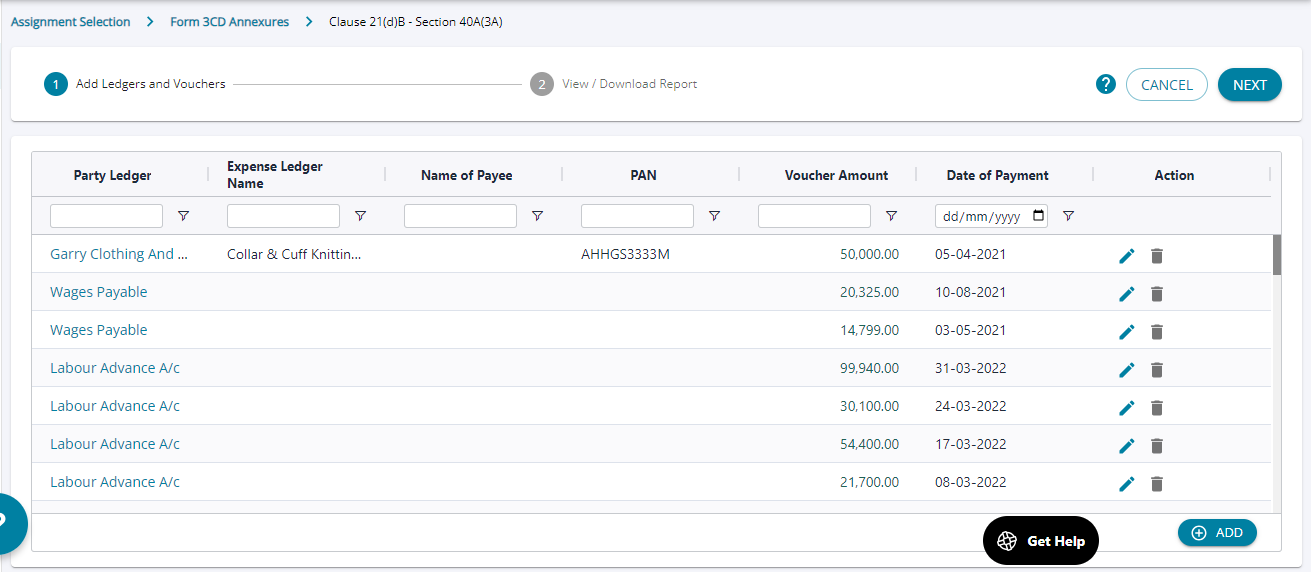
1. Upon the clicking on the link “Clause21(d)B-40A(3A)” the screen opens with ledgers which have relevance to the selected clause.
2. The system auto populated all creditors who have made payment greater than Rs. 10,000 /- but more ledgers can be manually added as well by the user and then the user can click on “ Next” to see the summary of all the ledgers added .
1. The system auto populates all creditors/ creditor ledgers that have payment greater than Rs. 10,000 /- but more ledgers can be manually added as well by the user and then the user can click on “ Next” to see the summary of all the ledgers added .
2. If the user attempts to add an entry for a transaction < Rs.10,000 , the system throws an alter message .
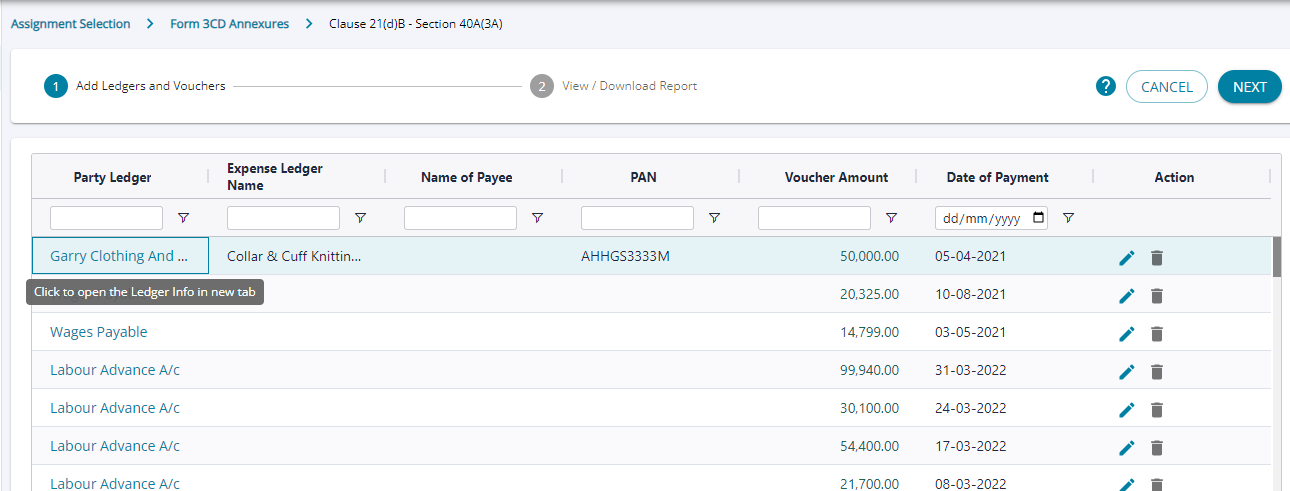
On clicking on the ledger name , each and every voucher under the ledger can be viewed.
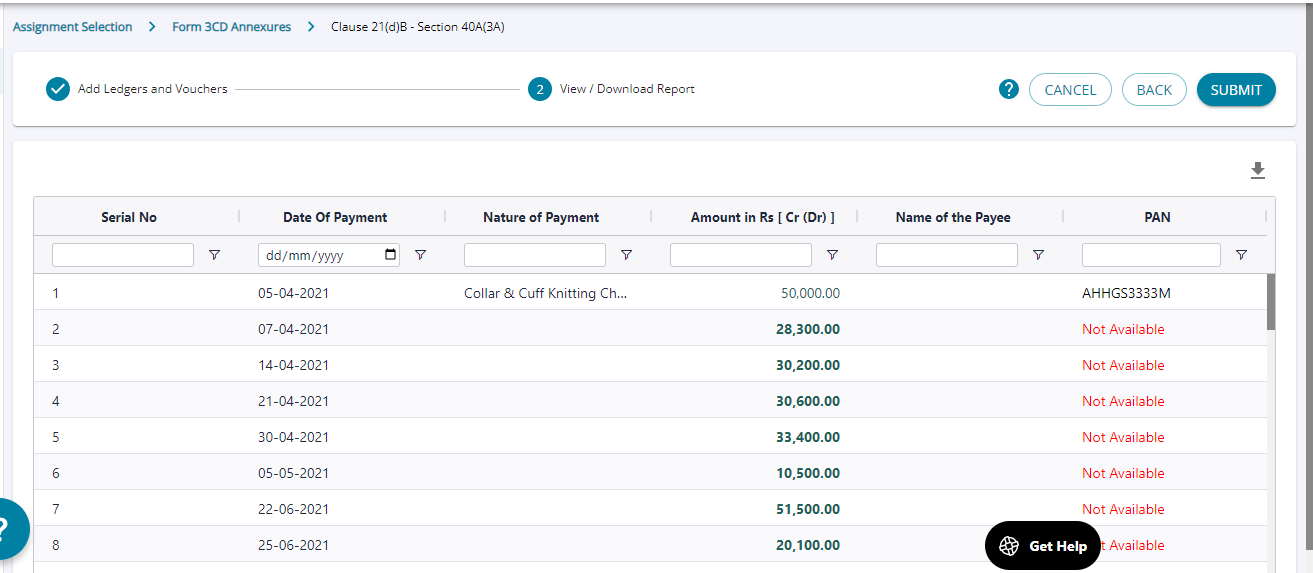
1. The user can click on “next” and the summary of all the ledgers are displayed .
2. No changes can be made on this screen . In the given screen, the PAN details have not been captured for some line items, in this case, the user needs to navigate to the previous screen by clicking on “ BACK” and go to the previous screen and edit the ledgers added.