Assignment Type Configuration
AssurAI allows users to configure various types of assignments from the 'Task Management settings' screen.
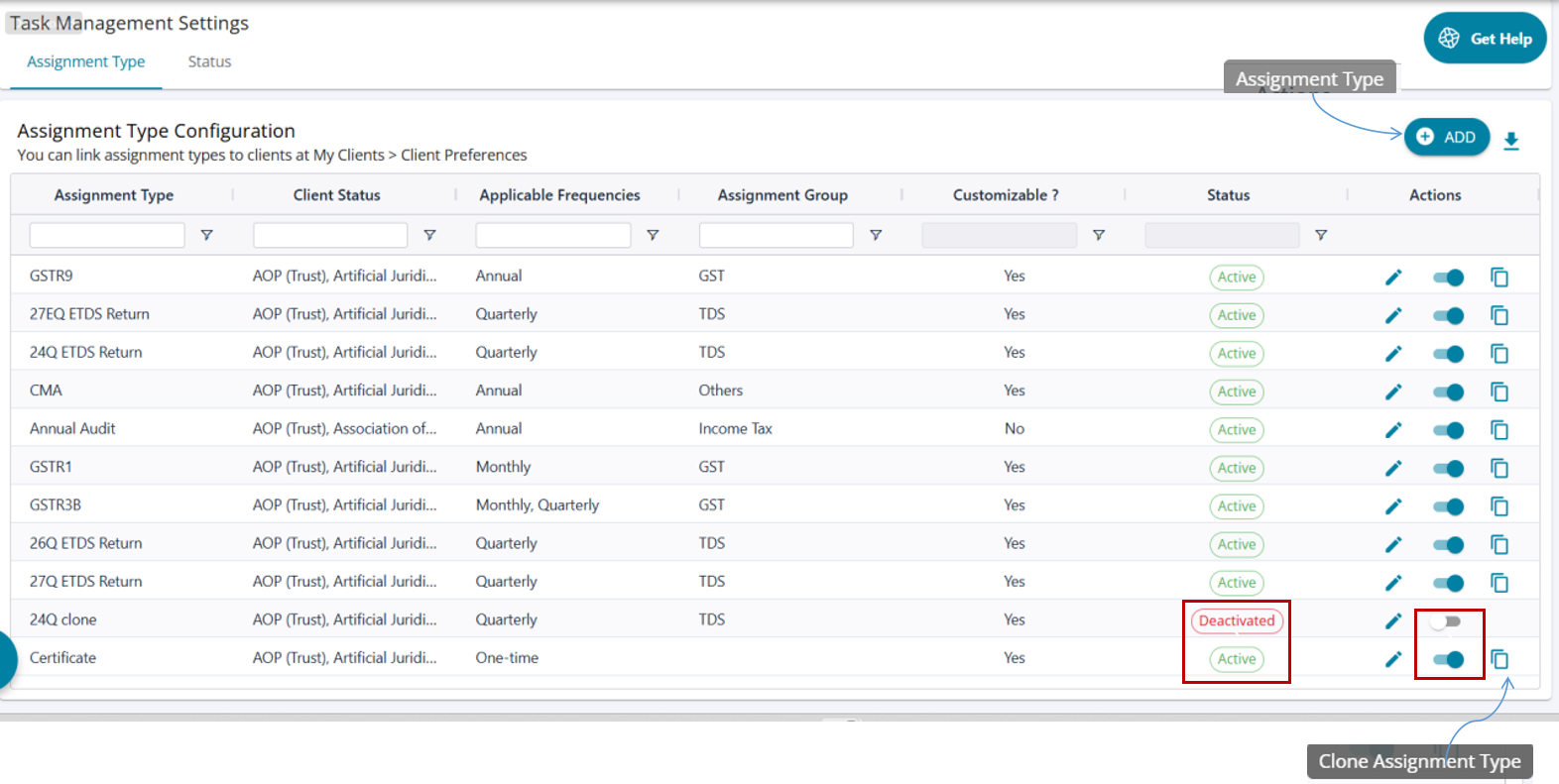
- The default view displays all pre-configured assignment types along with their current status (Active / Inactive).
- Users can add new assignment types by clicking the Add button.
- Each assignment type’s status is shown and can be toggled between Active and Inactive as needed.
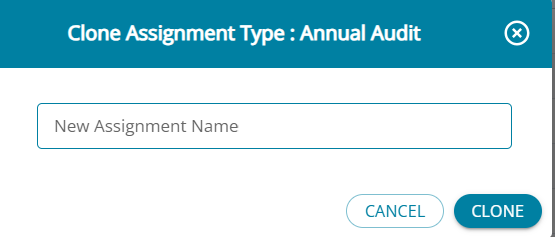
- Users can clone any existing assignment type using the Clone button, which creates a new assignment type with the same attributes as the original.
- Users can click the Edit button on any assignment type to modify its attributes.
Status Codes
A set of status codes can be added for every assignment. Every assignment moves through these statuses.
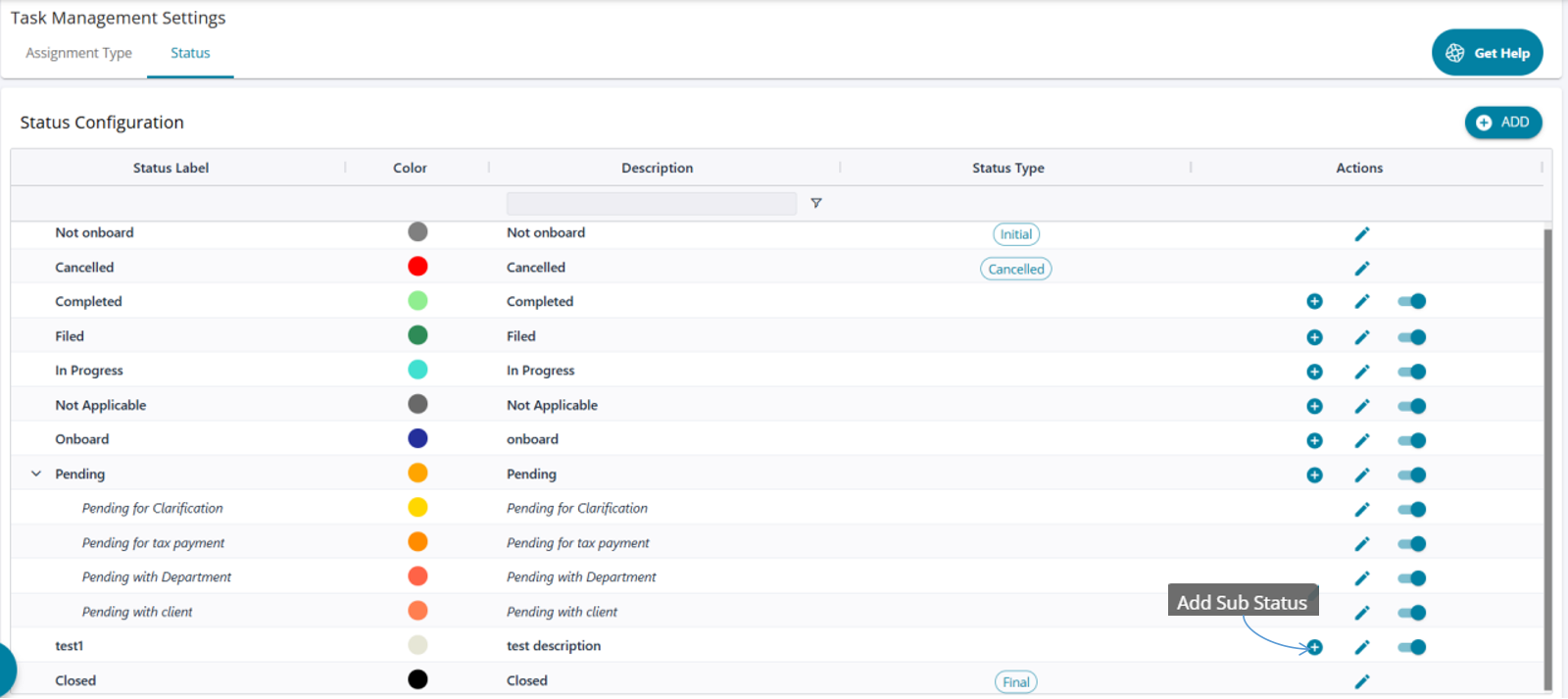
When an assignment type is created, three default status codes are always applicable: “Initial” (Not Inboard) , Cancelled (Cancelled) and “Final” (Closed).
Note: Cancelled status is not available for Annual Audit to avoid financial inconsistencies due to a break in assignment sequence.