
FSLI Testing - Configuration of Testing Procedures
Configuration of Testing Procedures
The FSLI testing task allows users to enter testing procedures while marking the line items as tested under the FSLI and Ledger level screens.
The testing procedures have to be configured using the below given steps below.

Under the FSLI Testing task configuration screen, when the Task Type is FSLI Testing, the step-2 screen lists all the testing procedures.
In Step-2 , the system will list to the user all Testing procedures that are available in AssureAI along with the mapping to respective Heads under both BS and P&L.
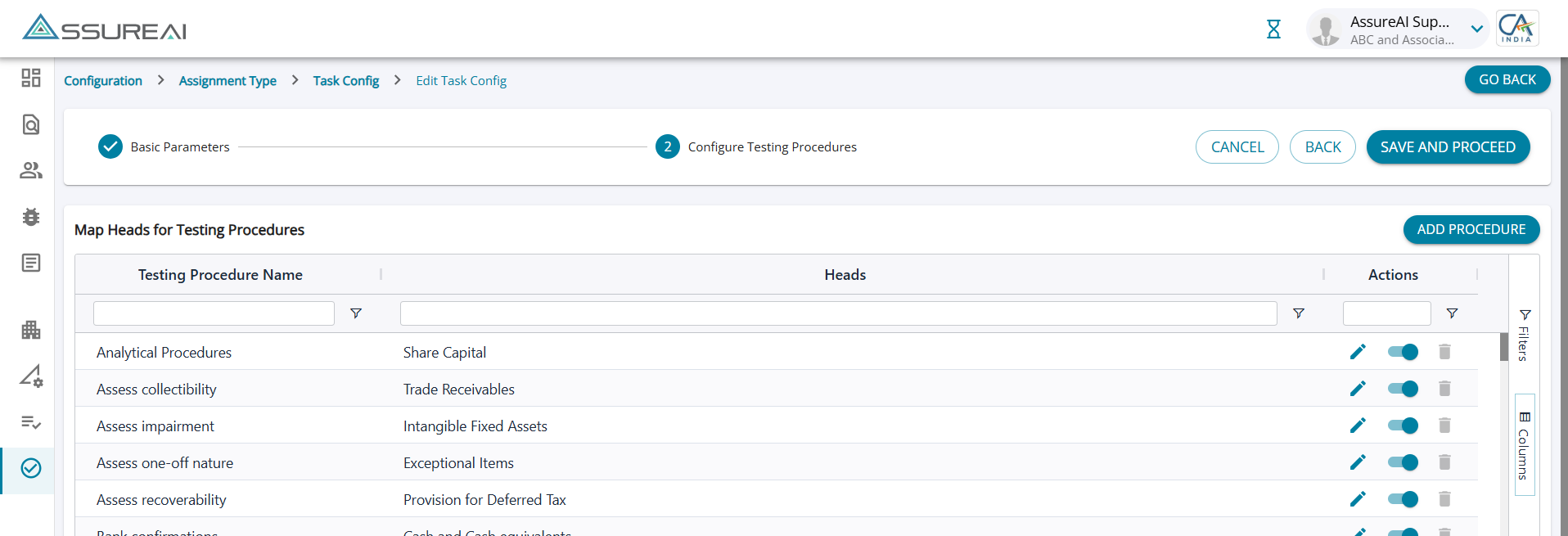
Action Column
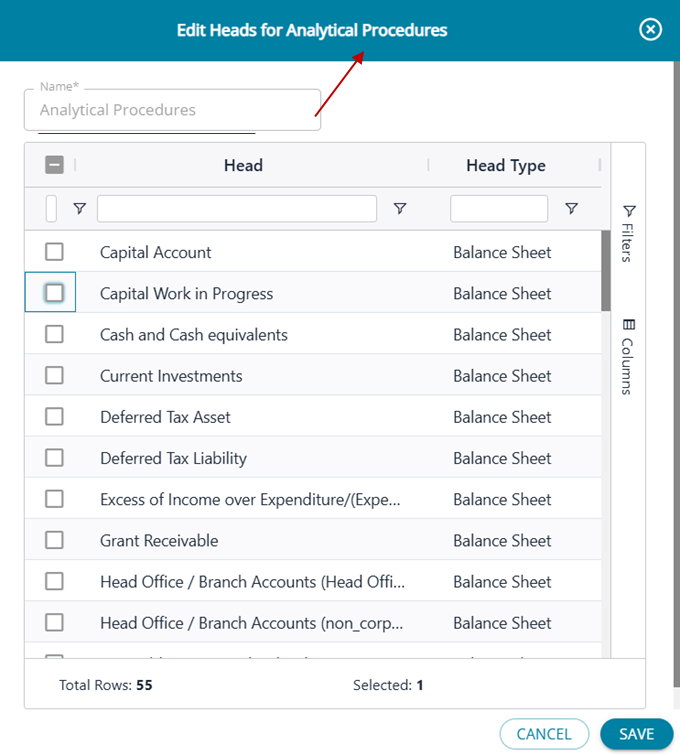
1. Edit : The system lists against each testing procedure default Heads for both BS and P&L, however, the user can edit and add/ remove Heads as required.
When the user clicks on the Edit button against any procecure name, the pop-up screen below opens up . The screen lists all the Heads ( BS & P&L) and the user can select/unselect required Heads from the list.
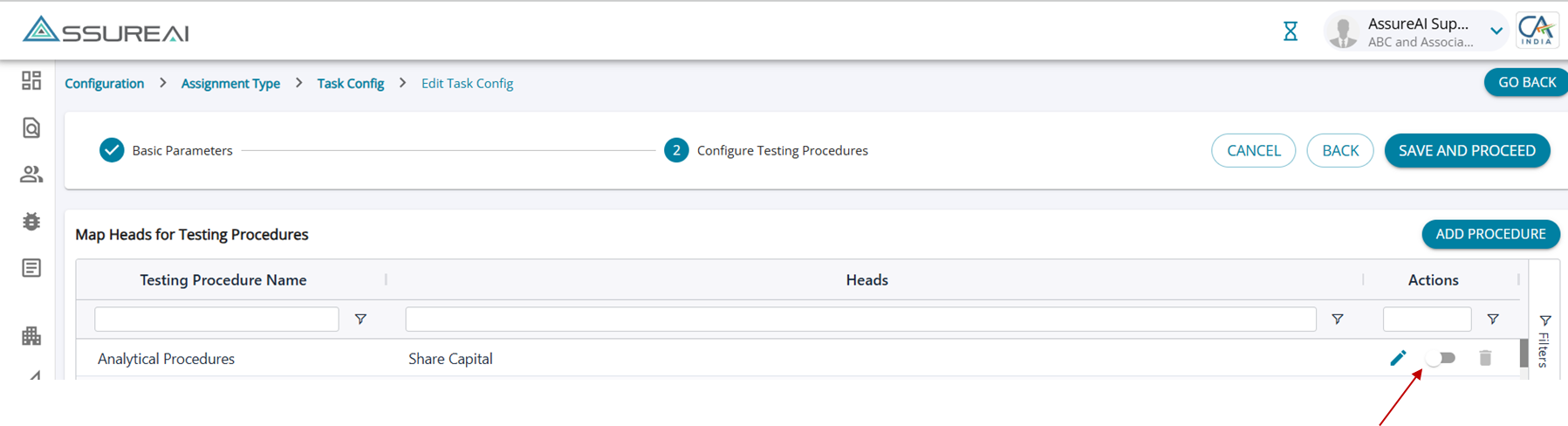
2. Toggle Button ( tool tip: Mark procedure as Applicable for FSLI Testing): The toggle button will be enabled for all rows of testing procedures by default.
The toggle can be switched off if the user does not want to include the testing procedure under any head during FSLI Testing.
For manually added testing procedures as well, the toggle will be turned on by default and can be switched off if required.
Once an existing testing procedure defaulted by the system is marked as not applicable, the procedure will be listed in the drop-down list but will not be enabled for selection. (Changes made before start of task alone will be impacted)
3. Delete
System added procedures cannot be deleted; for these rows the delete button will be disabled but for manually added procedures, the user can delete them if not required.
Add Testing Procedures
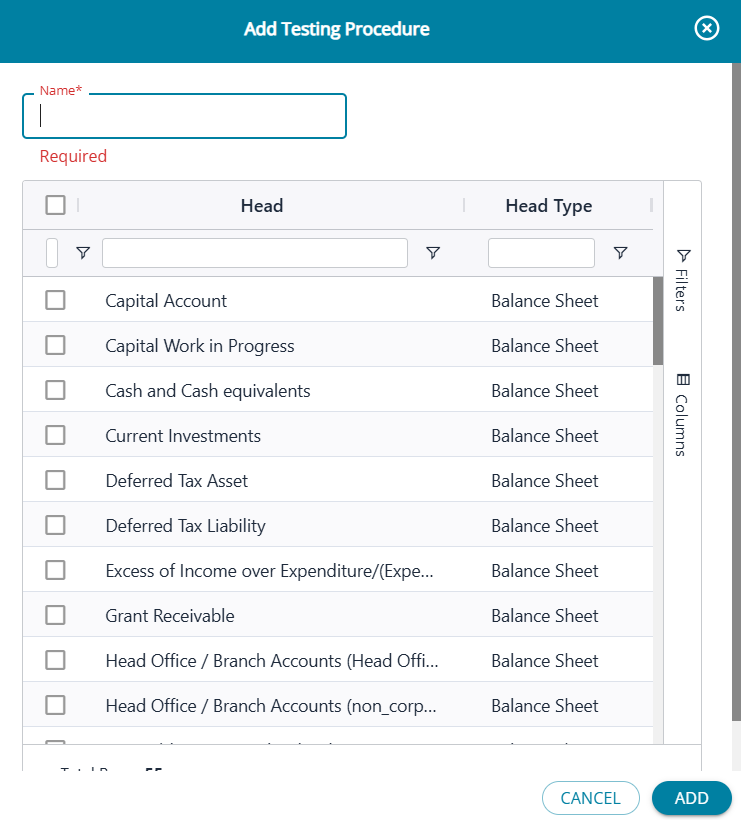
The user can manually add more testing procedures than the list that is provided by AssureAI; Testing procedure name should be unique.
User should enter the name of the new testing procedure required and also select the heads for which it is applicable under both BS and P&L Heads.
Once Added the procedure will be added to the configure testing procedures screen and (i) the edit and delete button will be enabled and (ii) the toggle for applicability will be switched on by default.