
Add CA Firm / CA Signatory
Here you can add all CA Firms which is part of the group and also add the signatory partner details - information entered here will be captured as part of the CA Signatory while generating Financial Statements
Click "My AssureAI" > "My Firm" on the left menu.
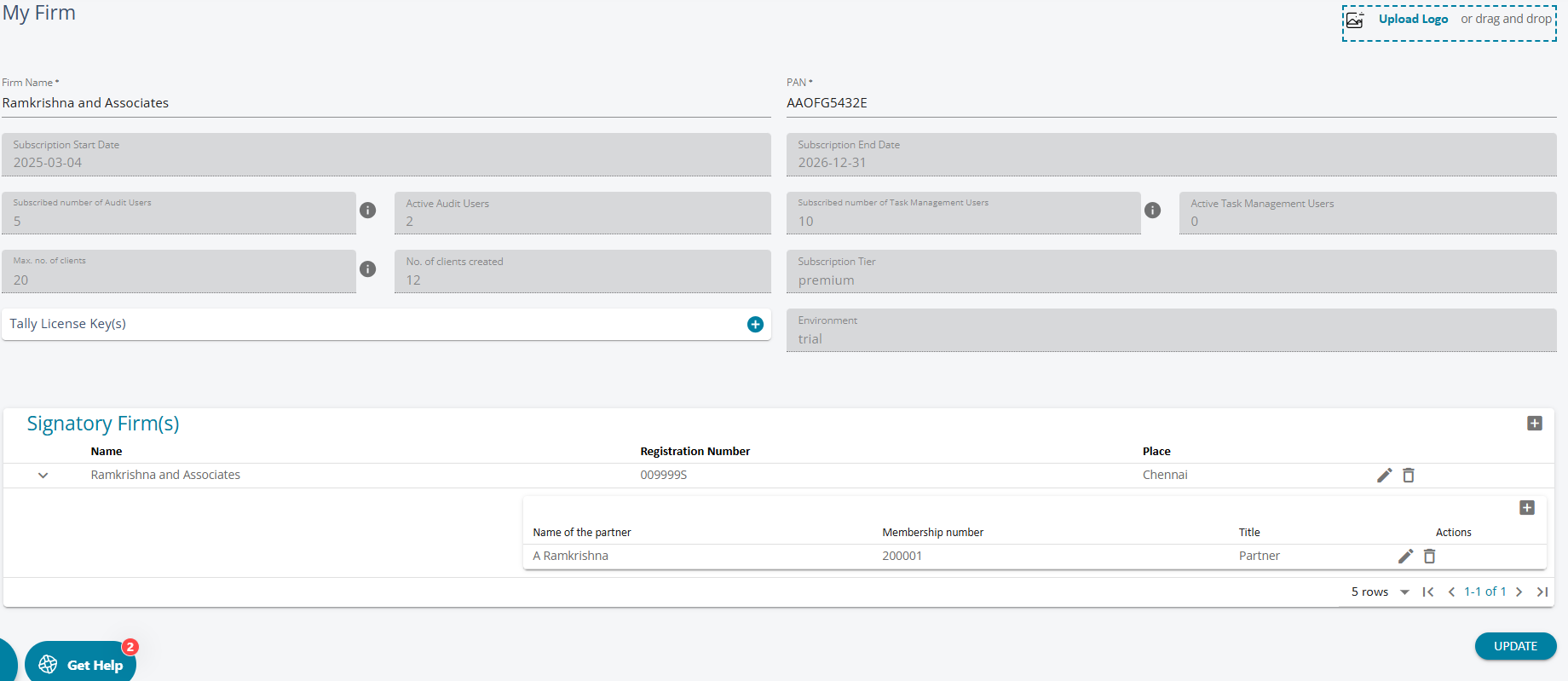
- Here, users can view the details of their subscription
- Audit Active Users: comprises of roles Auditor, Audit Manager, Audit Assistant, Junior Audit Assistant, External Auditor and Administrator. These users can participate in any assignment including annual audit.
- Active Task Management Users: they can participate in all assignments except the Annual Audit. For every audit user , 2 task managemebt users are provided.
- Max. Number of Clients: While there is no strict cap on the number of clients that can be added, a specified limit is displayed, which can be increased if needed.
- Here, you can add Tally serial numbers to get access to the AssureAI Tally plugin. Note that only the tally license numbers listed here can export books of accounts JSON from Tally.
- Users can also add Signatory firms and partner details as they would appear in the Financial statements.