
Financial Statement: Why am I not seeing the Previous year balances of Debtors and Creditors in Details
Previous year balances are not shown for certain subehads involving Debtors and creditors by default, to save pages in the statement. However, this can be changed via a setting
To enable display of previous year data in Details, set the "Include Previous Year" checkbox to Yes in "Subhead configuration".
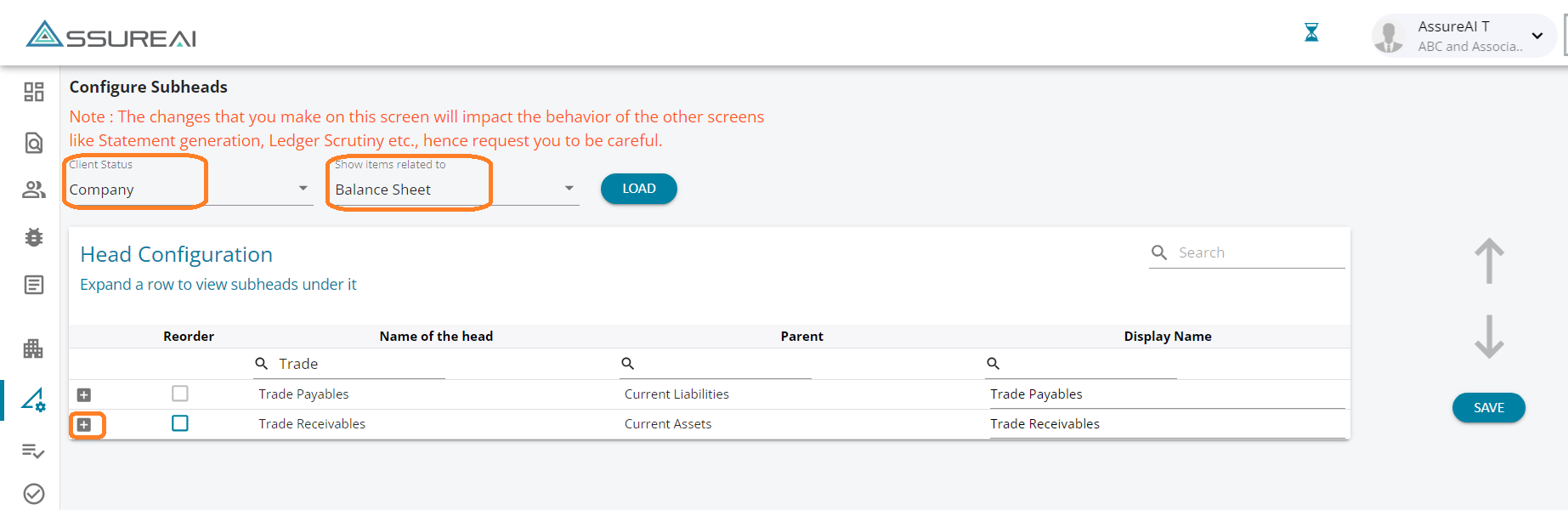
Visit "Configure subheads" on the Left hand side menu, Select the client status and "Balance sheet".
Find the name of the head and click "+"
Under "Subhead Configuration", Select "Previous year data applicable".
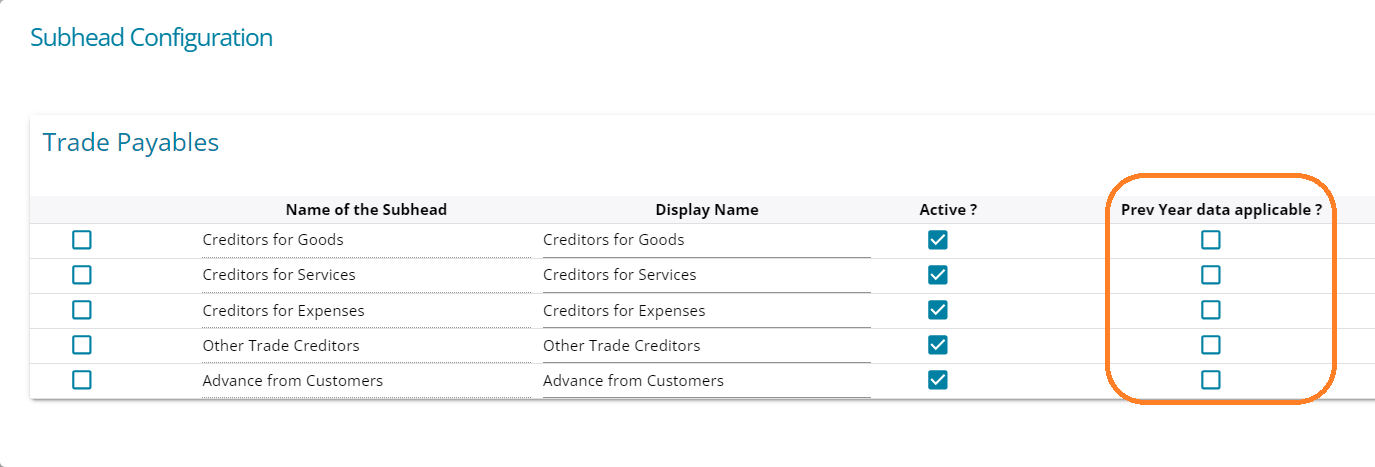
This will enable display of previous year figures in the "Details" sheet