Import from Zoho Books
- While Tally import is a two-step process, (export from Tally and Import JSON in AssureAI), Import from Zoho Books is implemented as a direct pull of data
- For this to work correctly, the user needs to have read-only access to Zoho Books of client (ZohoBooks.fullaccess.READ,ZohoBooks.accountants.READ)
- The user’s Zoho Books credentials are to be configured in “Client Preferences” > “Source Bookkeeping credentials”. The highlighted link below includes step-by-step instructions
IMPORT FROM ZOHO BOOKS
- Once the credentials are entered in the system, data can be pulled from Zoho Books by using the “Import Books” link
- Select “Zoho Books” as the “Source Bookkeeping system”
- Click “Initiate Zoho Books import..”
- This will create a new entry in the “import History” table with status “Initiated”.
- Refresh the page to get the current status. It will move from “STARTED” to “RUNNING” to “SUCCESS”.
- In case of any failure, please reach out to the support team for assistance.
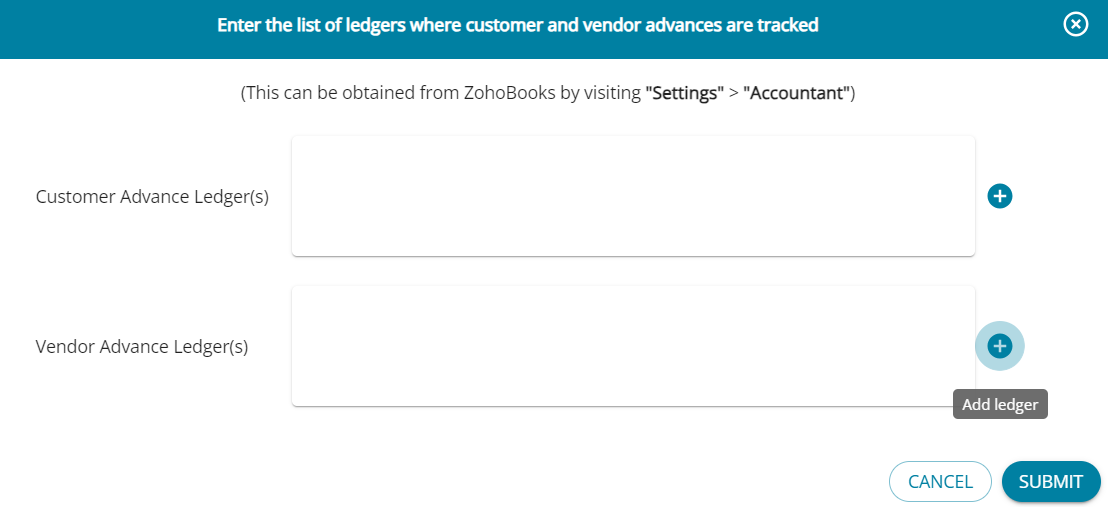
- ZohoBooks tracks the vendor / customer advance transactions against separate ledgers, however in AssureAI, for the purpose of ageing analysis, the advance transactions are tracked against each party. To enable this, you can now directly configure the advance ledgers while initiating an import from Zoho Books