
How to add the same client user for two clients / Solve duplicate Client user error
Problem Statement
I have 2 clients (related to same group company) with the same client user.
I am not able to add the same client user for both companies.
Solution
This can be solved by leveraging the client group feature. Client users under any of the clients in the same group will be allowed to access all the clients under the group.
To enable this
1. Edit the first client in the group. Create a new client group by clicking + (Highlighted below) and then select the client group in the dropdown
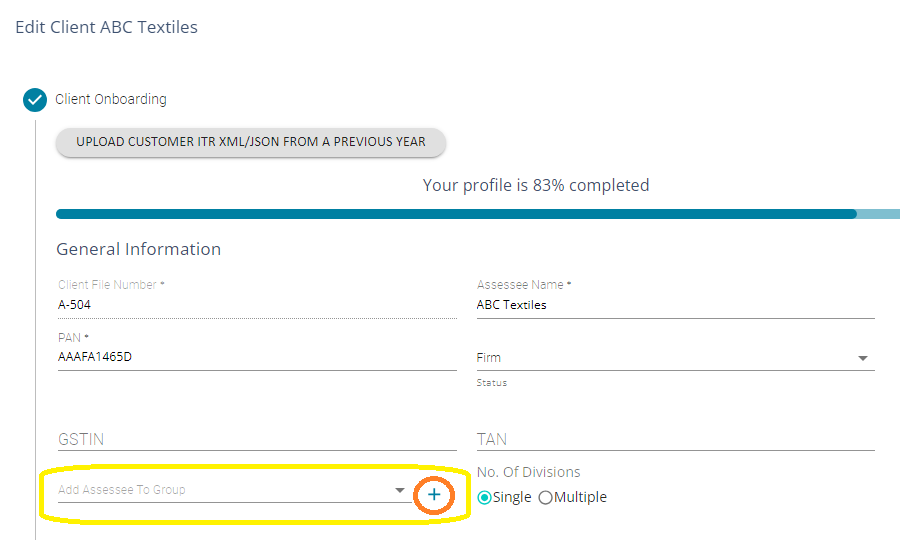
2. Edit the second client. Add them to the same group.
3. Now the client user added to the first client will also be able to access the second one - without adding the user explicitly under the second client.
4. Once can add any number of clients under the same group