Tally Plugin Setup For Tally ERP-9
Tally Plug-in Setup For Tally ERP-9
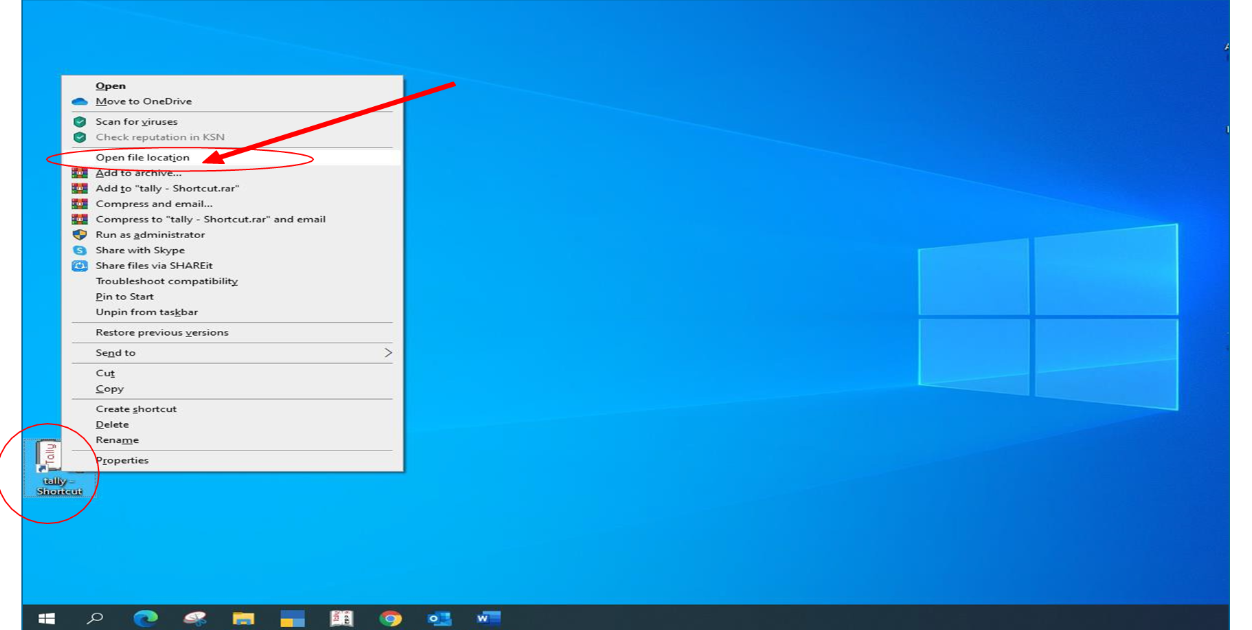
1. Right click on Tally ERP 9.0 desktop shortcut and click “Open file location”
2. This will take you to the Tally root folder. Paste the “Tally Export.tcp” file in the folder.
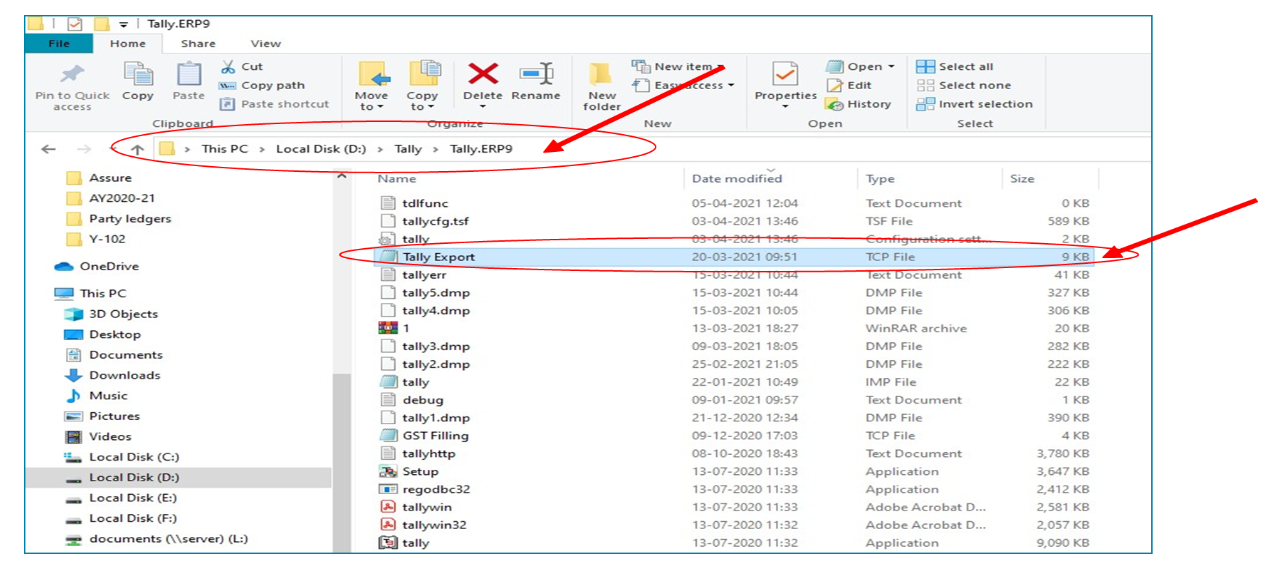
NOTE
3. Tally Export. tcp file will be sent by mail as part of the Customer Onboarding Mail.
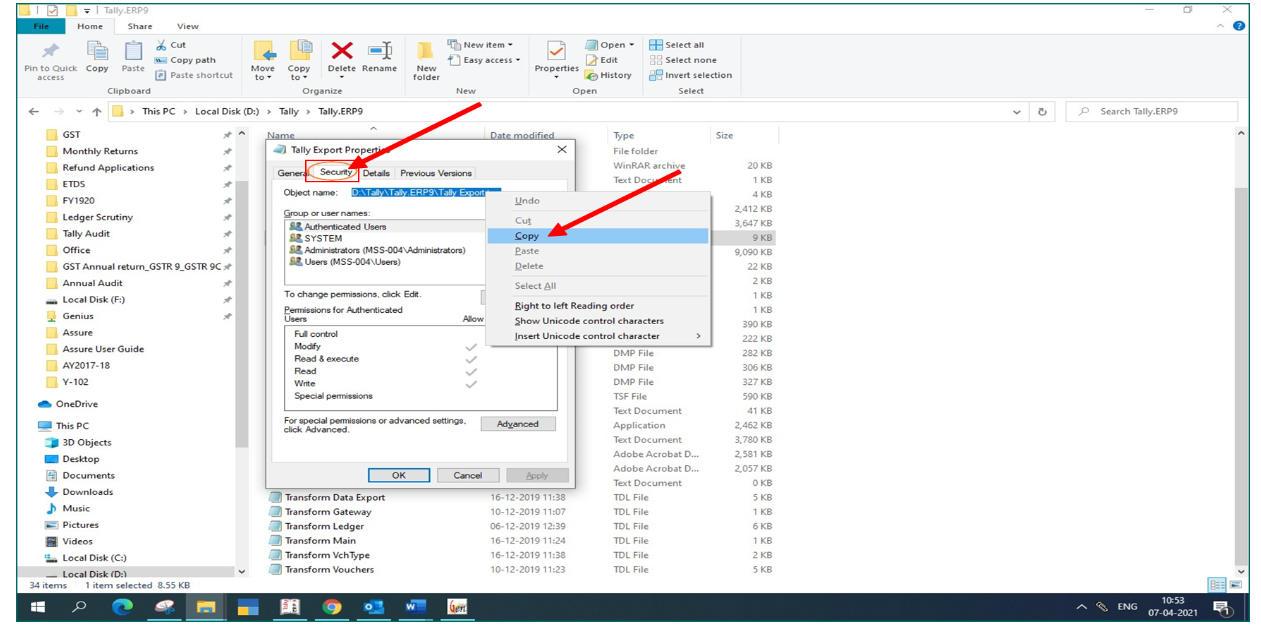
4. Right click on the “Tally Export. tcp” File Click “Properties”.
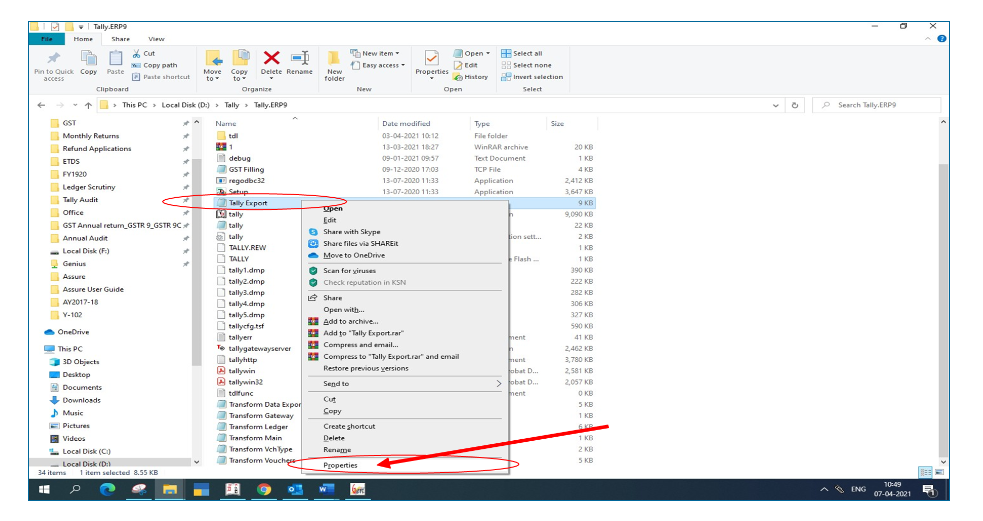
5. Go to “Securities” tab and copy the “Object Name” completely.
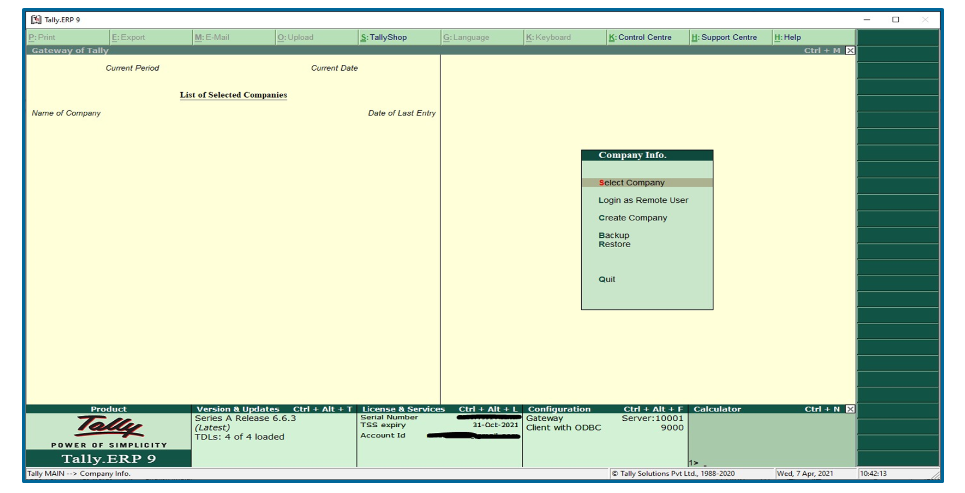
6. Open Tally ERP 9.0 Application and Press “Ctrl + Alt + T”
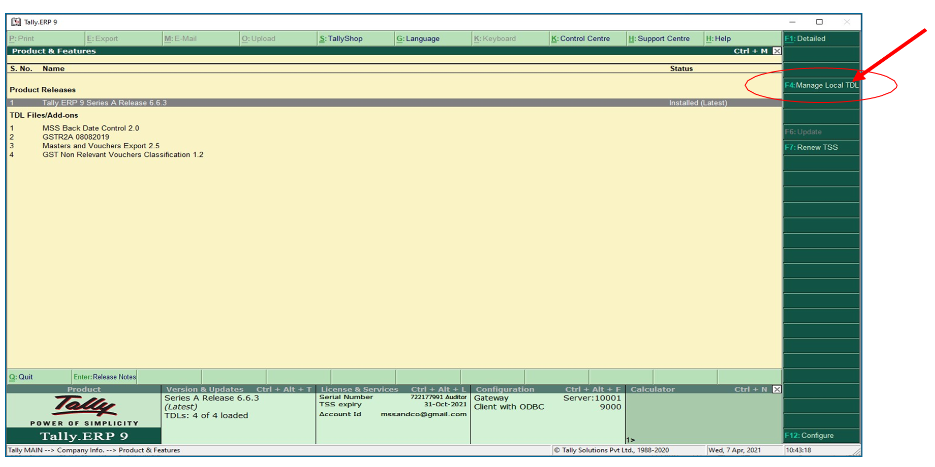
7. Press “F4: Manage Local TDL
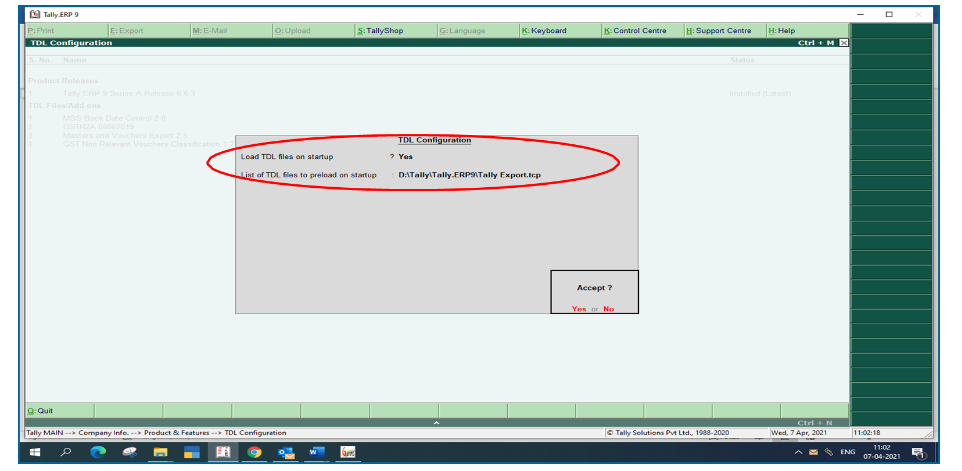
8. Under “TDL Configuration” Type “Yes” under “Load TDL files on startup” Then paste the copied “Object name” from “Step 4” Then Accept “Yes”.
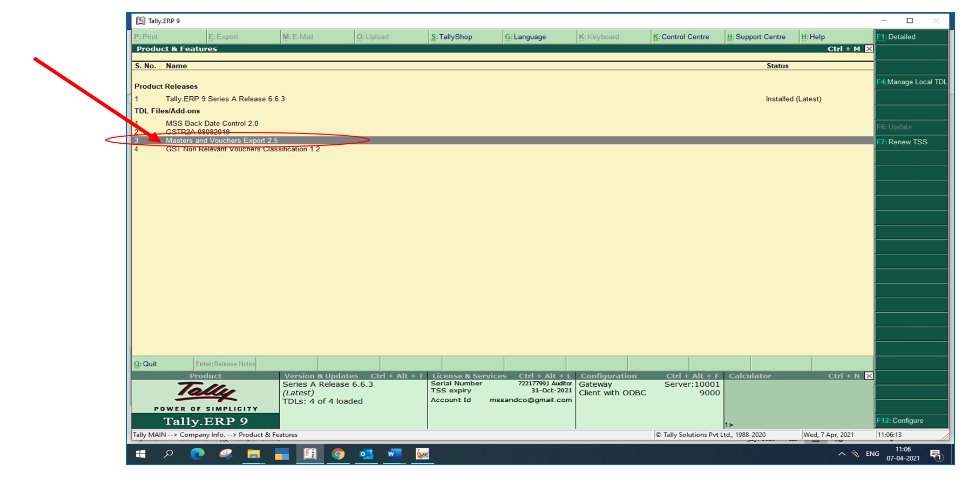
9. Once accepted, “Masters and Vouchers Export” file will be listed under “TDL Files/Add- Ons”.