
Customizable DOCX, PDF and Excel Export
Once the statement is generated, the 'Export Financials' button will be enabled.
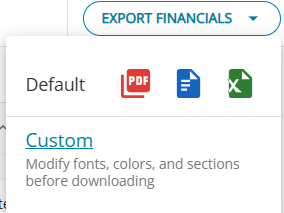
Upon clicking the link 'Custom', a new page opens up for customization of the report before the output can be downloaded.
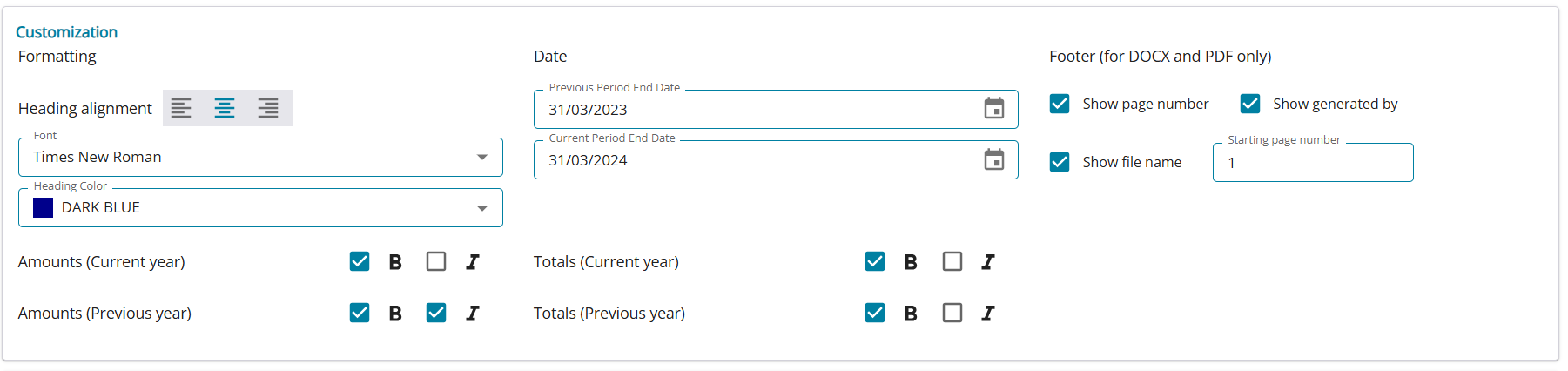
The Export Financial Statements allow the following customizations:
- Select/deselect the sections to be exported
- Edit the section headings
- Customize the subheading colors and fonts
- Select formatting style for amounts and totals
- Inclusion / Exclusion of CA signature
- Order of client signatures
- Also, the DOCX is now easily editable using Microsoft Word, in case any further adjustments are needed
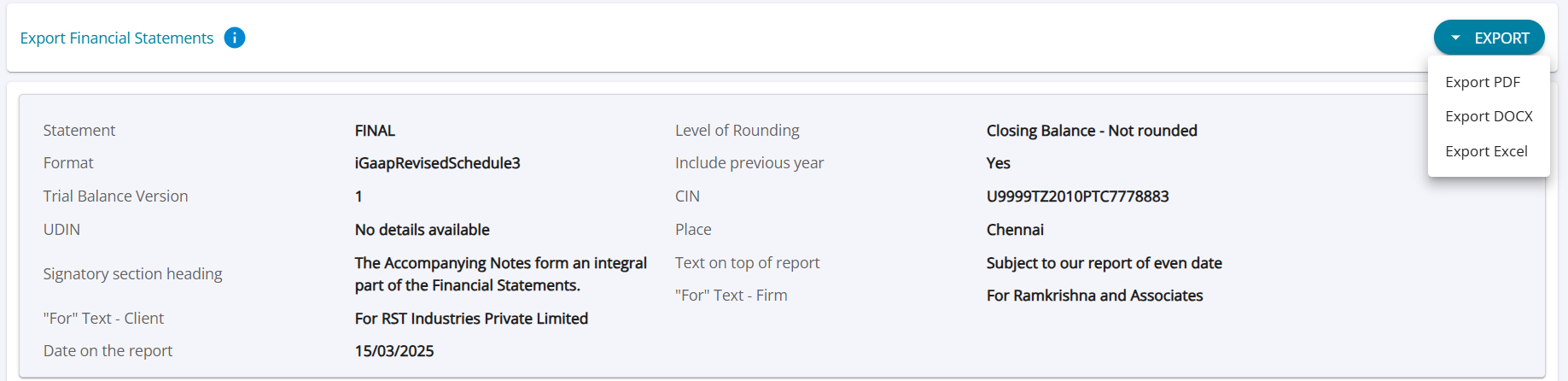
Generate 3CD attachments (BS and PL) from the Export Financials Page
- When "Notes" is selected, the user is allowed to select "Balance Sheet Notes", "P&L Notes"
- When "Details" is selected, the user is allowed to select "Balance Sheet Details", "P&L Details"
- In the signature area, the user is allowed to specify whether the space should be left empty for a signature or a "Sd/" placeholder should be added.

