
Import Books of Accounts (with Transactions)
This option allows Excel import with all transactions, enabling all the features in Assure AI.
When only the Trial Balance Excel is imported, some of the features that are transaction-based will not be supported. However, all the features are enabled when the Excel import includes transactions.
 |
1. The Excel template that is required to be filled in has the following sheets:
- Cover
- Trial Balance
- Closing Stock
- Transactions
- Readme
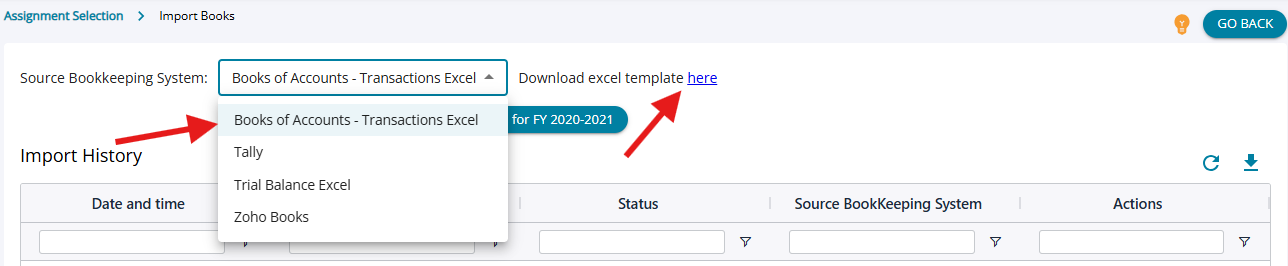
2. The template in which the transactions have to be filled in is available for download.
3. The rules applicable to the Trial Balance import are entirely applicable to the Books of Accounts Import as well.
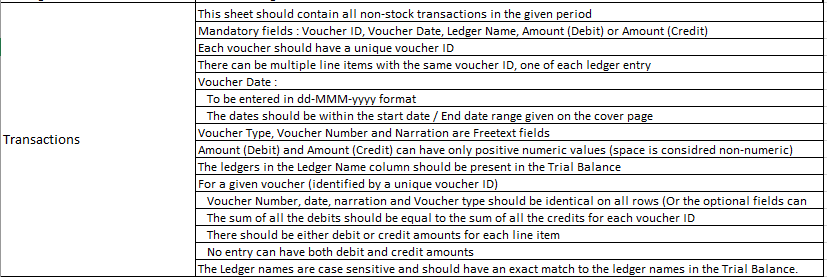
4. Additionally, the rules for the “Transactions” sheet have to be followed.
 |
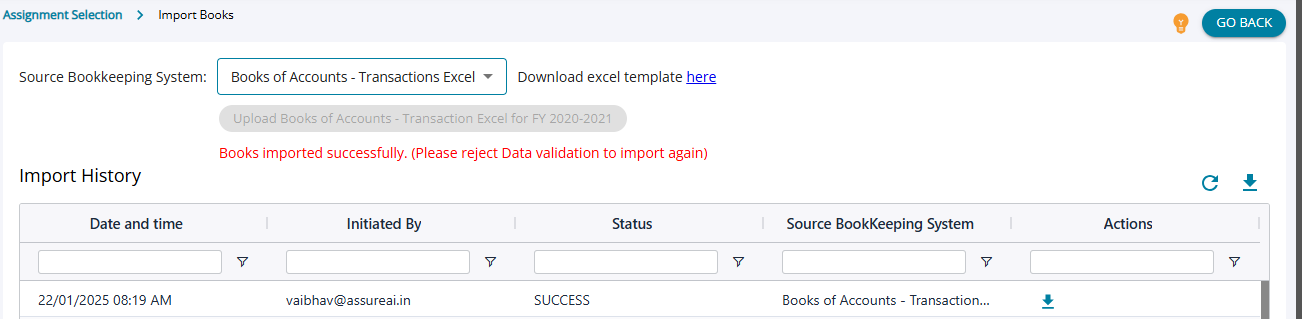
5. From the dropdown “Source Bookkeeping System”, the option “Books of Accounts Excel” /”Trial Balance Excel” has to be chosen, and by clicking on “ Upload Excel Books of Accounts for FY 2020 – 2021, the excel filled in with details in the required format can be uploaded.
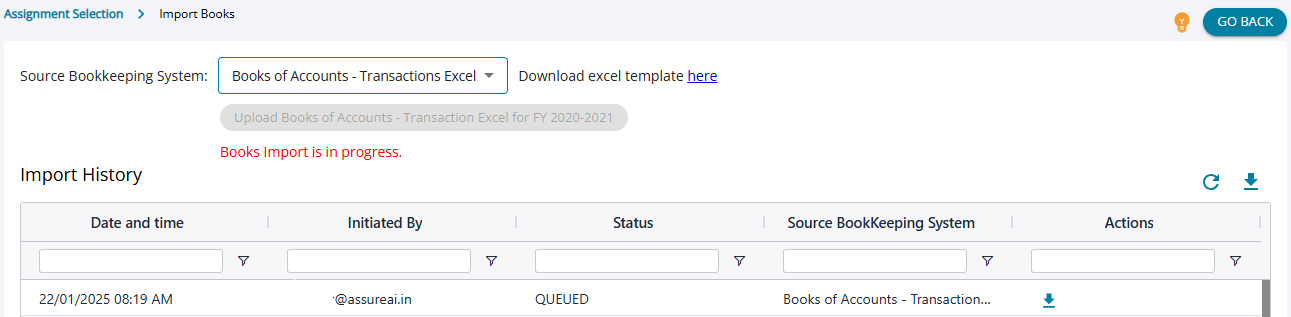
6. A row is added to indicate the upload, and the status is first marked as “Queued”, and once the upload is successful, the status changes to “Success”.
7. Once the upload is successful, the Excel imported can be downloaded.
 |
8. If the uploaded excel has errors then the import will be failed and the error report can be downloaded to see all the validation errors that are highlighted by the system.
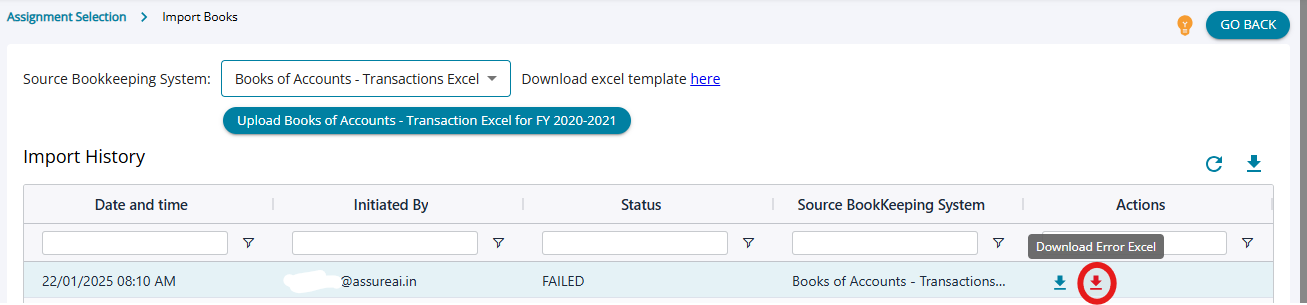 Error excel file downloaded :  |
9. Once the errors are corrected, the corrected excel can be uploaded to ensure a successful excel import.
 |