
Time Sheet DashBoard - Awaiting My Review
Awaiting My Review
The Awaiting My Review dashboard is designed for supervisors to review, approve, or reject timesheet entries submitted by their team members. It provides a structured, calendar-based view with both summary-level and detailed approval controls.
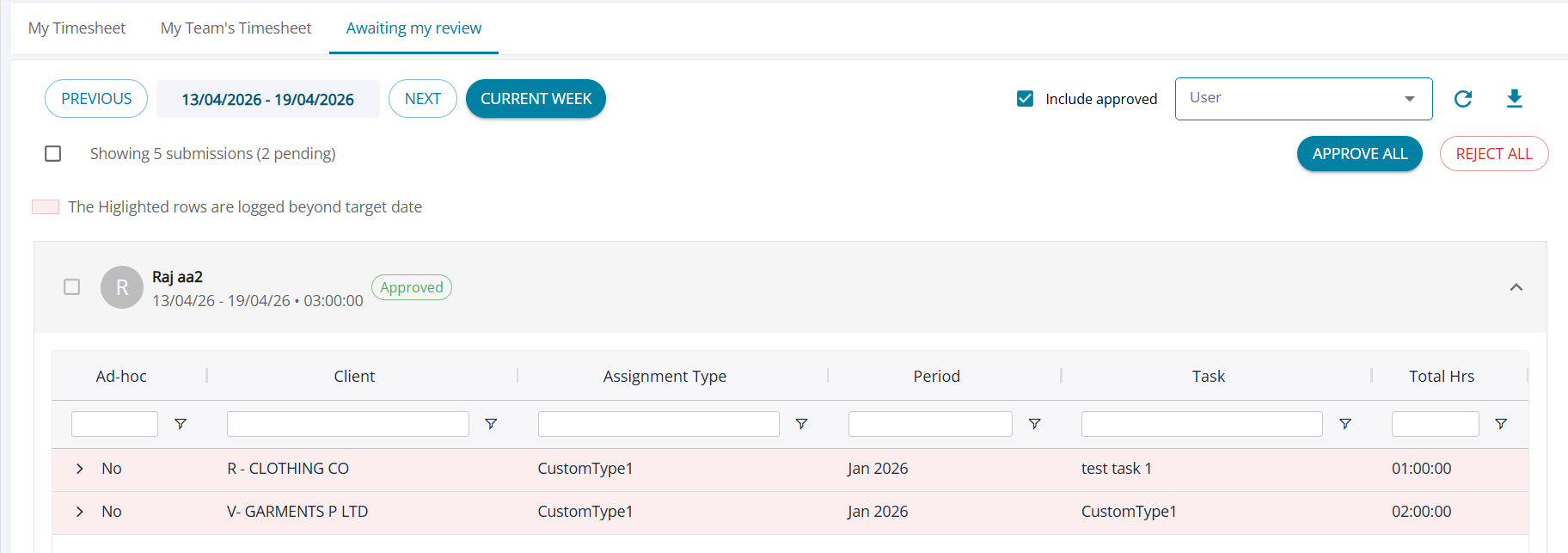
1. Layout & Structure
User List View
(i) Timesheets are displayed in a list view grouped by users
(ii) Each row represents one user’s submission for the selected period
(iii) Expandable Detail View - Each user row can be expanded (accordion style)
(iv) On expand: Displays detailed entries similar to My Team’s Timesheet view
Includes status indicators for each entry:
(a) Approved
(b) Rejected
2. Approval Controls
User-Level Actions
(i) Each user row includes: Approve / Reject
(ii) Applies to all pending entries for that user within the selected period
3. Comment Capture
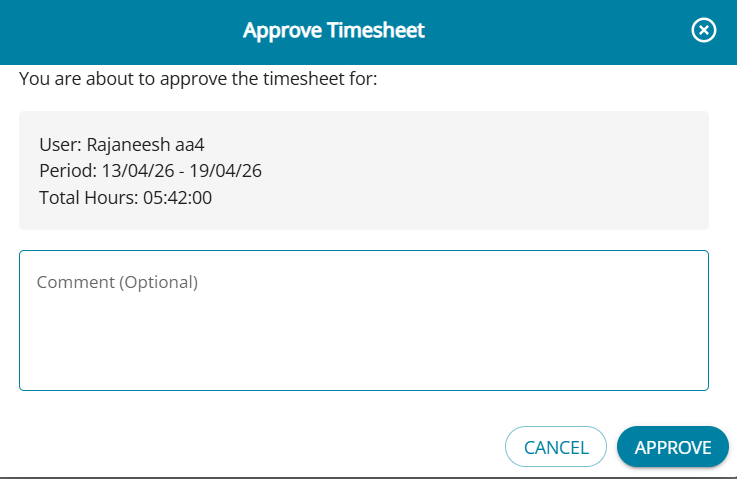
A comment pop-up is displayed
Includes:
(i) Text area for comments
(ii) Approve and Cancel options
(iii) Ensures proper review documentation and audit trail
4. Post-Approval Behavior
(i) Once entries are approved: They are removed from the Awaiting My Review tab default view and can be displayed again by selecting the 'Include Approved' checkbox
(ii)Ensures:
(a) Clear separation between pending and completed reviews
(b) Clean and focused approval queue