Multi Division Client - Statement Generation
Consolidated Financial Statements are available only after Preliminary Tasks are completed for all divisions, ensuring accurate and complete reporting.
1. In case of Multi-Division clients, first generate draft statements for all the divisions
2. Ensure that all the division ledger mappings are properly done
3. Ensure that all the balance sheets in each division are tallying
4. If not, check the Division Ledger Mapping and profit allocation ledger and rectify the errors – in case of difficulty, contact support team
5. Then select the Consolidation and generate financial statements
6. All the Head office/branch office accounts will be set off against each other
7. Inter-divisional supplies in the profit and loss account will also be netted off
8. Financial statements will be generated consolidating all the divisions, and a single Financial statement will be available for export in PDF and Excel formats
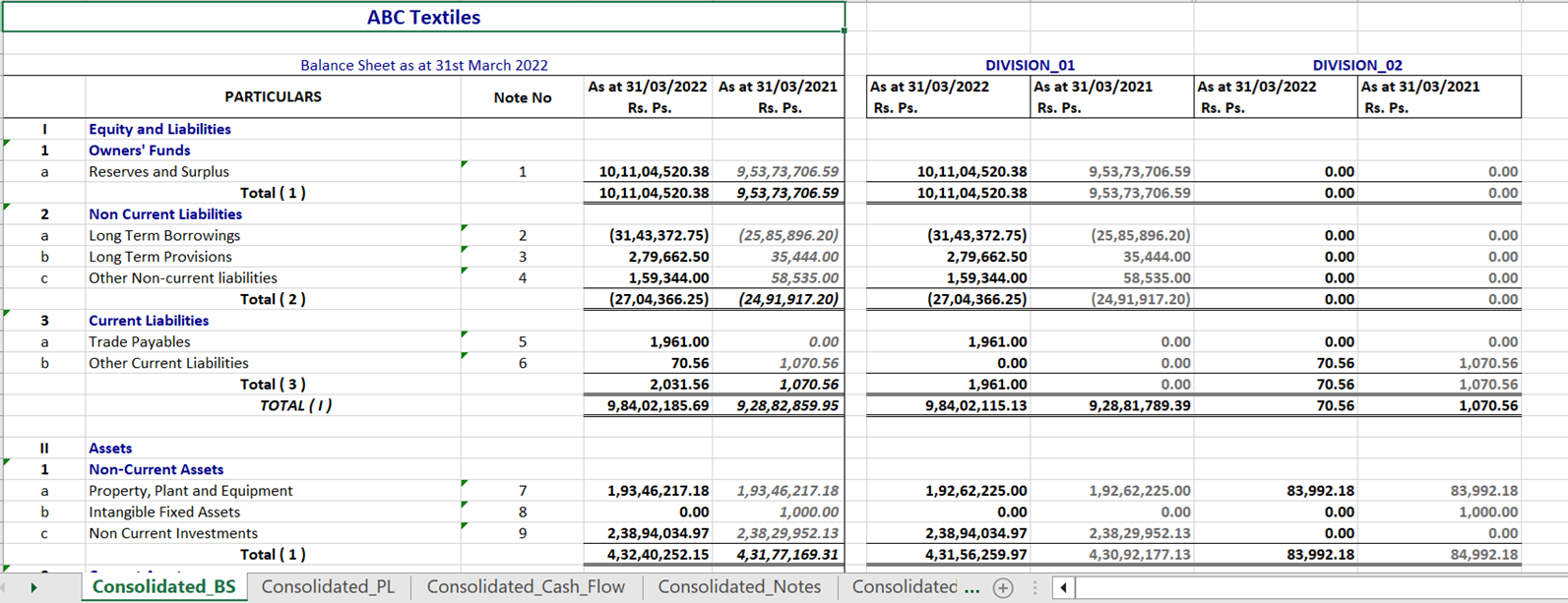
9. Excel version will contain both Consolidated financials and Individual division financials in separate sheets
Statement Generation Screen
- Users can seamlessly switch between Consolidated and Individual Division views.
- Regenerate Financial Statements from either the Consolidated or Division page.
- Last Generated timestamp displays when the consolidated report was most recently updated.
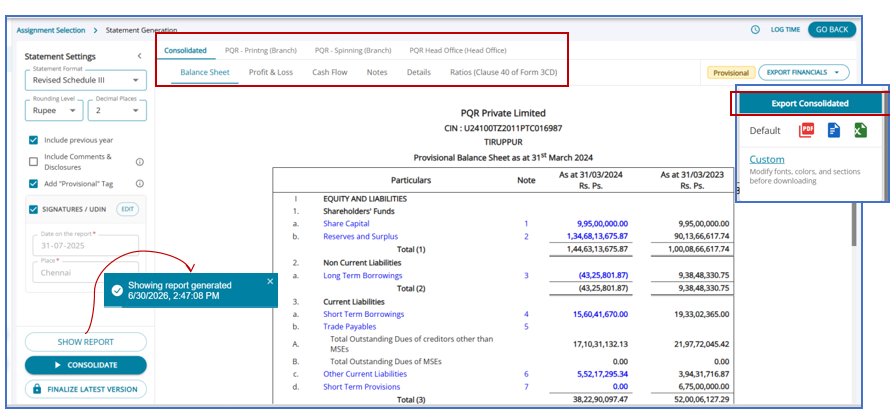
Context-aware Export button clearly indicates the download scope:
- Export Consolidated on the Consolidated tab.
- Export [Division Name] on individual Division tabs.
Consolidated Excel Output
In case of a Multi-Division Client, the consolidated accounts can be downloaded.
Consolidated financial statements excel has provides a single-screen view of the Head Office and Branch divisions in the same sheet.
The Consolidated accounts is available for the Final Statement Generation also.