
Form 3CD Annexures - Enable from Assignment
Form 3CD Annexures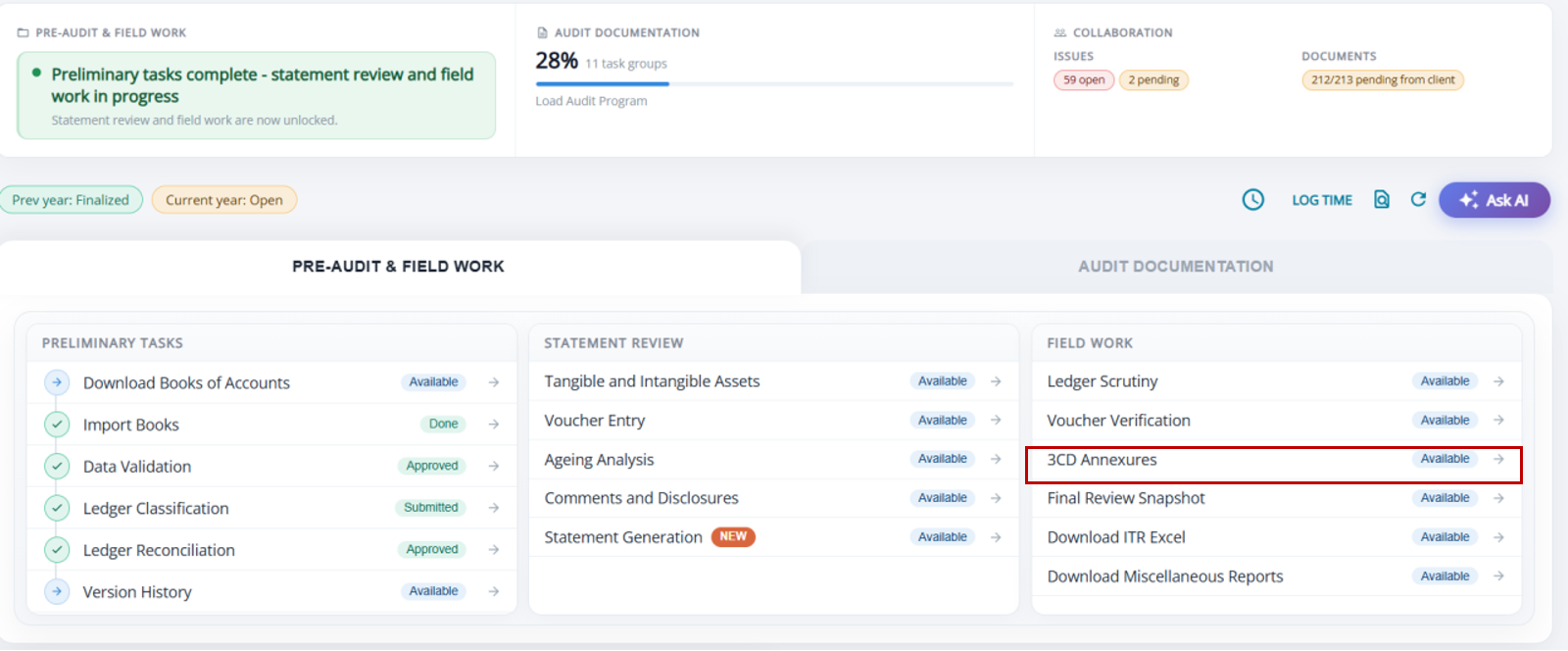
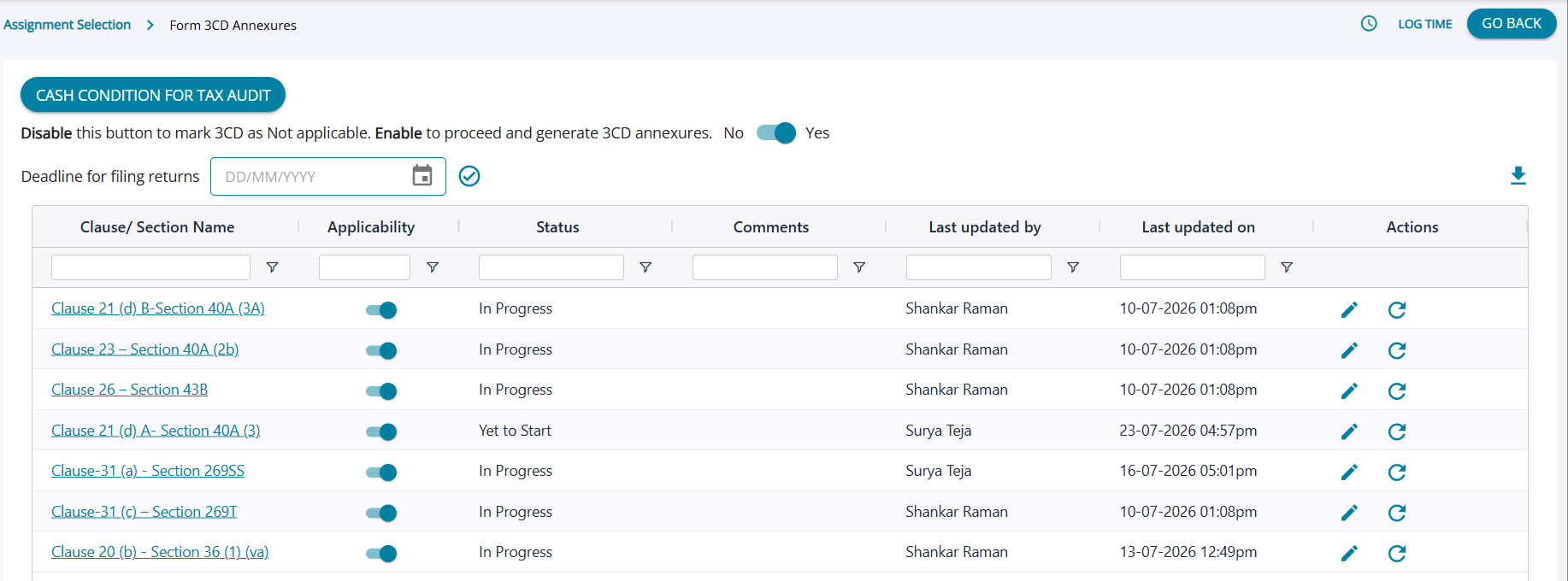
Form 3CD Annexures-Landing Page
- To discourage tax avoidance and evasion, the requirement of a tax audit was introduced by the Finance Act of 1984, by inserting a new section 44AB w.e.f Assessment Year 1985-86. Form 3CA-3CD is applicable in case of person who is required by or under any law to get its accounts audited.
- AssureAI presently has provision for the CA user to capture the following clauses in the form :
Clause21(d) B-40A(3A) , Clause23 - 40A(2b) , Clause26 - 43B , Clause21(d)A-40A(3) , Clause-31(a) , Clause-31(c) , Clause-36(1)(va) and more are being added into the system . - The user can choose to fill the annexures or skip the step . It is not mandatory for the user to capture to all the details in the system.
- The user can edit the clause and add comments as required and edit applicability of each clause individually
- The “Refresh” button available against each clause will allow the system to re-compute the automatic calculations in 3CD annexures, in case there has been a change to the books in the meantime and will also remove the changes / ledgers added by the user and not auto populated by the system
Form 3CD Annexures
- If the user chooses to disable the forms for 3CD the user can choose “yes” and the system will display a pop-up asking the user to confirm the applicability .
- Upon choosing “yes” the screen goes blank and the links to the clauses are no longer available for the user to fill
- The user can also reverse the choice and fill in the clauses if required.