
Ledger View
Ledger View
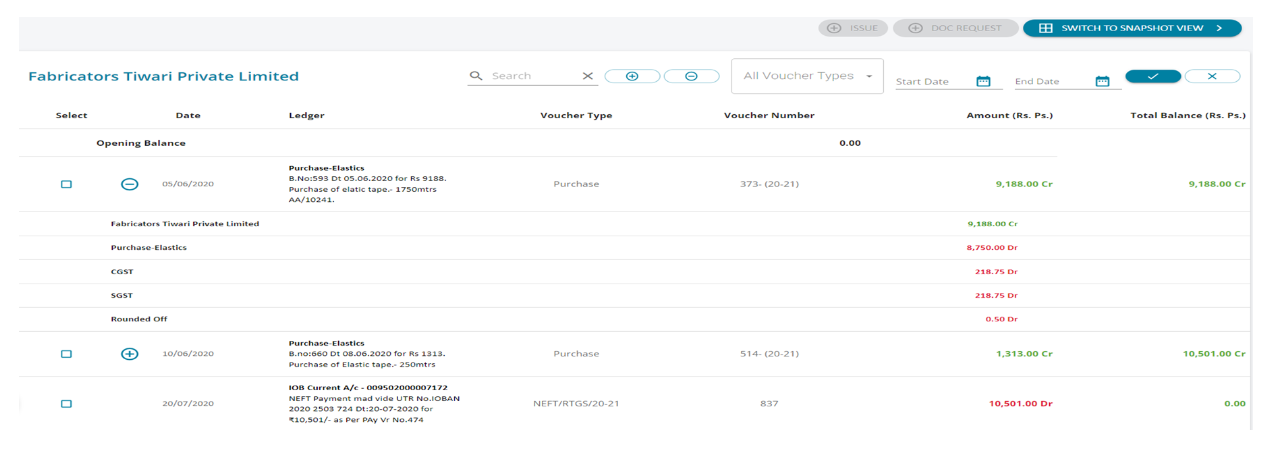
1. From the Statement Generation Page, user can drill down using the Blue hyperlinks
2. From the Details tab, user can further drill down by clicking any ledger
3. Immediately, the entire ledger will be opened in a separate tab – as above
4. This ledger view option is also available in the Mapping Screen and Ledger Scrutiny Module, Ledger Re-Classification, Ageing Analysis – wherever the ledger name is shown as a hyperlink
5. The “+” symbol allows to view the voucher break –up and the user can select voucher(s) and raise an issue or raise a doc- request.
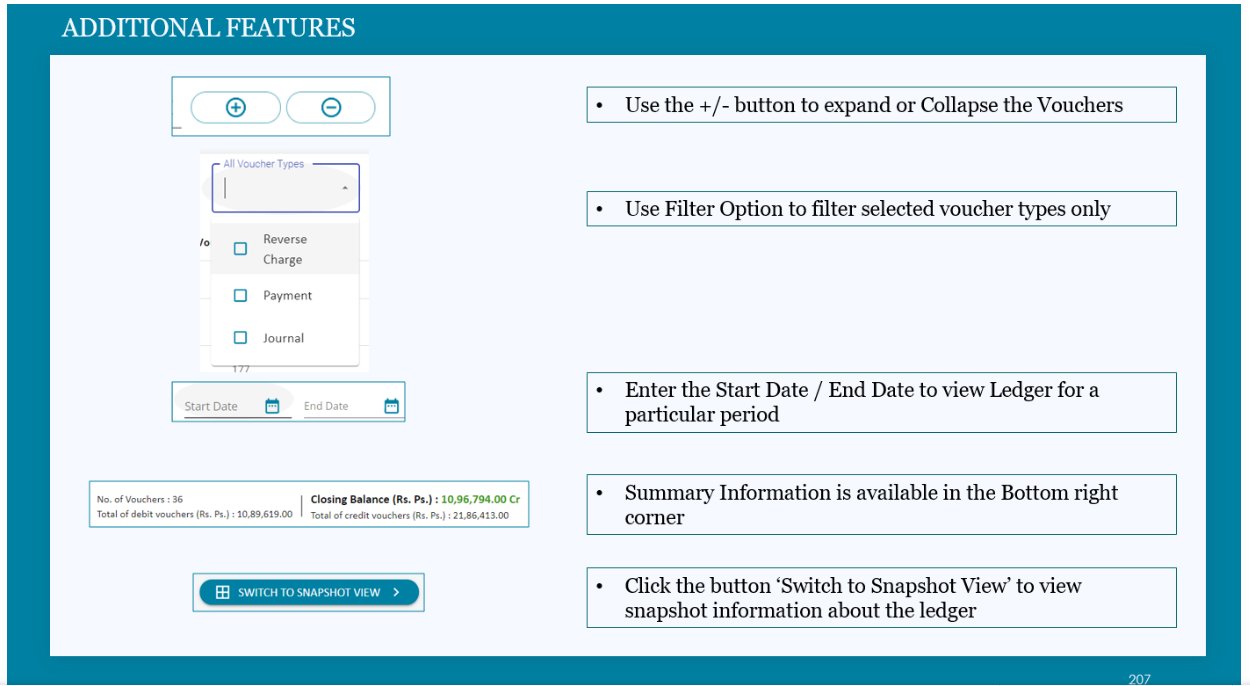
Additional Features
Snap Shot
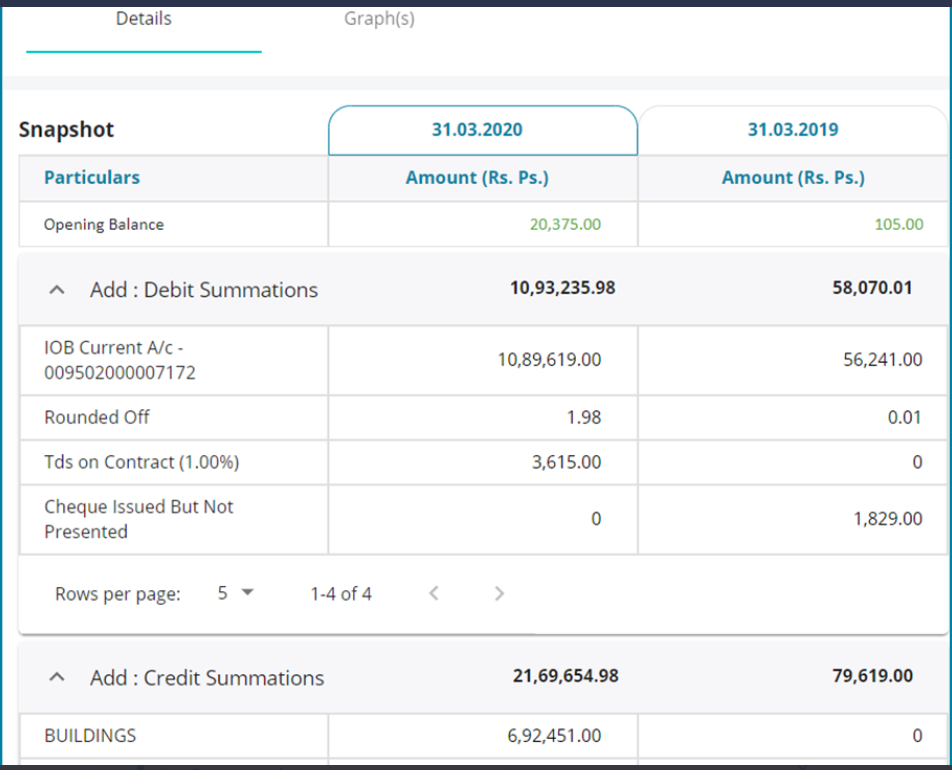
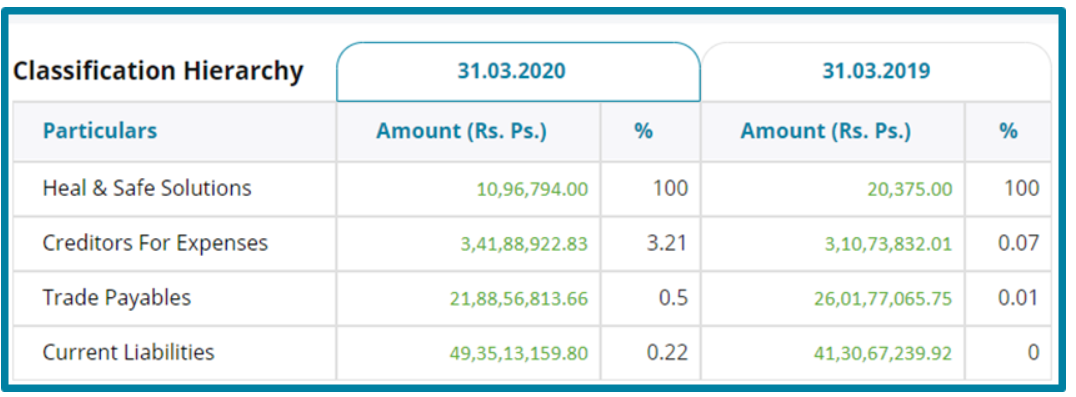
1. A snapshot view of the entire ledger will be visible to the user
2. Snapshot Table contains Credit and Debit Summations – similar to a Pivot Table
3. Classification hierarchy will contain comparative share of the particular ledger under the respective subhead / head in the financial statement.
Graphs
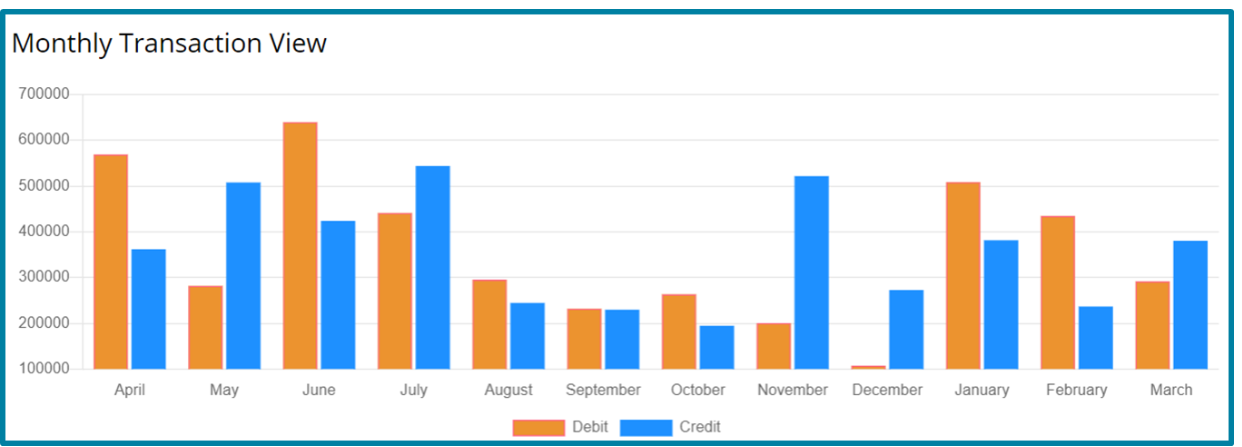
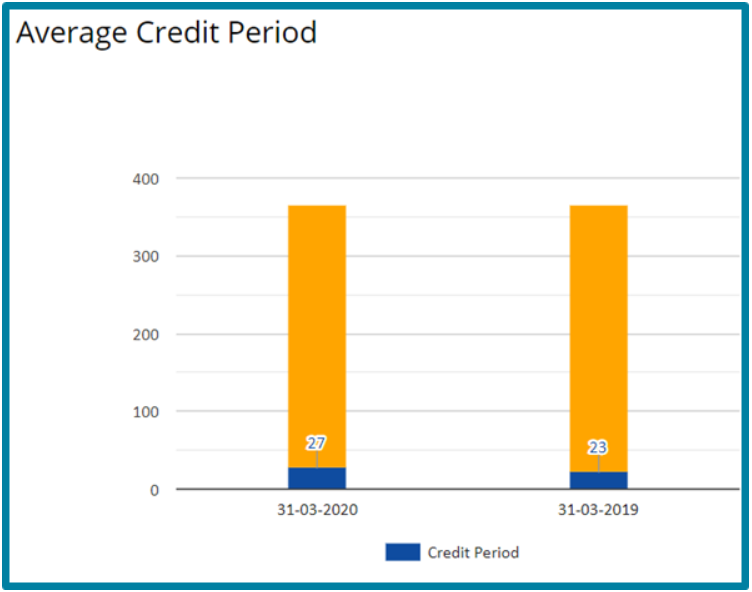
Under the Graphs tab two more charts will be visible :
1. Monthly Transaction View – Current Year Vs. Previous Year
2. Average Credit Period – Current Year Vs. Previous Year