
Task Pack - Client Preferences & Planning
1. Client-Level Configuration
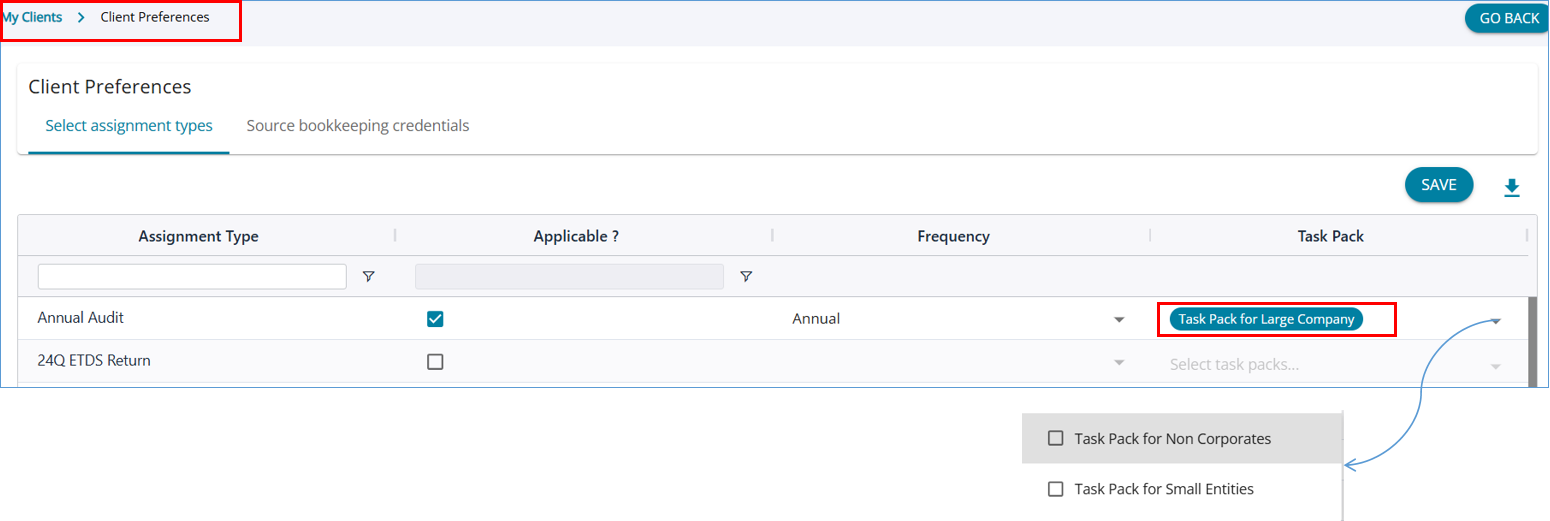
Task Packs can be assigned to clients via Client Preferences. The dropdown lists all Task Packs configured for the selected client type, ensuring only relevant options are shown. Users can select one or more Task Packs, allowing flexible yet standardized assignment planning.
2. Planning Mode
Adding Task Packs During Planning
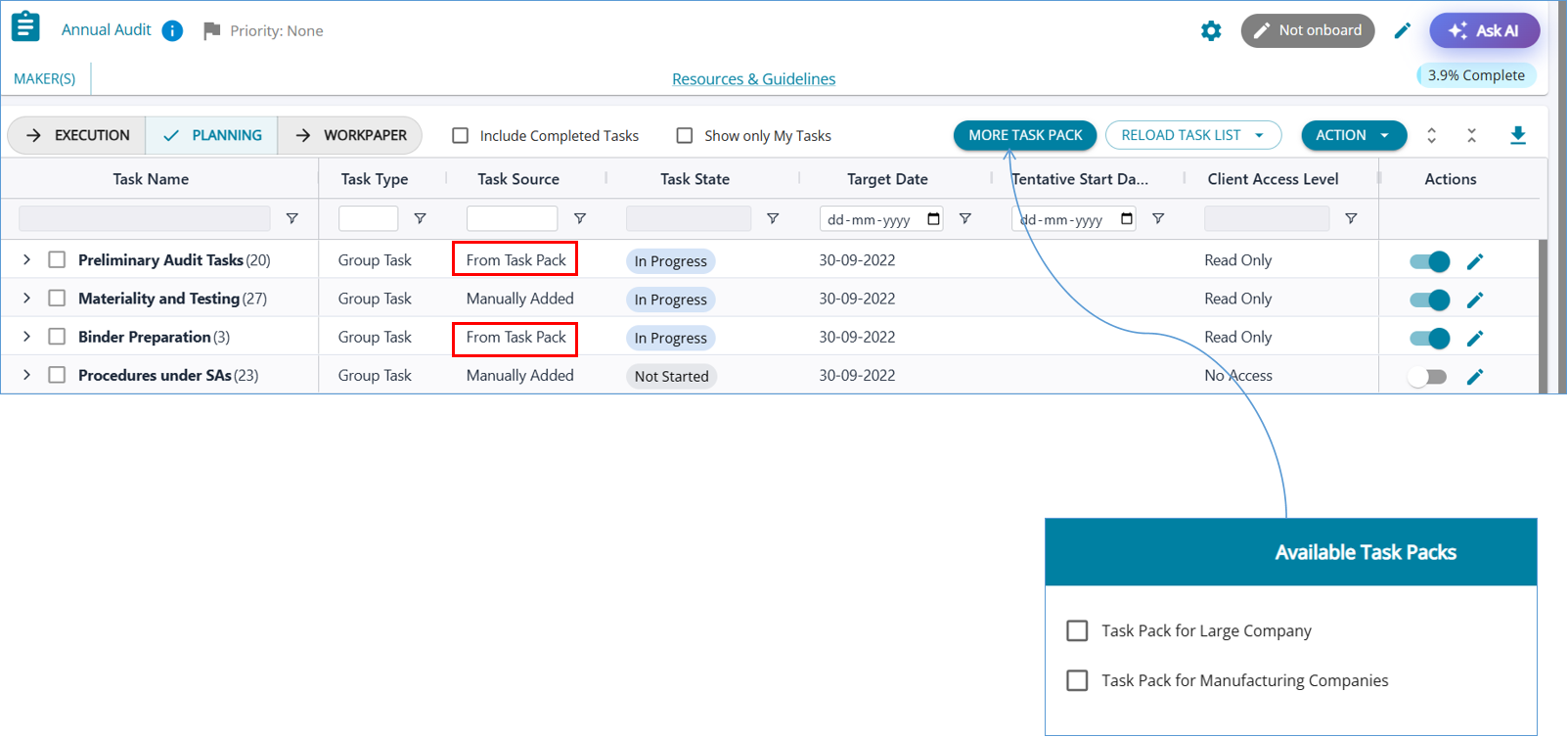
(i) Additional Task Packs can be included using the “More Task Pack” option
(ii) Allows expansion of scope without restarting the planning process
(iii) Newly added tasks are merged without duplication
(iv) Planners retain full control to review and mark tasks as applicable
Faster Planning with Default Task Loading
(i) Tasks from selected Task Packs are automatically loaded into the Planning view
(ii) Eliminates the need for manual task selection during initial setup
(iii) Supports multiple Task Packs applied simultaneously
(iv) Automatically removes duplicate tasks to maintain a clean task list