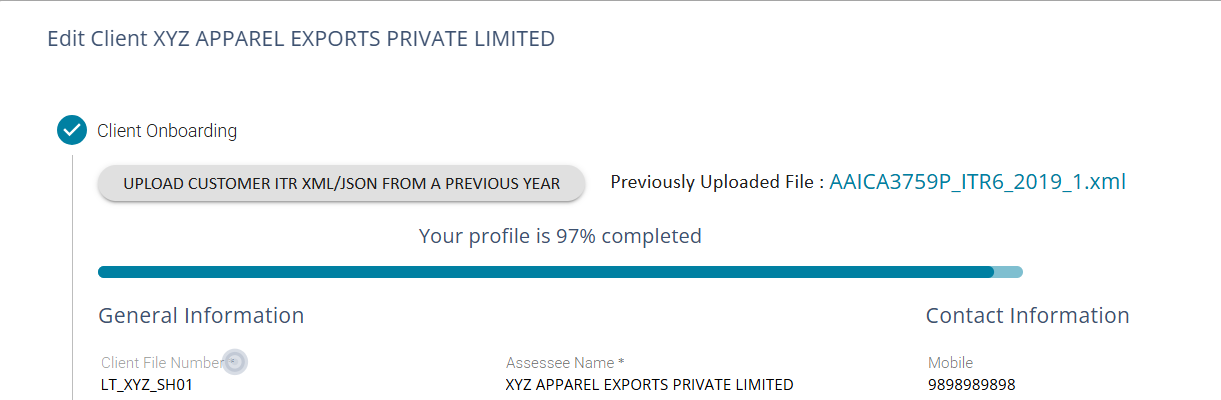
Upload Customer ITR JSON or XML
If you have the client's ITR File (XML/JSON for filing the Income Tax Return), click the Button ‘Upload Customer ITR XML/JSON…’ And Import the XML/JSON File
Use the ITR XML file / JSON generated for Income Tax Return filing from one of the previous years;
When you upload an XML/JSON file, the system will pick up most of the fields required for client creation and automatically update the relevant fields.
“Client File Number” is a unique ID to be manually added by the user - this is a unique ID which cannot be changed in the future.
Upon Import of XML, all the fields will get populated.
1. Fill in the Client File Number, which is a mandatory field.
2. You may also fill up the ‘Add Assessee Group’ by adding this file to a client group.
3. Upon adding the Assessee Group name, all the group companies will be visible for the client user Login
If you do not have an ITR File (XML / JSON File for Filing Income Tax Return), Then Proceed to Fill Up the Required Information in Each Screen manually.1. The mandatory “Client File Number” has to be a unique ID; it can contain numeric, alphanumeric characters, and ‘_’ & ‘-’
2. Four fields, namely ‘Client File Number’, ‘Assessee Name’, ‘PAN’, and ‘Status’, are mandatory, and the rest are optional.
When a client's details have been added to the onboarding screen using the ITL XML file, the uploaded file is available for download from the 'Edit Client' page.