
Import Trial Balance using Excel template
Other than importing books of accounts by Tally and Zoho Books, where the clients do not use these 2 financial tools, AssureAI allows the import of books by way of Trial Balance Import ( without any additional transaction details) and Books of Accounts - Transactions Excel (with all transactions)
 |
1. When the chosen option is “Trial Balance Excel” , the template required to fill in details can be downloaded and details can be filled in. The template requires data to be filled in the following sheets.
- Cover
- Trial Balance
- Closing Stock
- Readme
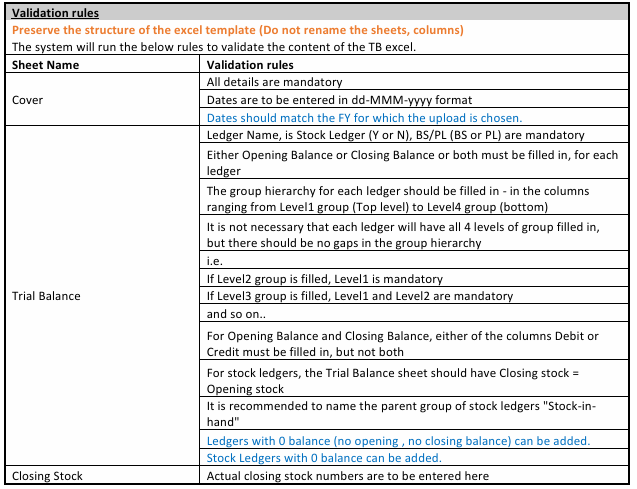
2. The “Readme” sheet lists the rules required to be followed when filling in the template.
 |
3. When the books of accounts are uploaded with only the Trail Balance (TB), some featured in AssureAI that work with transactions only will not work accurately.
- Data Validation > Cash negative report
- Ledger Scrutiny
- Voucher verification
- 3CD annexures
- Ageing Analysis and a few ratios
- Partner Account copy
- Automap (will have limited coverage)
4. Once the excel template is prepared, the same can be uploaded using the “Upload Excel Trial Balance” button.
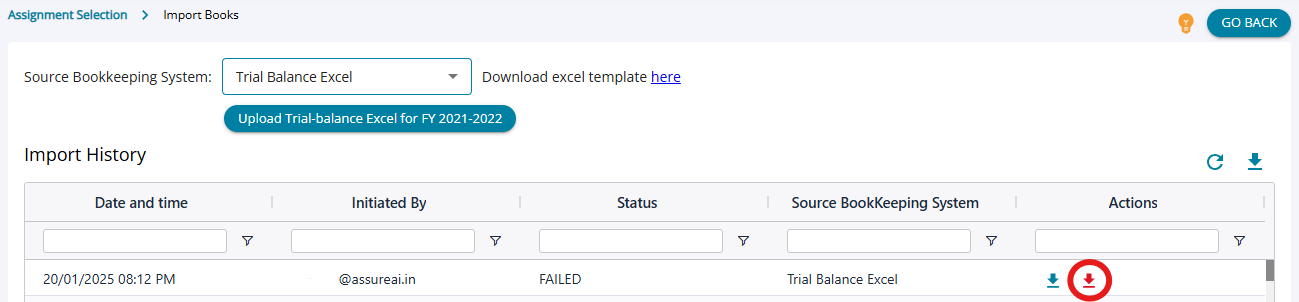 |
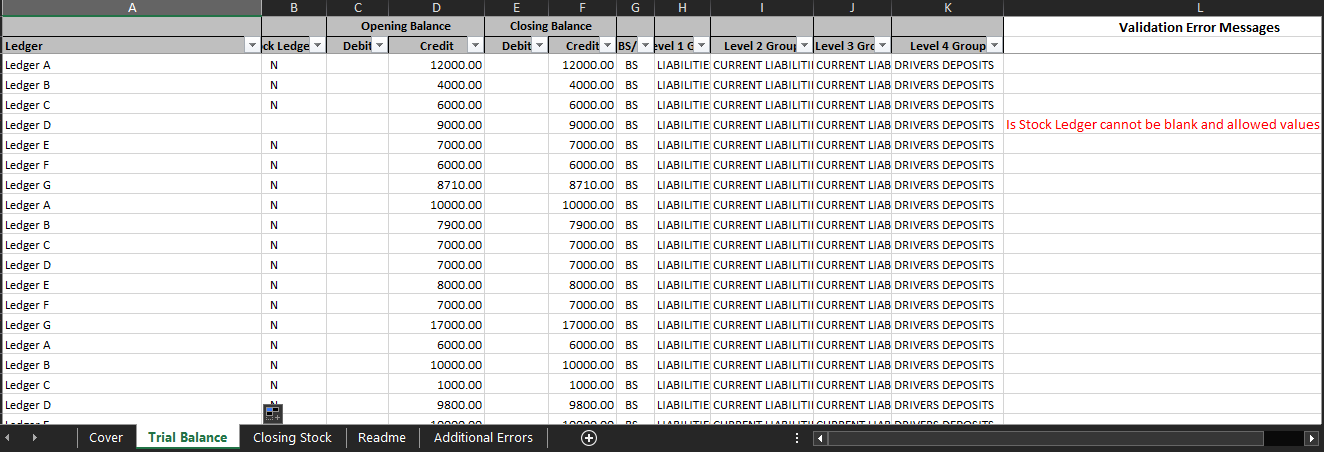
- The system will validate the contents of the excel file. If any errors found, it will generate an error file.
- The error file is the same as the TB file that was imported – with an extra column “Validation Error Messages” in each sheet
- Filter by this column to get the list of errors. Correct the data in the same row to fix the error.
- There is also a sheet “Additional error messages” which lists any overall issues in the excel (that cannot be pin-pointed to a row). The user has to correct these errors in the excel also.
- Once the errors are fixed, the user has to remove the error column from each sheet and remove the sheet “Additional error messages”
- The dited sheet can now be re-imported.
 |