
Add/ Edit Assignment Types - Basic Attributes
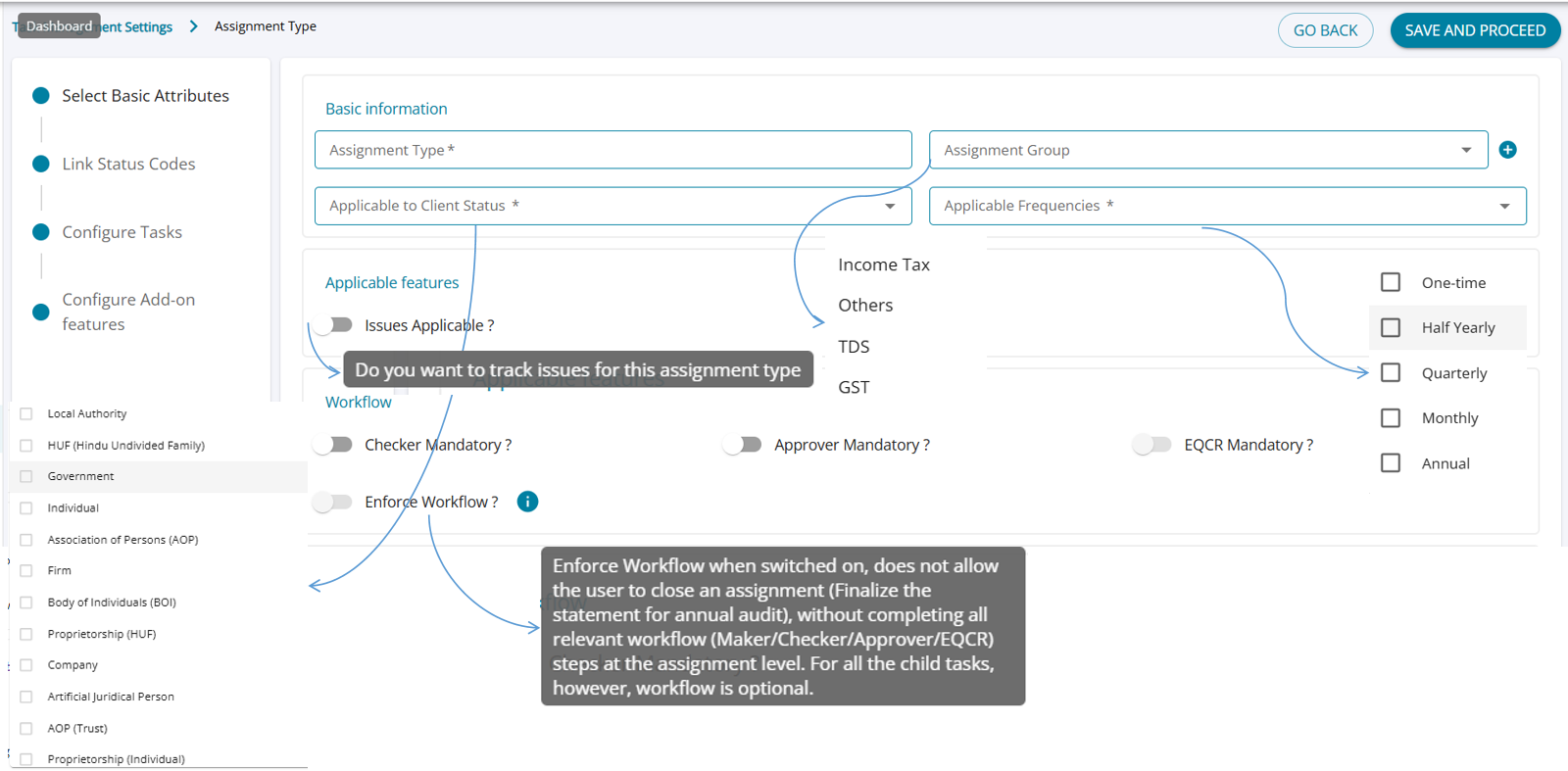
The Add/ Edit screen allows users to set up the basic attributes for each and every assignment type.
Assignment Type – Basic Information (Feature Summary)
- Users can define the Assignment Type name ( user enterable) , Assignment Group, Client Status, and Applicable Frequency.
- Toggles allow enabling or disabling features such as Issues Applicable.
- Workflow steps—Maker, Checker, Approver, and EQCR—can be marked as mandatory as needed.
- The Enforce Workflow option prevents assignment closure until all required workflow steps are completed at the assignment level.
- Workflow for child tasks remains optional, even when enforcement is enabled.
Auto Create Assignments
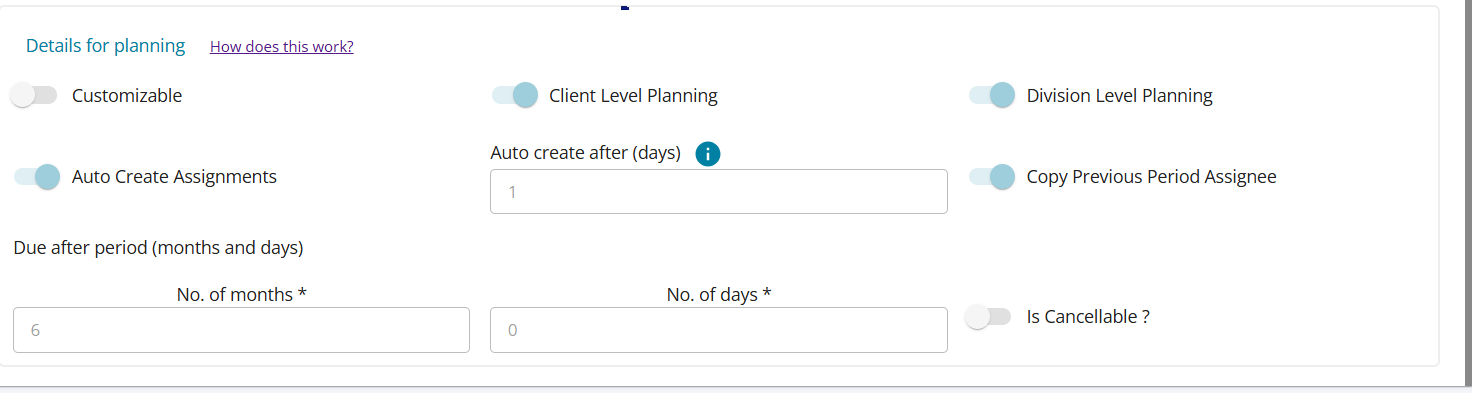
- AssureAI can automatically plan assignments for the subsequent periods.
- To enable this, set the switch “Auto Create Assignments” to ON.
- If you want the newly planned assignments to have the same maker / checker / approver names, set “Copy previous period assignee” to ON
- Follow the below examples to understand how the assignment creation date and due date are set
- For recurring assignments, after the first assignment is planned for a client,
E.g.1 Monthly GSTR1 – you want to start work on the assignment on the 5 th of subsequent month and the due date is on the 11 th . This can be achieved by the following settings:

E.g.2 Annual audit – you want to start work on the assignment in May and complete by the end of September.

Cancelled Assignment
- Cancelled assignments are excluded from dashboard metrics by default, with an option to include them if needed.
- When an assignment is marked Cancelled for a client, the system stops auto-planning any further assignments for that client.
- The Cancelled status is not available for Annual Audit to prevent financial inconsistencies caused by breaking the assignment sequence
- On the Task Management Settings screen for Annual Audit, the Cancelled status option is disabled and cannot be selected.