
Ad-Hoc Tasks - Task View
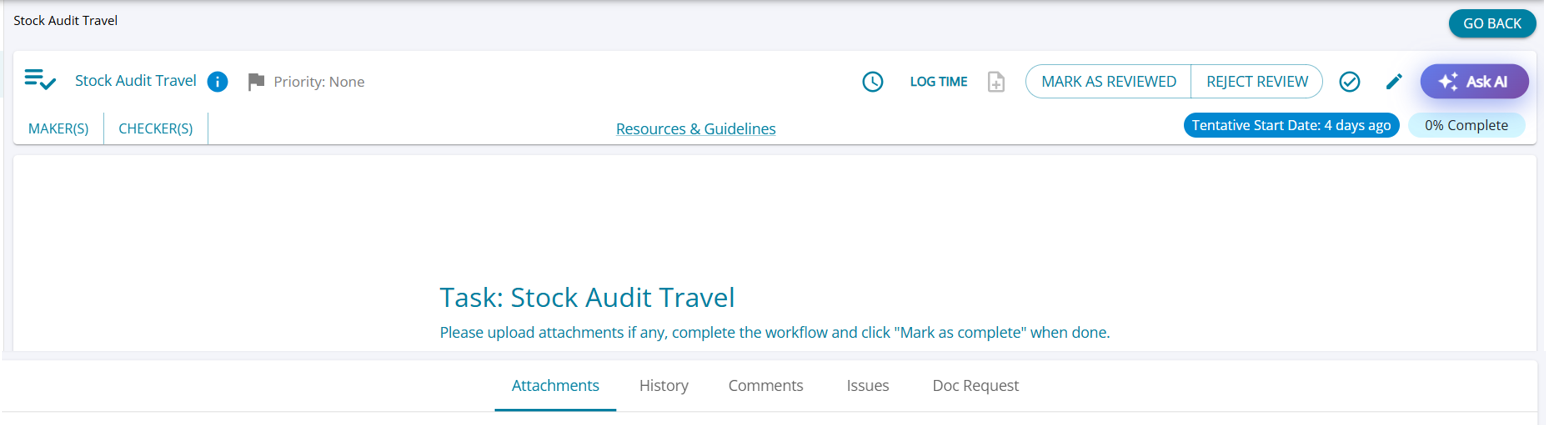
The Ad-Hoc Task Detail screen acts as the central workspace for task execution, review, and tracking. It provides users with access to task information, workflow actions, attachments, comments, issues, document requests, and activity history within a single screen.
Based on the user role and workflow status, users can perform actions such as:
(i) Mark as Reviewed
(ii) Reject Review
(iii) Mark as Complete
(iv) Log Time
The screen also provides visibility into assigned Makers, Checkers, and Tentative dates ensuring better task monitoring and workflow management.