AssureAI Release Note -Genius ITR Excel
Users can download an ITR Excel file prefilled with values derived from Financials for the following client statuses, along with the ability to customize the mapping between cells in the ITR Excel and subheads in AssureAI.
- Company
- Partnership Firm
- Association of Persons
- Proprietorship
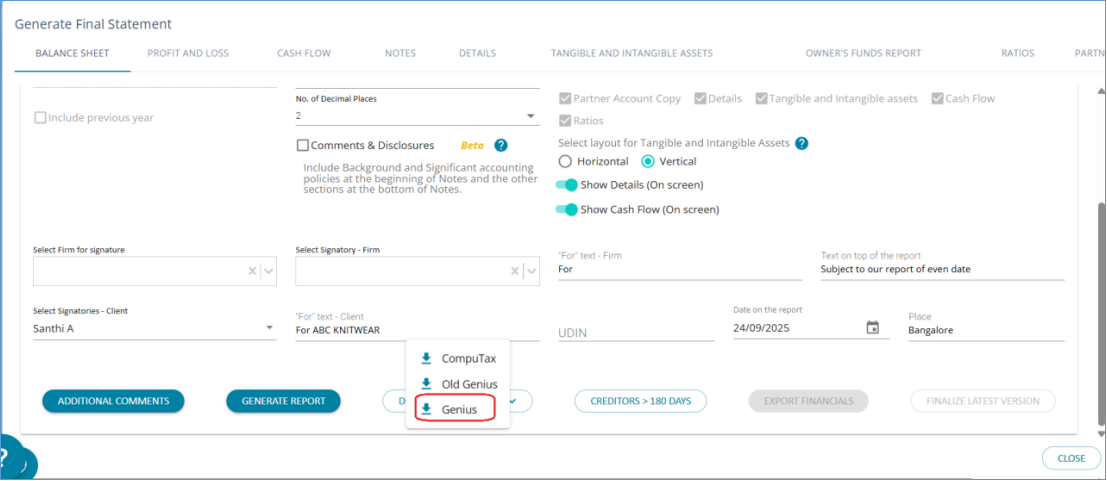
Under Final Statement Generation > Generate ITR Excel
The previous option, “Genius” to download Trial Balance, has now been renamed “Genius Old”. The option “Genius” will now download a full-fledged ITR Excel with multiple sheets that can be uploaded into Genius
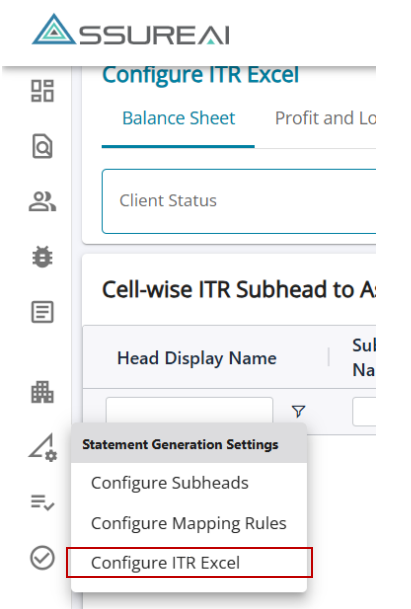
AssureAI - ITR Excel Mapping Overview
- AssureAI maps all Balance Sheet and P&L heads/subheads to ITR Excel Keys.
- It provides a pre-matched list of existing subheads to ITR keys.
- Any new subheads configured by the users via “Configure subheads” screen will appear automatically in “Configure ITR Excel” page, user can map it to the relevant cell in ITR Excel.
- The default screen shows two blank tables:
- Cell-wise AssureAI Subhead - ITR Key
- Multi-Value ITR Subhead Mapping - AssureAI Subheads
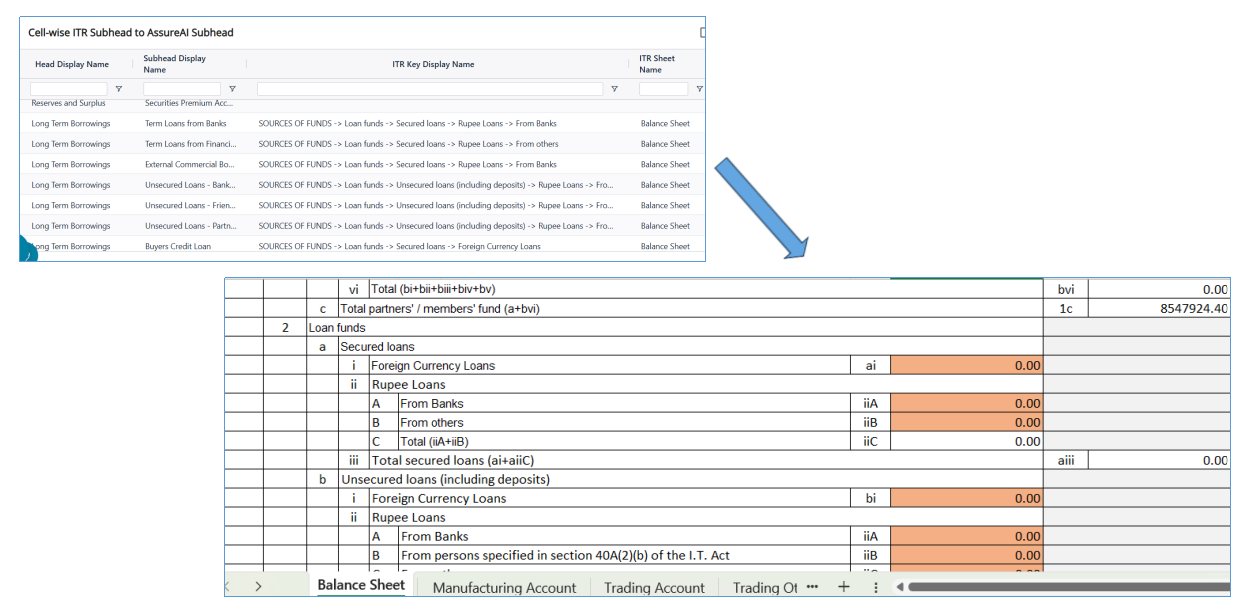
1. Cell-wise ITR Subhead to AssureAI Subhead mapping
Purpose: To map AssureAI heads and subheads to ITR Keys from the ITR Excel template – Balance Sheet, Profit and Loss, Manufacturing Account and Trading Account sheets
Mapping Approach: Client Status & ITR Tool Selection- Selecting client status and ITR tool auto-populates the table with all relevant subheads.
Multiple AssureAI subheads can be mapped to the same ITR Key.
Table Fields
- Head Display Name / Subhead Display Name – AssureAI heads and subheads for selected client status under BS and P&L separately
- ITR Key Display Name – ITR Key from the ITR template; pre-mapped where possible, else selectable from drop down.
- Edit Option – lets users manually map or change mappings.
- Show Unmapped Subhead (Checkbox) – filters the view to only unmapped subheads for easier mapping.
Illustration : Cell-wise ITR Subhead to AssureAI Subhead mapping
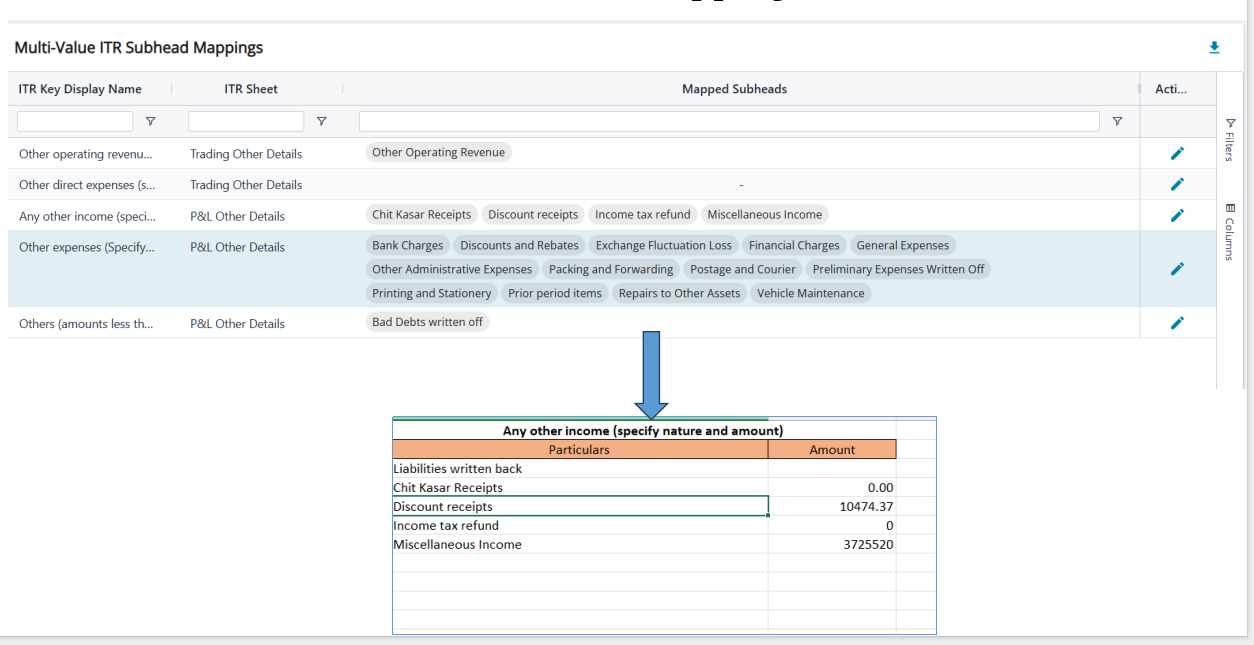
2. Multi-Value ITR Subhead Mappings
Purpose: Table-2 maps AssureAI subheads to ITR specifically for Trading Other Details and P&L Other Details.
Mapping Approach: Each ITR key is linked to one or more AssureAI subheads; The subheads along with their closing balances are listed in the ITR Excel.
Table fields:
- ITR Key Display Name – Lists ITR keys in Trading Other Details and P&L Other Details sheets.
- ITR Sheet – Identifies the sheet where the key belongs to.
- Mapped Subheads – Pre-filled with AssureAI subheads where mappings exist; blank if manual mapping of subheads is required.
- Edit – Allows users to add/change mappings via a pop-up that lists all available heads and subheads, with check boxes enabled only for unmapped subheads.
Illustration: Multi-Value ITR Subhead Mappings