
Raise Issues - Annual Audit
The Issues Module is a feature to raise Audit Queries / Issues, which will reflect in the Client Portal. The 'Raise Issue' button is available from the following screen :
- Assignment Landing Page
- Data Validation
- Ledger/ Voucher Scrutiny
- Voucher Verification
- Load Audit Program
- FSLI Testing - Ledger Level
- Ledger View
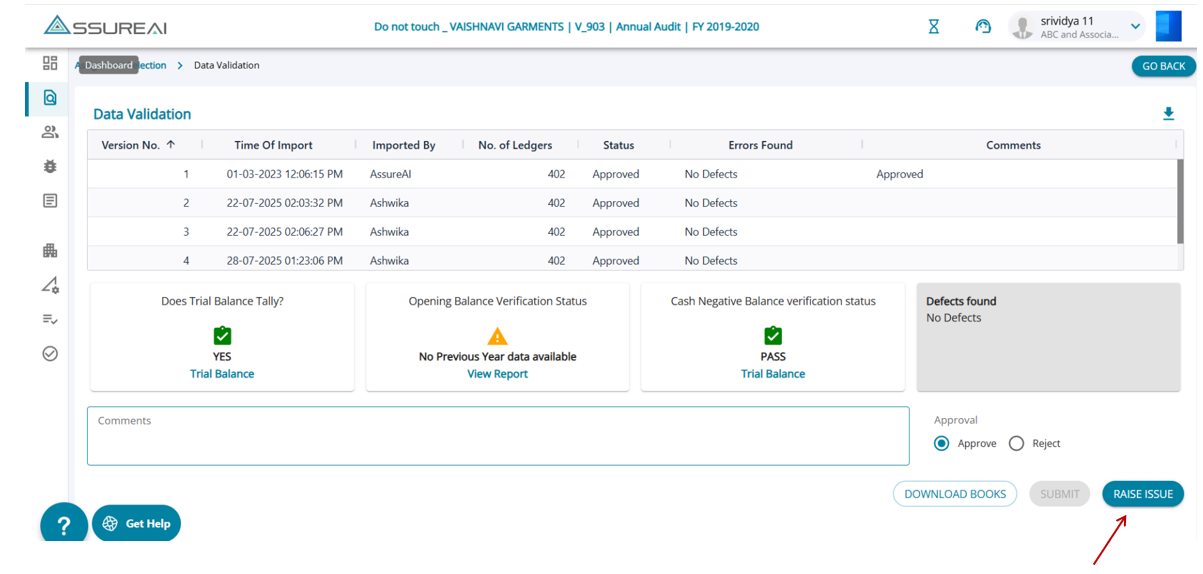
1. Data Validation screen – Raise issue
The user can raise issues for any deviations/discrepancies found in the uploaded accounts. Data validations will fail if there are any failed scenarios, and the user can either raise issues or not. As an alternative to choosing ledgers/transactions one by one, the user can also upload the data validation reports.
2. Ledger / Voucher Scrutiny
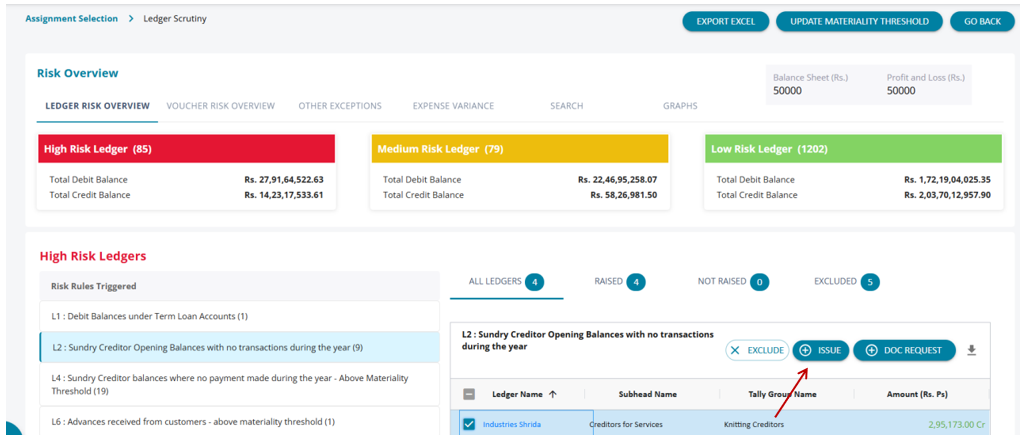
On the Ledger/Voucher Scrutiny screens, the system automatically identifies and displays a list of ledgers and transactions flagged as high or medium risk based on predefined rules. Users can select the corresponding checkboxes to raise issues specific to each flagged rule for individual ledgers or transactions.
3. Voucher Verification
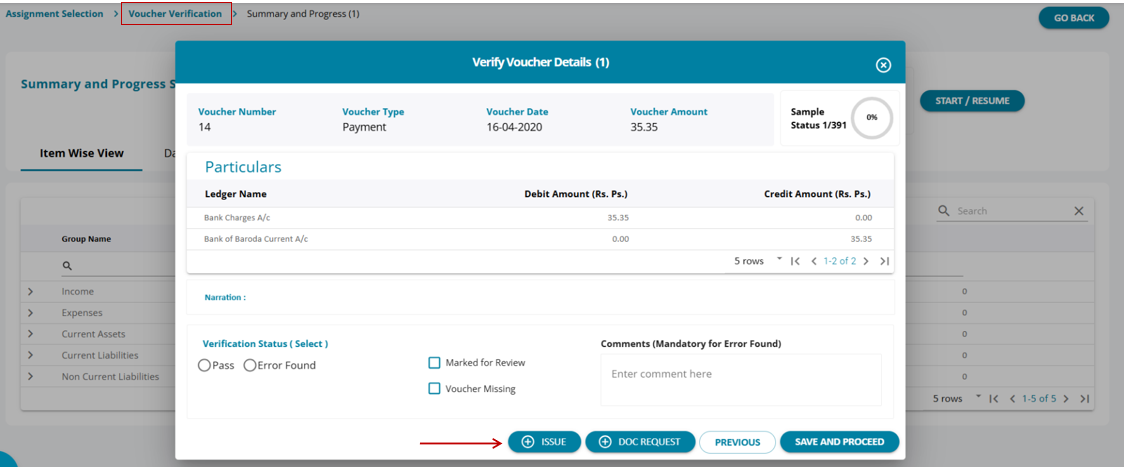
When verifying vouchers individually, users can mark vouchers as 'Pass' if they are correct. For vouchers that require further review or are missing, users can raise an issue directly from this screen.
4. FSLI Testing - Ledger Level
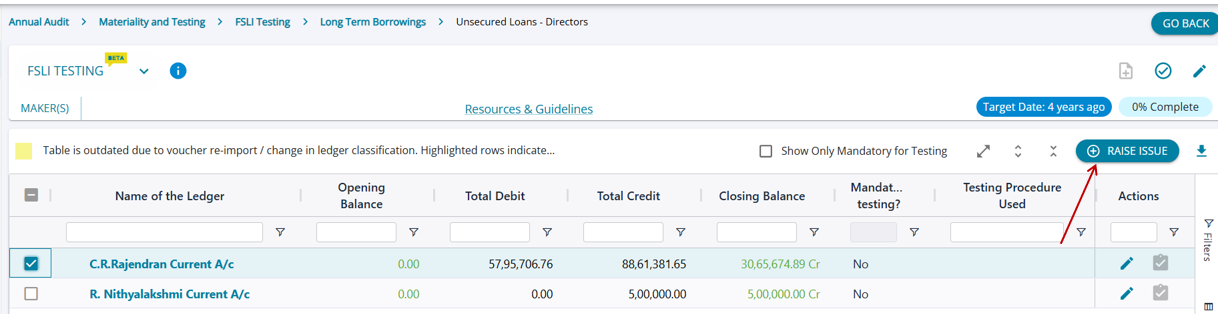
Under the FSLI Testing task, ledger level, if the user wishes to raise an issue against any ledger for which there could be potential misstatement, the issue can be communicated by raising an issue form this screen.
5. Ledger View
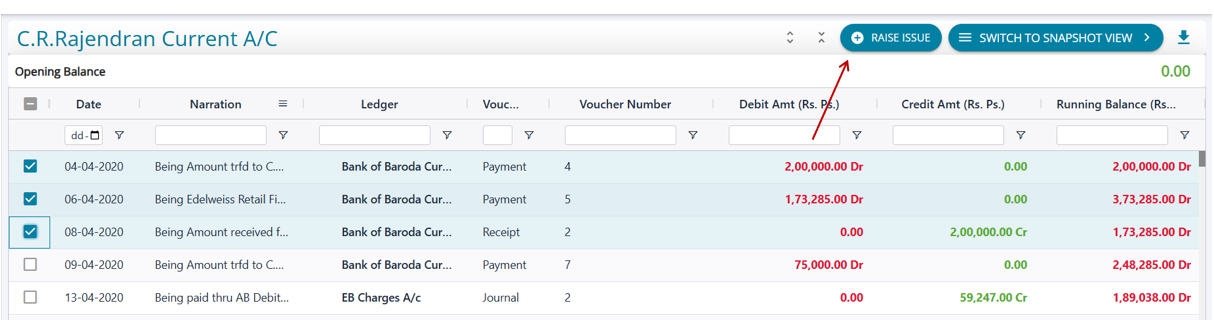
While at a transaction level, if the user wishes to raise issues on 1 or multiple transactions, the ledger view screen can be used to directly raise an issue.
Create an Issue
When the user clicks on the 'Raise Issues' button from any of the multiple screens that allow users to raise an issue, the users navigate to the Raise Issue screen.
Issues can be raised related to
(a) ledger balances,
(b) Transactions and
(c) Other reasons (Others)
The default option for an issue is related to 'Others'.
Raise Issues - Others
Default Values on the Raise Issue Screen :
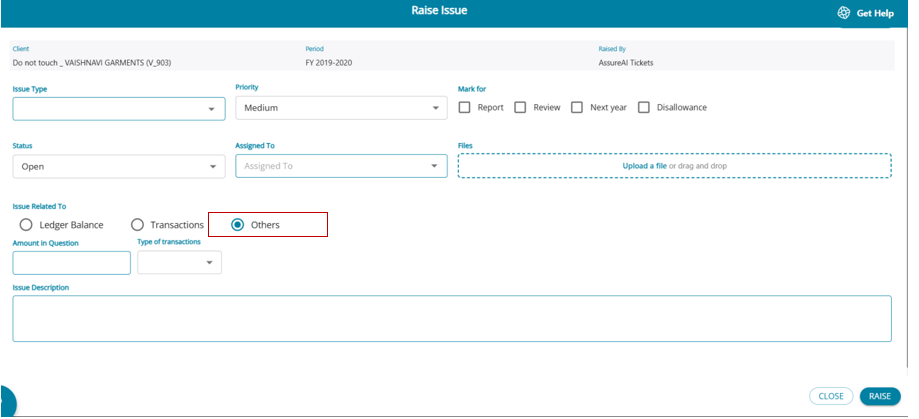
- Issue Type = Blank
- Priority = Medium
- Status = Open
- Assign to = blank
- Mark for = not selected
- Issue Related = Others
Raise Issues – Ledger Balance
Ledger Balance: The ledger against which the user wants to raise an issue has to be selected, and the system automatically displays the cr./dr. Balance in the ledger. Comments can be added, and then the issue can be submitted.
For adding a Ledger:
- The ledger field lists all ledgers in the books
- Ledger issues can be raised for 1 ledger only once in the issue; the same ledger can be added in another issue, but not in the same issue
- Duplicate ledgers cannot be created. Once a Ledger is selected in the drop-down, the ledger is disabled for other rows to prevent duplication of entry
- Issues can be raised for 0 balance ledgers also
- Once the ledger is selected, the closing balance is displayed automatically
- Comments are not mandatory
- It is mandatory to add a description
Raise issues – transactions. Transactions: An Issue can be raised against any particular transaction.
For adding a Transaction:
- The date filed will have a calendar period only for the assignment period
- The ledger field lists all ledgers in the books
- Transaction issues can be raised multiple times for the same ledger. Transactions can be duplicated with the same ledger name, amount, and date
- Dr. Cr. is automatically added by the system :
- If the amount entered is positive, then Cr. is added and the amount is displayed in green
- If the amount entered is negative, then the amount is considered a debit amount and Dr. is added and is displayed in red
The issue type can be chosen from the drop-down:
(a) Clarification
(b) Action item
(c) Expense Analysis
(d) Income Analysis
(e) Own Fund
(f) Fixed Assets
Raise Issue Other Functionalities
1. An issue can be marked for ‘Reporting’, ‘Review’, ‘Next Year’, or ‘Disallowance’
2. Any Issue which is considered relevant for ‘Reporting’ – in say Form 3CD or ‘CARO’ report – may be ‘Marked for Report’
3. Any issue which the user finds as relevant for ‘Review’ by any senior team member – may be ‘Marked For Review’
4. Any Issue that is to be considered as part of next year's audit may be ‘Marked for Next Year’
5. An issue which contains information necessary for making “disallowance’ in the Income Statement – may be ‘Marked for Disallowance’
6. User will be able to filter the issues based on the above markings directly from the Issues dashboard