Draft Statement Generation
Items to Check before DRAFT Statement GENERATION for the first time- Companies.
Verify whether the following information were duly entered in the Client Configuration Page:
1. Key People
2. Authorized Signatory Selection and role for all signatories
3. List of Shareholders above 5% holding
4. Promoter shareholder flagging (for revised schedule 3)
5. Share Capital Details
6. Start Date for the current capital structure
7. Authorized No. of Shares
8. Issued No. of Shares
9. Face Value
10. Expand the share capital row and review the following details
11. Subscribed Shares and Paid-up value of Subscribed share
Items to Check before DRAFT Statement GENERATION for the first time- Partnership Firms.
1. Key People
2. Authorised Signatory Selection and Role for all signatories
3. Partners Table– check whether sharing ratio amounts are correctly entered and totaling to 100
4. Start Date in Partners’ Table – to indicate the present constitution.
Draft Statement Generation
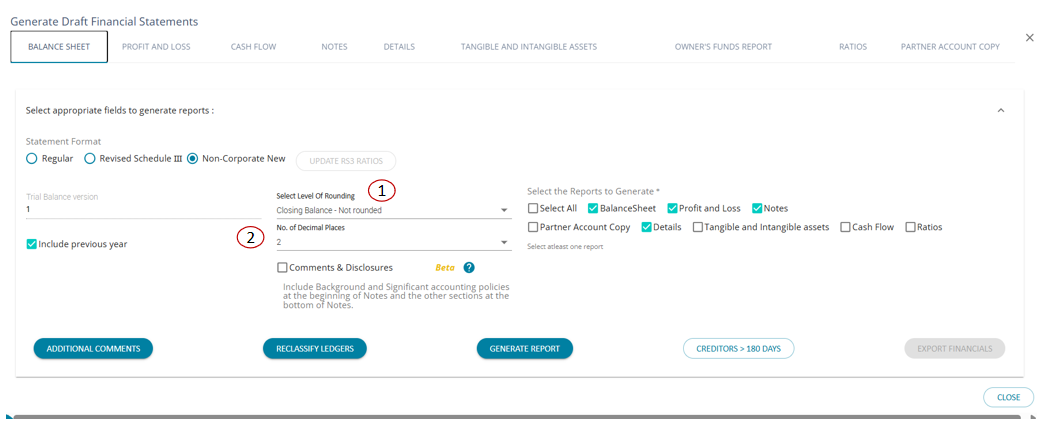
1. Above screen will open once you click the Draft Statement Generation Button
2. Select the reports to generate – click ‘Select All’ button to generate all the reports at once
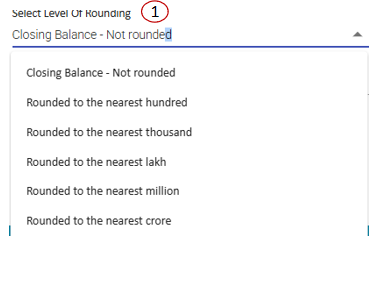
3. The ‘Level of Rounding’ can also be chosen as required to be displayed in the reports.
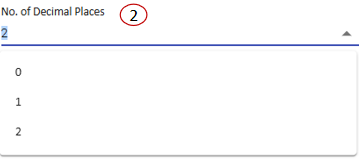
4. No. of decimal places can be chosen from the drop option given.
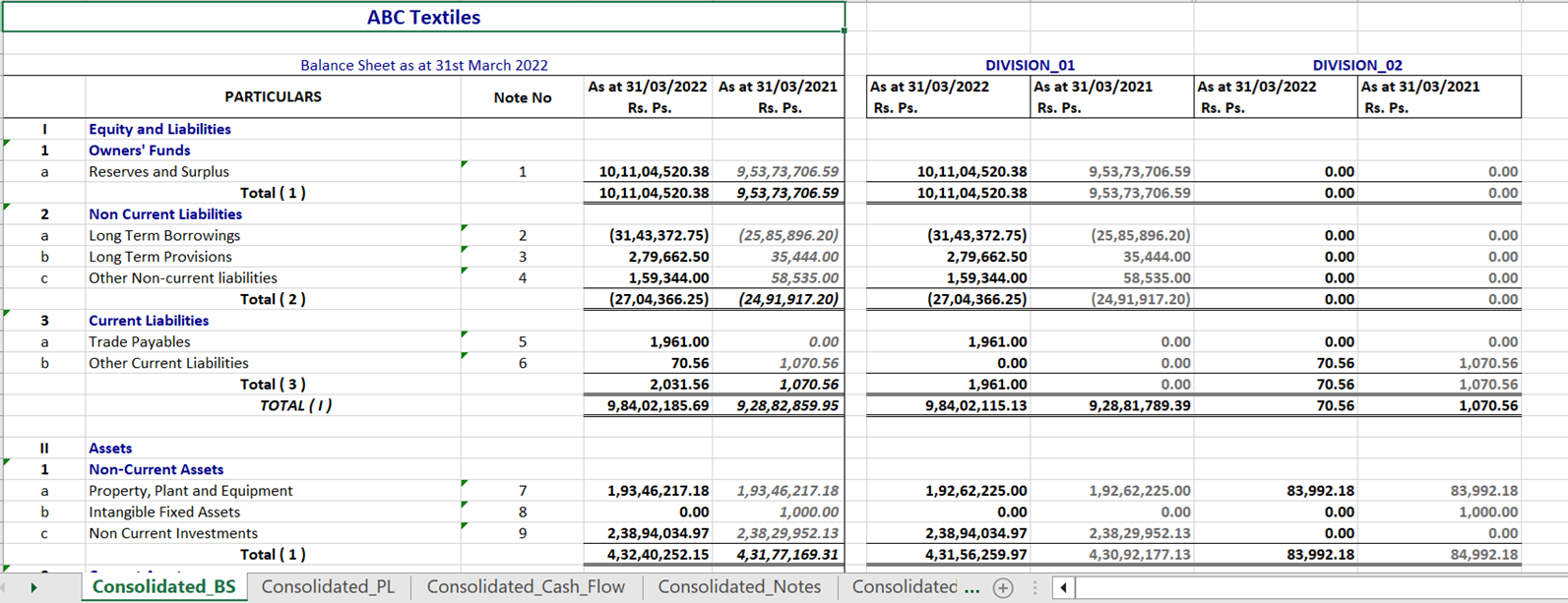
5. Within few seconds all the reports will be populated in the same screen
6. Verify whether Balance Sheet figures are matching
7. In case of any difference, review the previous two slides and check whether all the settings configuration were properly done
8. In case everything matches, go back to Ledger classification screen and click “Submit” button. Then regenerate the statement
Cash Flow Statements
1. In case where two or more years’ data is available in AssureAI, cash flow statements will be automatically prepared
2. Verify and check whether the Closing Cash and cash equivalents amount is matching with the figures in the balance Sheet
3. In case of mis-match, review the accuracy of entry in the following areas :
a)-Fixed Assets Additions / Deletions / Profit or Loss on Sale of Assets
b)-Tax Provision
c)-Prior Year Tax Payment
d)-Other Non Cash Items
4. In case of multiple changes made to the sub-head hierarchy there is a chance that the cash flow may not tally , even after all the above pre-requisites are fulfilled. In such a scenario the user may contact the support team or raise a ticket , so that the cash flow formulae can be edited form the back end as per the changed sub-head hierarchy.
5. The back end formulae update of cash flow is an one time activity which will reflect in all the clients’ statements.
ADDITIONAL COMMENTS
https://assureai.productfruits.help/en/article/additional-comments
LEDGER RECLASSIFICATION
1. Wherever the classification of the ledger has changed in the present year as compared to the previous year, the statement could show comparison figures as if the ledger had zero balance in the previous year for the sub-head. In order to avoid this , the user can re-classify the PY mapping for the ledger in question only for the purpose of comparative reporting .
2. The re-classification will affect only the ledgers in the present year, he previous year’s finalized statement will be unchanged.
1. This screen lists all ledgers whose mapping has changed from the previous year to the current year.
2-The user can select the ledger that they would like to re-classify and click “Apply”
DRAFT STATEMENT GENERATION
1. Once all required checks have been done in the draft statement generation screen , the user can click on the “Generate Report” button and the report gets generated.
2. The report is generated as Provisional as any changes that are further required to be made to the financial statements can still be made (after reviewing the draft stmt.) before the final report is generated and the accounts are finalized for the period.
CONSOLIDATED EXCEL FOR MULTI DIVISION CLIENTS
In case of a Multi-Division Client, the consolidated accounts can be downloaded.
Consolidated financial statements excel has provides a single-screen view of the Head Office and Branch divisions in the same sheet.
The Consolidated accounts is available for the Final Statement Generation also.