
Set Client Preferences
Once a client is created, then it is necessary to select the list of various services that the firm is providing to the selected client. For doing this, click the 'My client' button on the left scroll bar. the following screen will pop up :
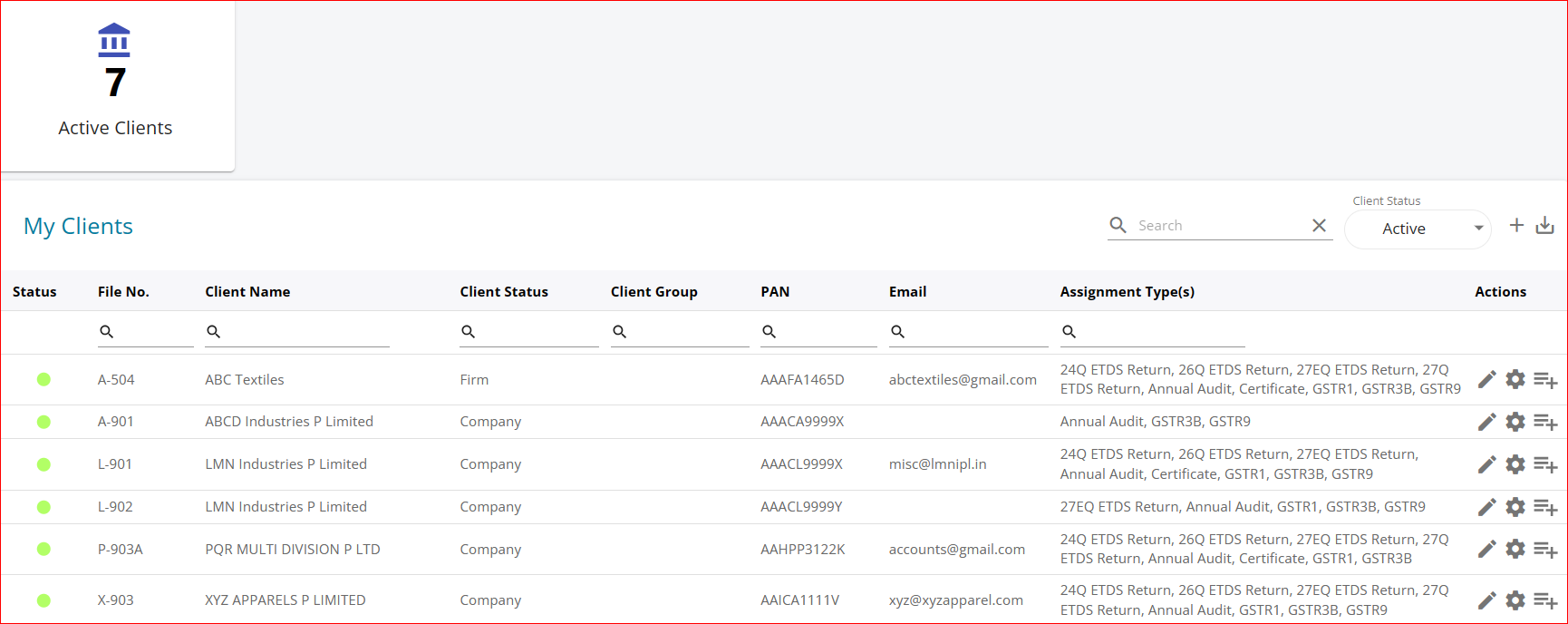
Click the Gear Icon next to the edit client button, the following screen will pop up :
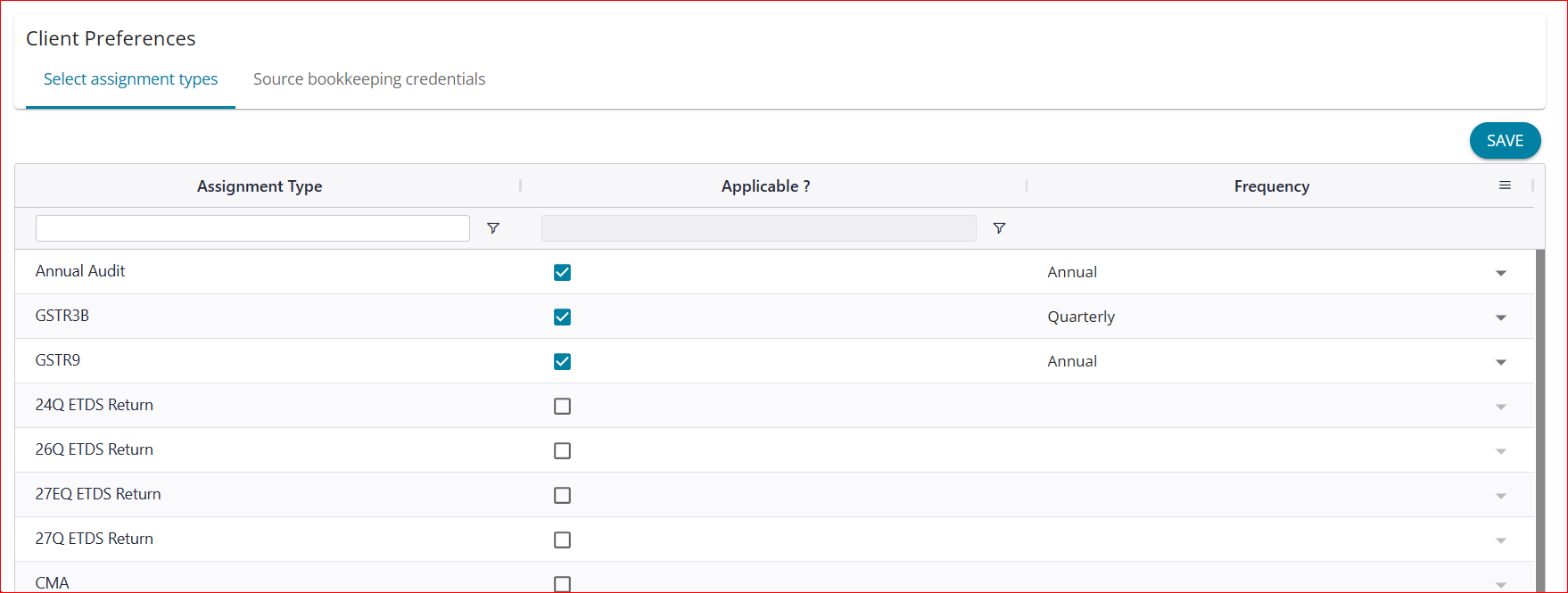
Tick the list of assignments handled for the selected client - and select applicable frequency and proceed to save.