
Annual Audit Assignment Landing Page
Upon selecting an assignment, the system shall navigate the user to the Assignment Landing Page. This page shall function as a Unified Engagement Management interface, providing a consolidated view of all relevant information associated with the selected assignment.

Users can navigate between adjacent periods using a single, consistent set of left and right arrow controls available in the top bar across all pages.
From a task page, navigating to another period will open the same task in the selected period, when available. If the task does not exist in the target period, users will be taken to that period’s landing page instead.
At the earliest or most recent available period, a message indicates that the user has reached the period boundary.


Landing Page
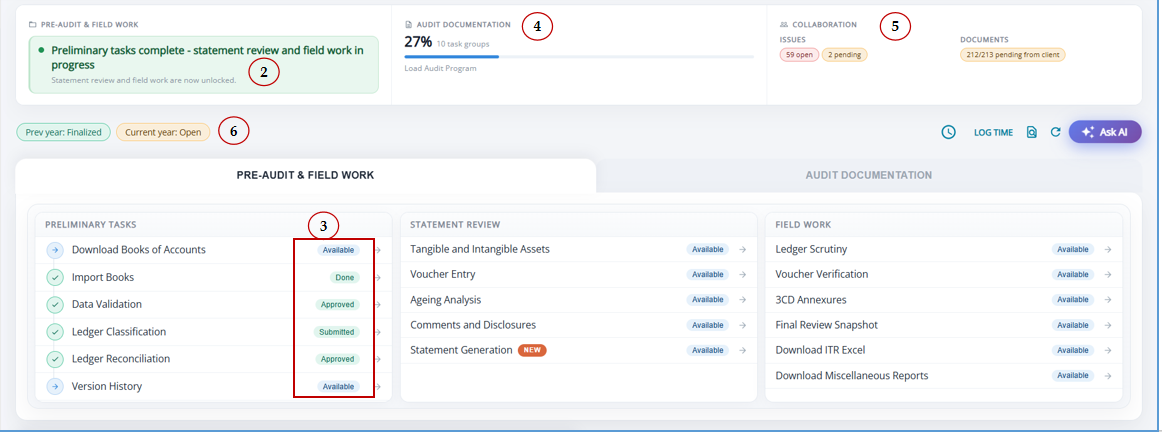
- Audit Assignment Home Page for a centralized engagement overview.
- Pre-Audit Health bar to assess audit readiness at a glance.
- Live Pipeline Status Cards showing real-time progress across audit stages.
- Audit Documentation Progress Tracker for monitoring completion status.
- Embedded Issues & Document Request Dashboards for quicker follow-up and resolution.
- Year-over-Year Status Indicators to easily compare engagement progress across periods.
I. Pre-audit Health Strip
1. Real-Time Pre-Audit & Field Work Status – The summary strip reflects real-time progress, guiding the user to the immediate next step.
2. Smart Progress Indicators – Statuses such as Available, Done, Submitted, Approved, and Locked are updated automatically to reflect the current audit workflow status, enabling better visibility and control over engagement progress.
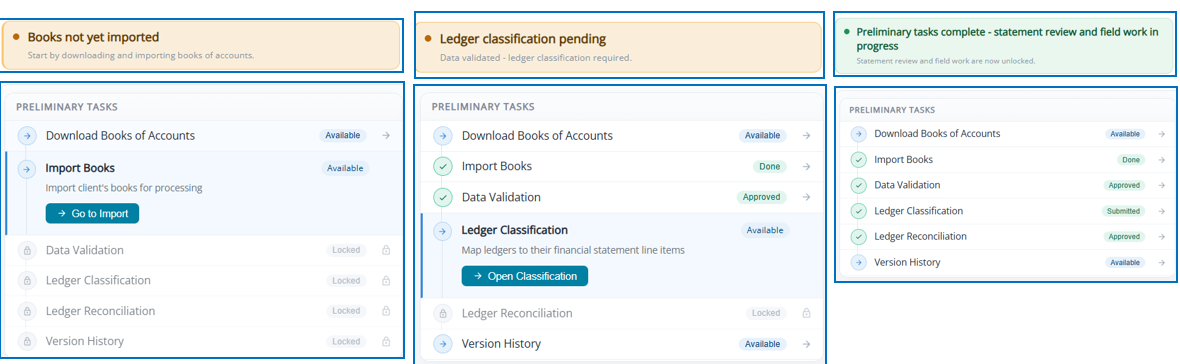
It is a computed summary of the entire task pipeline — one look tells the auditor exactly what needs to happen next (or why everything is locked).
II. Audit Documentation Progress
Uses can get a real-time view of audit documentation progress to jump straight to pending work from a single dashboard.
Overall completion tracker with live percentage.
- Task group progress bars with completion status.
- Quick navigation to task groups.
- Real-time progress updates.
III. Client Collaboration
Manage client collaboration without leaving the assignment page, tracking issues and document requests in real time from one integrated workspace.
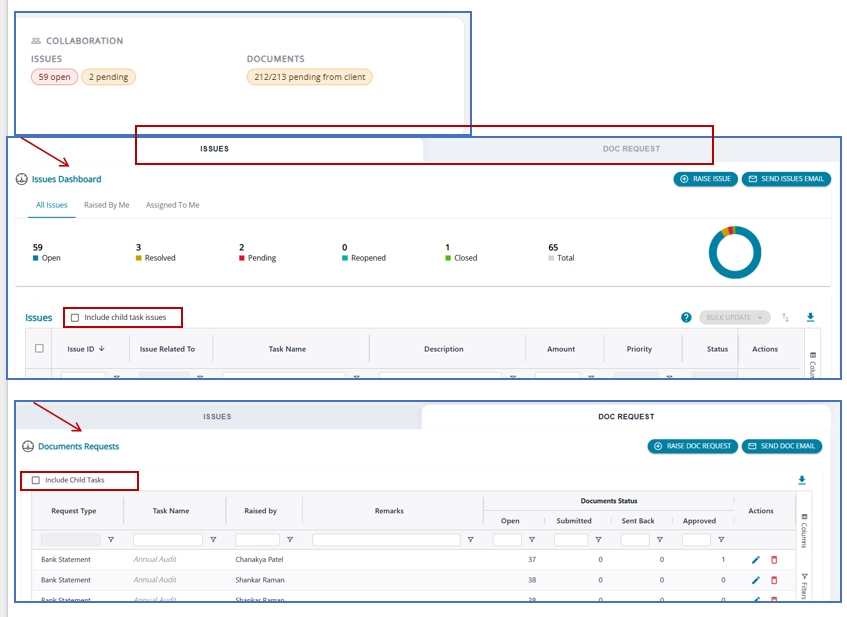
2. Option to view issues raised against Child tasks
3. Finalization-aware controls to prevent changes to closed assignments.