
TimeSheet DashBoard - My Team's TimeSheet
My Team’s Timesheet (Supervisor Dashboard)
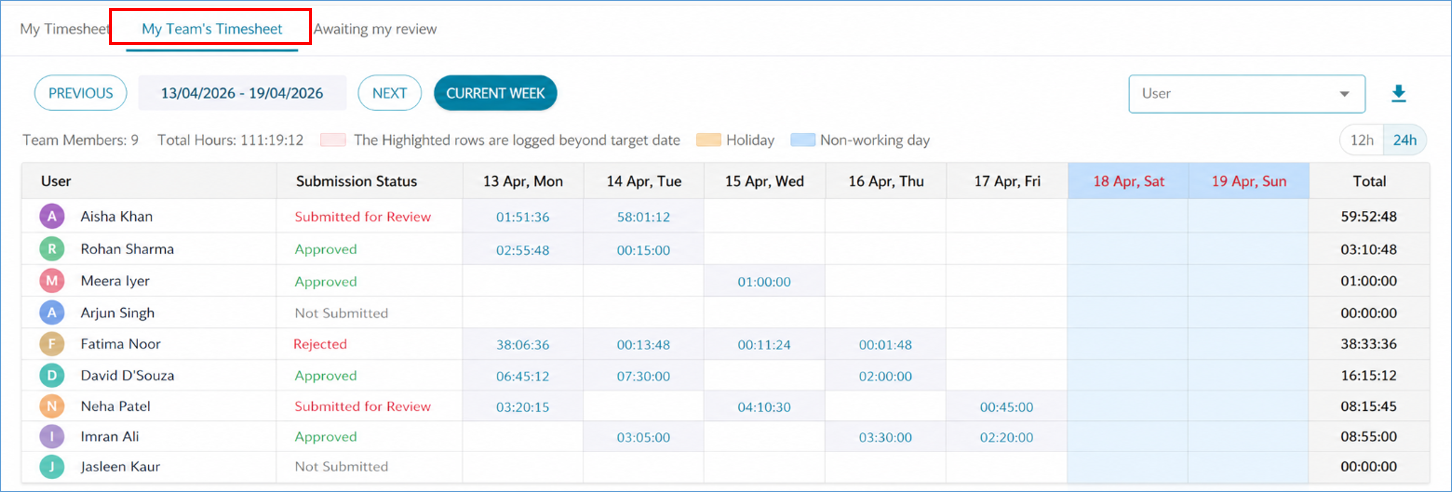
The My Team’s Timesheet dashboard provides supervisors with a comprehensive, read-only view of time logged by their team members. It is designed to offer clear visibility into team effort, workload distribution, and utilization without enabling any modification or approval actions.
1. Access & Permissions
(i) Available only to users with Supervisor access
(ii) Provides visibility into timesheets of mapped team members (direct & indirect)
(iii) This is a view-only interface:
(a) No Approve / Reject actions
(b) No edit capabilities
(vi) Ensures separation between monitoring and approval workflows
2. Calendar-Based Team View
(i) The dashboard displays time entries in a calendar-style grid for easy analysis:
(ii) Rows represent team members
(iii) Columns represent days within the selected period
(iv) Default view is weekly, irrespective of submission settings
(v) Daily Cell Behavior:
(a) Displays total hours logged by the user for that day
(b) Weekends / holidays: visually highlighted
(c) Totals are calculated from underlying time entries
3. Expandable Daily Details
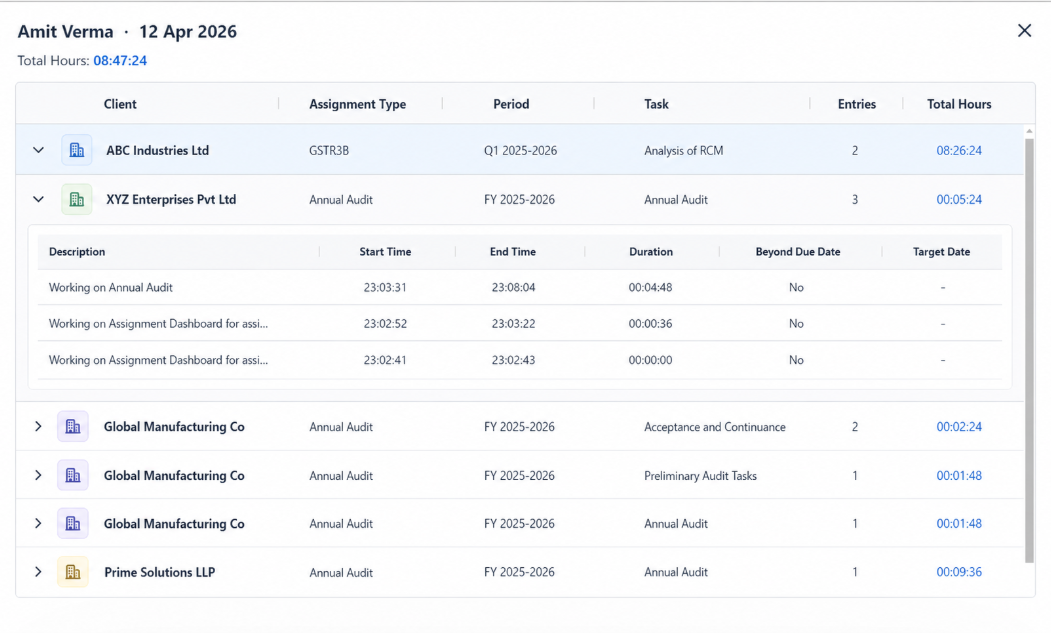
(i) Each day’s total hours is a clickable link. Clicking opens a detailed view of all entries for that day
(ii) The expanded view is also read-only. Allows supervisors to drill down into specific work performed