
Configure Tasks - Checklist
Add New Questionnaire / Checklist Task

- When the type is chosen as “Questionnaire / Checklist”, step 2 is updated with the requirements for the chosen task.
- Click "Next" to go step-2
- Click on the "Add Questionnaire" button to add the checklist template.

- Fill in the details as required in the pop-up screen for Add Questionnaire.
- Depending on whether the choice of the checklist is grouped or ungrouped, a sample can be downloaded, filled, and updated in the system
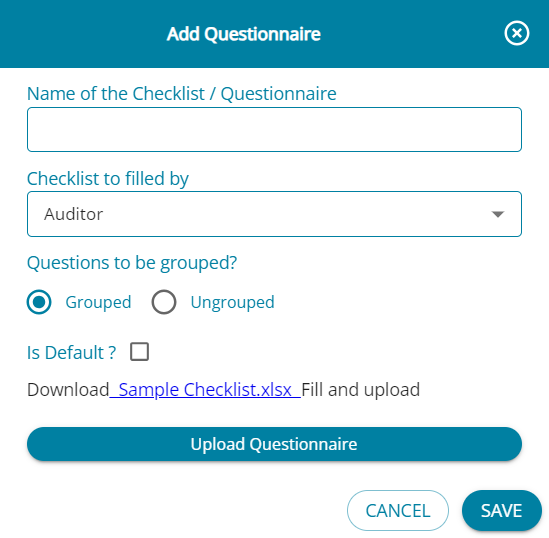
Upload the checklist and click on “Save and Proceed” and the task will be added to “Configure Tasks” screen.
Users can add more than 1 template for the checklist task if required.
