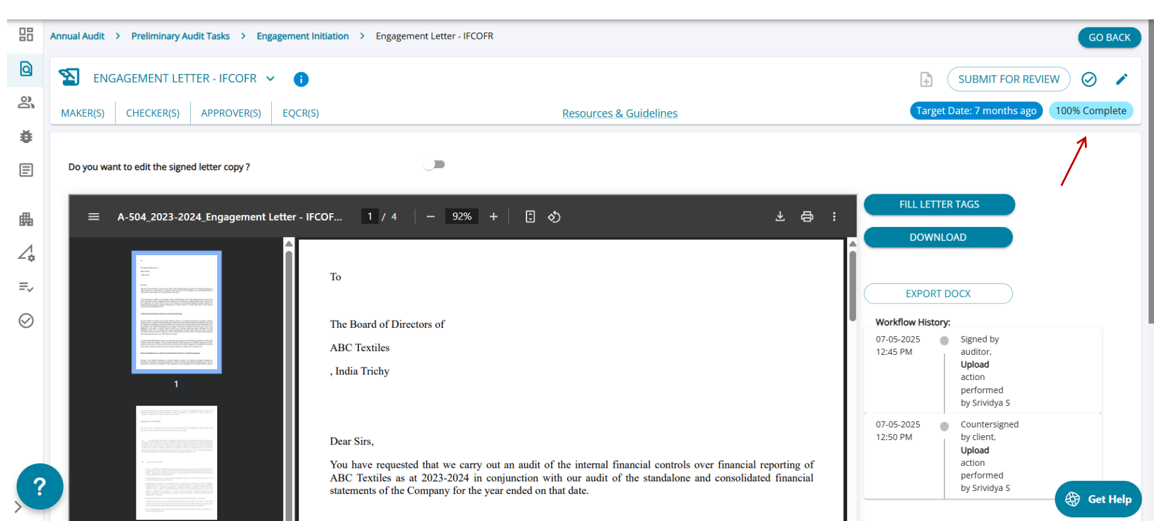
Audit Tasks Execution - Letter ( task requiring both auditor & client signatures)
The third type of Letter task requires signatures from both the auditor and the client. Each party is responsible for 50% of the task completion.
The audit user must:
- Mark the task as applicable.
- Select the appropriate letter template.
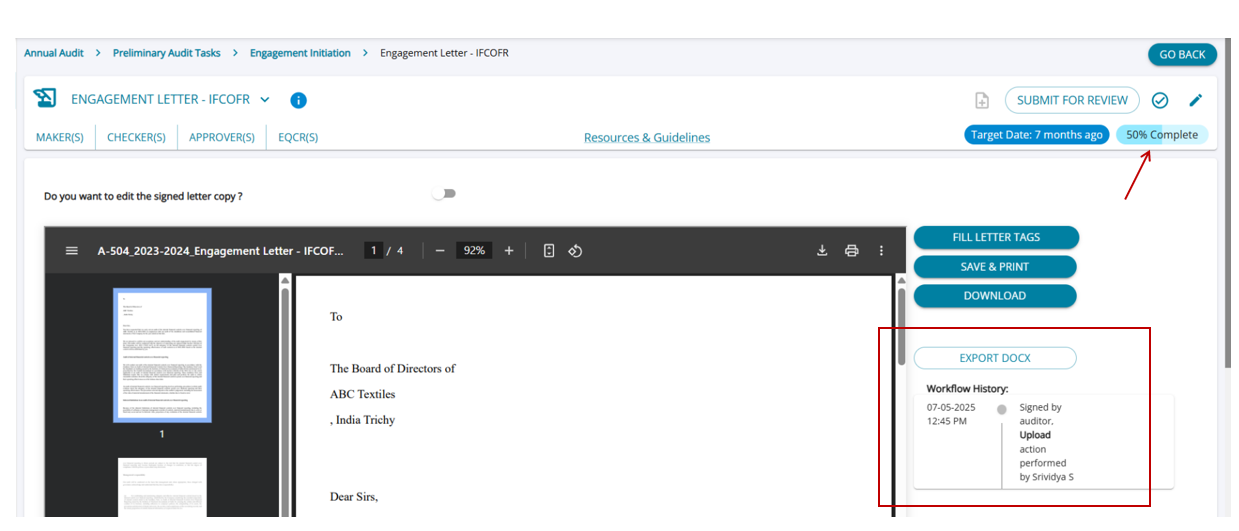
- The firm user then completes their 50% by signing the letter and uploading the signed letter to AssureAI.
- Once 50% is complete, the client user gains access to the task.
The client user must:
- Add their signature.
- Upload the final version of the letter, making the task 100% complete.
After both uploads are completed, the maker (firm user) can mark the task as completed.
Firm User Login (after the task has been marked applicable)
The task has been completed 50% with an upload from the auditor. The system has added a workflow with a timestamp and user details.
Client User Login (after the task has been completed 50%)
The task appears at 50% complete for the client user.
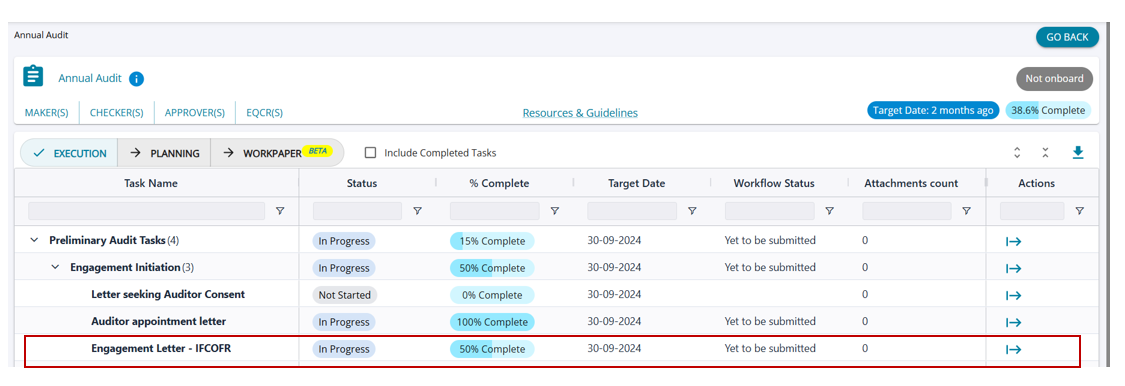
- The client user can download the letter already uploaded by the firm.
- They can then add their signature to the letter. After signing, the client user can upload the signed letter, completing the task 100%.
- The system then automatically adds a second timestamp and captures the time and user details of the second upload.
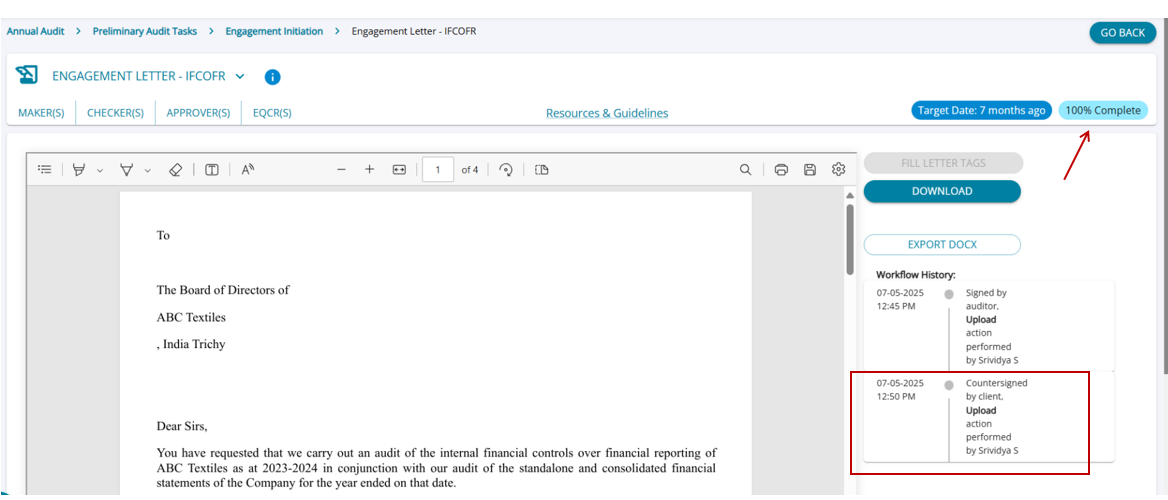
Firm User Login (after the task has been completed 100%)
The firm user can now view that the task is 100% complete, and the maker can proceed to mark the task as completed.