
AssureAI Release Note 26.1– January 2026
Welcome to the New Year with Assure AI! ✨
We’re back with fresh updates to make your experience even better:
- New for Non-Corporate clients – You can now adjust Owners’ Funds before generating financial statements.
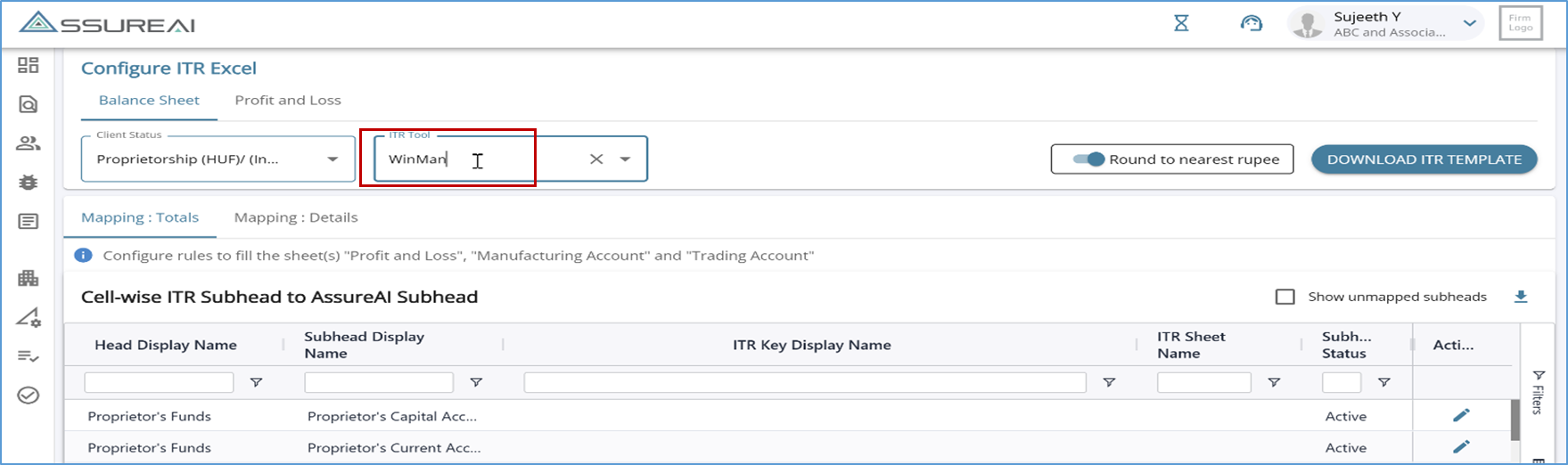
- Following the successful launch of single-click ITR Excel for Genius & Computax, Assure AI now also supports ITR Excel generation in Winman format.
As always, we’ve included a few enhancements and bug fixes to ensure a smoother and better experience for you.
Here’s to a smarter and more seamless year ahead!
---------------------------------------------------------------------------------------
1. New Feature
1.1 Non-Corporate Clients - Owner's Fund
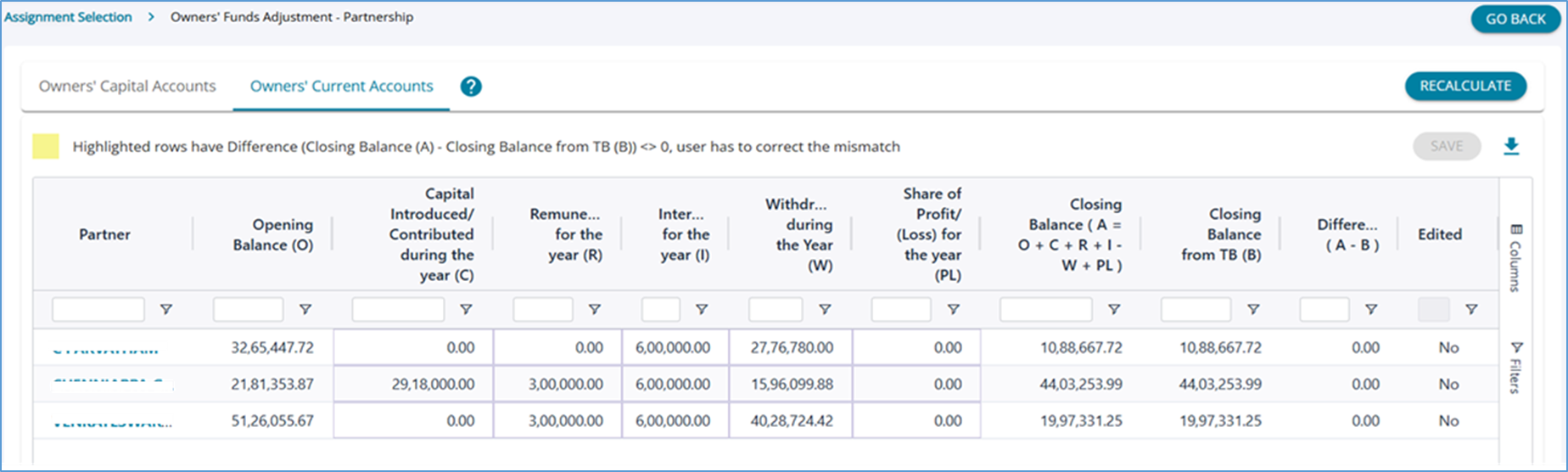
A new feature has been introduced for Non-Corporate clients that allows users to adjust Owners’ Funds before generating financial statements.
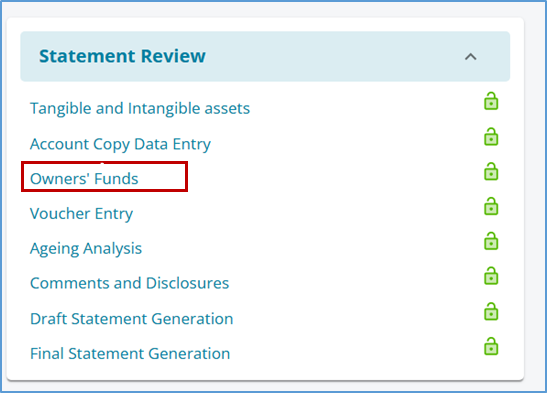
This is an optional step to be used in case the user wants to update the figures in Owners’ Funds. If the tables are not updated by the user OR the screen is not visited, the system will automatically consider the existing vouchers in the books while generating the financial statements.
1.2 Single Click ITR download for Winman
After the successful roll-out of single click ITR Excel for Genius & Computax, Assure AI now allows users to generate ITR excel in the Winman format also. Winman tool supports the following client statuses:
1. Company - Corporate Format 2. Partnership and AOP - Non-Corporate format 3. Proprietorship Format
Additionally, support for proprietorship format of Genius has been included
Due to the limitations / constraints faced in getting customer's time for testing the Winman template, this feature is being released in deactivated mode for now.
For interested customers, this feature will be un-hidden in the live environment so that they can test it with their data and import to Winman.
2. Enhacements to Existing Features
2.1 Account Copy Data Entry
The screen has been enhanced to improve user experience:
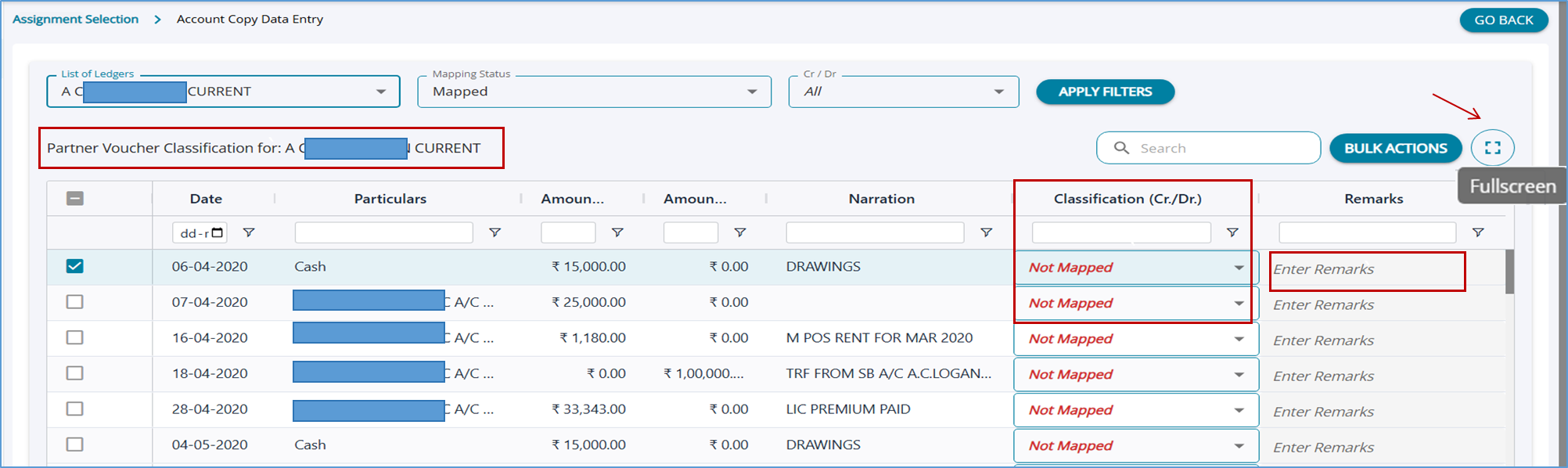
- In the classification column, wherever mapping has not been done for the vouchers, “Not Mapped” is displayed in red to indicate that mapping is required.
- The remarks column has been enhanced to clearly highlight the need to add remarks.
- A full-screen view has been enabled.
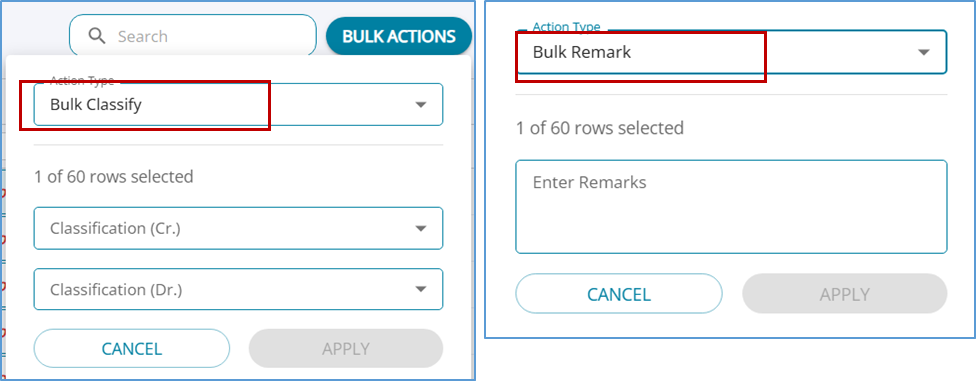
Bulk Actions
The bulk update feature has been enhanced to have 2 options, bulk classify for classification of debit and credits and bulk update of remarks for selected vouches.
2.2 Raise Issues - Load Audit Program
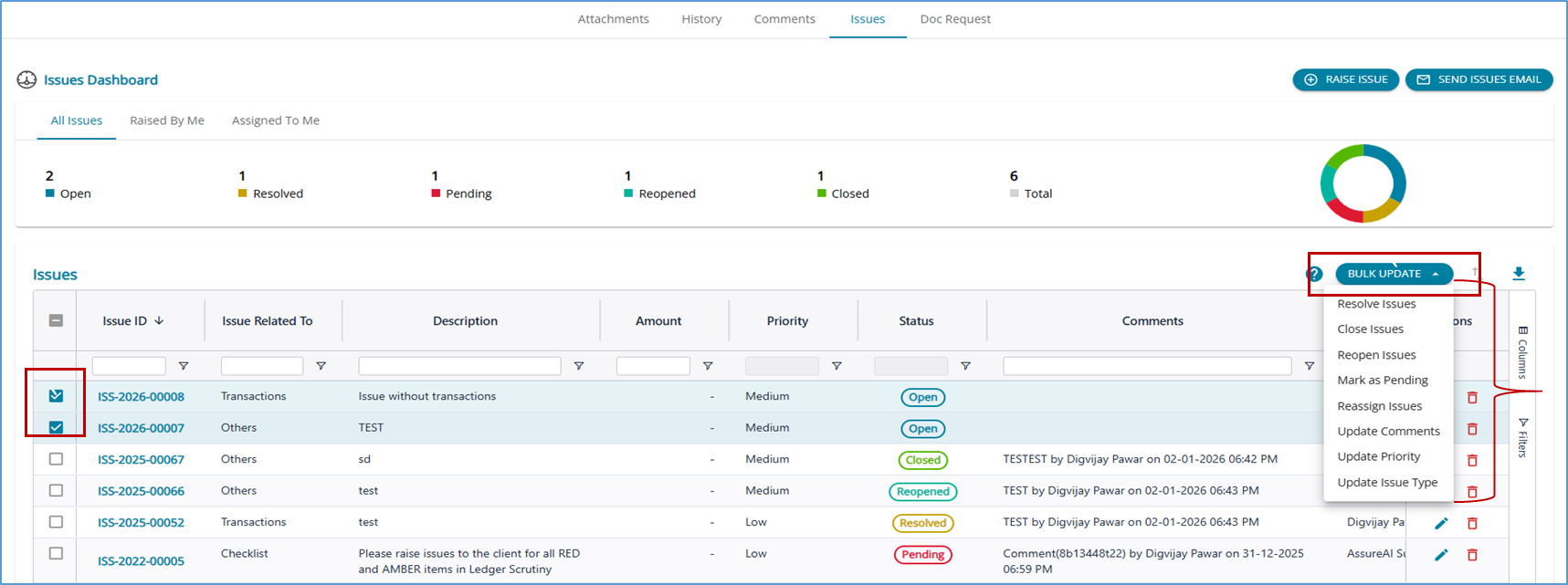
2.1.1 Bulk Update
Bulk update is possible for the following actions: Resolve Issues , Close Issues , Re-open Issues , Mark as Pending , Reassign issues , Update Comments , Priority and Issue Type
2.2.2 All table columns now have have floating filters enabled for quick search/filtering.
2.3 Configure ITR Excel
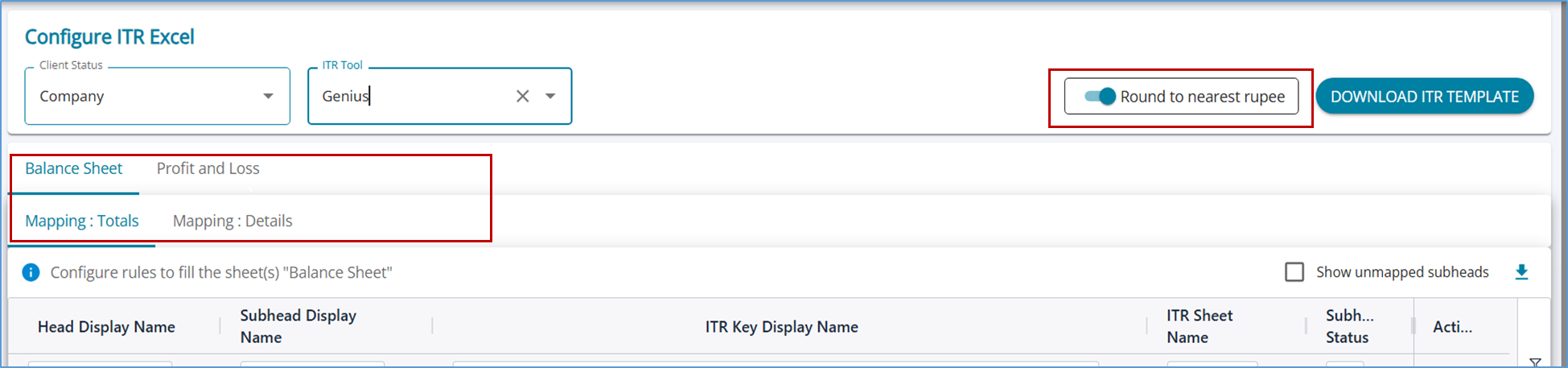
1. Option to Round to nearest rupee’. If the toggle is switched on, the generated Excel will have all figures rounded, else, the amount can be show as it is - with paise
2. UI improvements based on user feedback
The fields on the screen have been rearranged to complete configuration for a selected client status in one-shot
The two tables to fill the “Total” fields and “Details” field are now placed in two separate tabs for better clarity
3. Bug Fixes
3.1 Ledger Classifictaion
1. When the screen resolution is low (size is low), “Closing stock mapping" tab was not visible. Fixed
2. When there are ledgers containing special characters (Tab, new line (Enter)) in the JSON, auto mapping of those ledgers in “Closing Stock mapping” was not working – Fixed.
3.2 Financial Statement Excel Export
1. Cell References - In the exported Excel financial, the drill-down from Notes to Details was broken in some cases - Fixed
3.3 Raise Issues
1. Issues which are assigned to the user and raised by the user were not shown in 'Issues' Dashboard - Fixed
2. Previously, the system allowed users to enter comments for issues without any character limit. A limit of 500 characters has now been set for comments.
*****