
FSLI Testing - Ledger Level Testing
Ledger View Screen
Upon clicking any Sub-Head on the FSLI screen, the user navigates to the ledger-level screen. The screen lists all ledgers within the selected Sub-head.
The features and the process flow at the Ledger level are similar to those of the FSLI level testing, with a few changes specific to the Ledger Level.
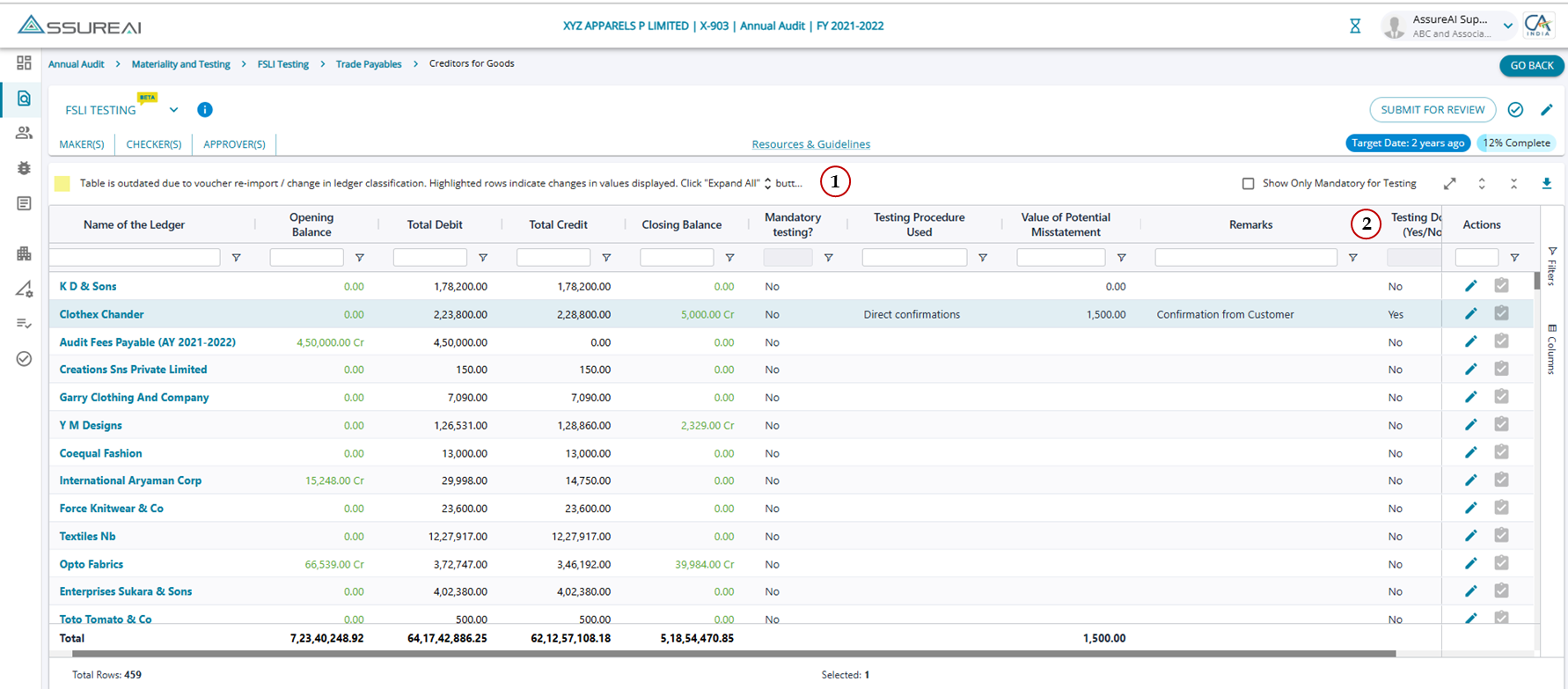
1. Mandatory Testing
The Ledger Level is not mandatory for testing, hence, the field is marked with default "No" for all ledgers.
2. Tested (Yes/ No)
The field has a drop-down with Yes/ No, and the default value for the field is "No".
Even if the user selects "Yes" from the drop-down for the Ledger, the % completion is not impacted as the ledger level is not mandated for testing.
All other features are similar to the FSLI Flow. Please refer article: https://assureai.productfruits.help/en/article/fsli-testing-sub-head-level-testing