
Add Comments
Users can now add comments at the assignment or task level and tag firm and client users in the comments. When any user is tagged, an automated mail with the comments is sent to the tagged user(s).
Comments can be added only to 'Open' tasks and assignments. Once the assignment is 'Closed' or the task is 'marked as complete'. the Add Comment button will be disabled and no more comments can be added.
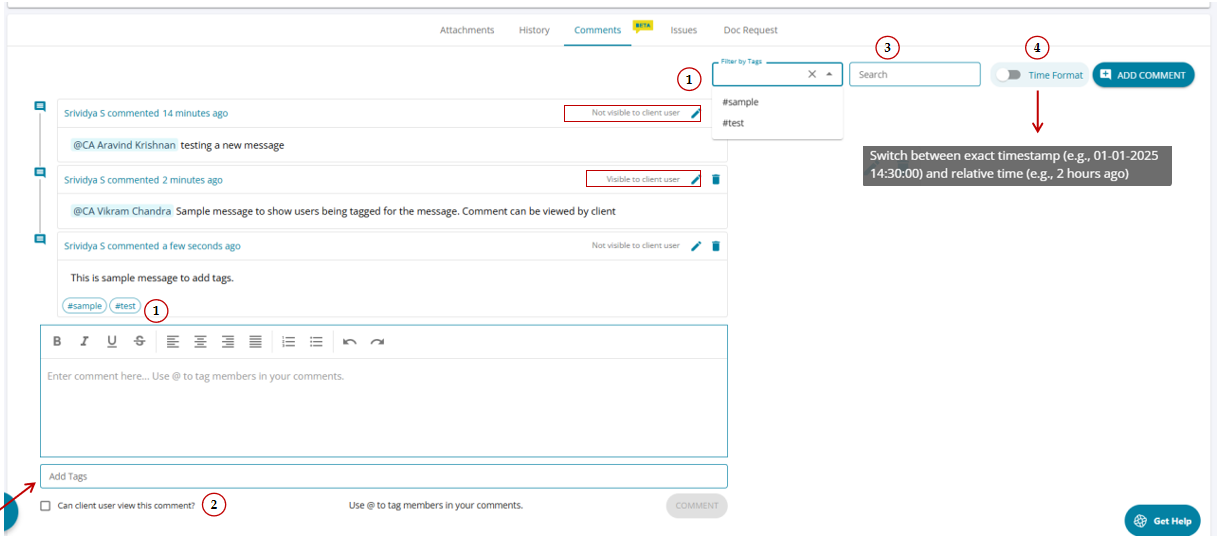
The feature is available at the bottom of the load audit program screen. Comments can be added in the space provided at the bottom or by clicking the “Add Comments” button.
1.Comments can be tagged: A Hashtag feature has been added to the Comments tab. Users can create new hashtags or tag comments with existing ones. Tagging is available not only for new comments but also for comments that were previously added.
Once comments are tagged, users can sort and filter them based on the associated hashtags.
2. Is Client user viewable? : the checkbox allows firm users to grant view access to the client users when comments are added. The client users can view only for those comments for which the check box is selected.
3. Search box is provided for allowing users to search comments based on the comment content.
4. Switch timestamp format: allows users to change the format of timestamp. The users can view either exact time or relative time.

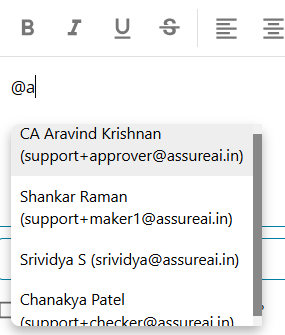
4.Use @ to mention members in the comments : In the comments section users can mention other firm / client users when adding a comment. This will enable a mail to be sent to all users mentioned in the comment with a clickable link that navigates the user directly to the relevant task/comment.
When the user enters "@" to mention a drop list of users are provides to choose from.
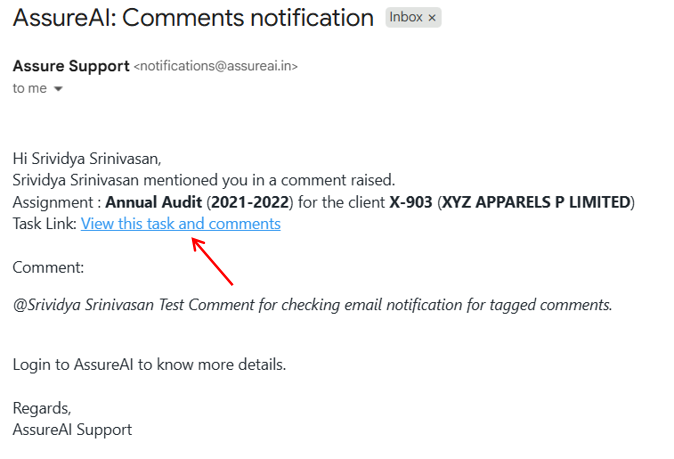
For client users even if they are mentioned but view rights are not given, they will not be able to see the comments and no mail will be sent to them.
Edit & Delete Comments
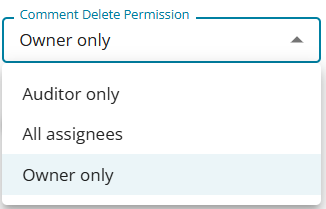
In the task management setting , the stepper Configure Add-on features allows user to set up edit and delete access to the users.
Only if access is provided from this sreen the users can edit/ delete the comments.
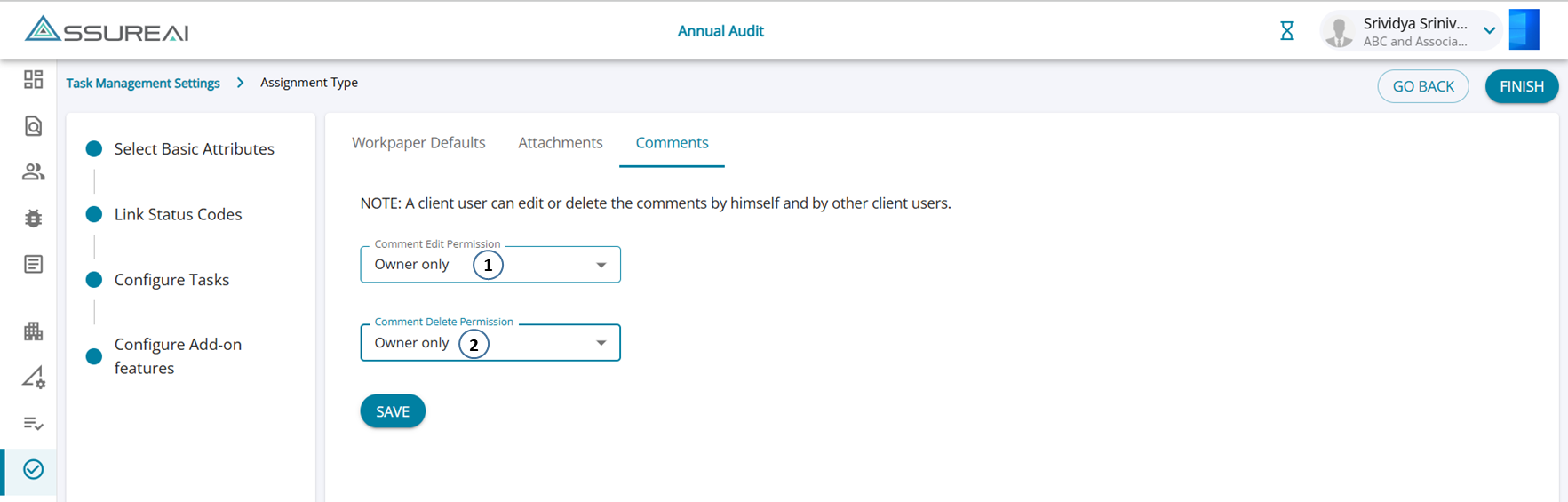
Access for edit/delete can be given to only the owner of the comment ( one who creates it) , Only the Auditor of the firm (users with role as Auditor) or to all asignees of the task (maker/ checker/ approver/ EQCRs) .
Completion of Task/ Assignment
Once the assignment/ task is marked as complete, the users can no longer add new comments (the button will be disabled) but users will be able to view the comments already added.
The entered comments also cannot be edited / deleted but only viewed. 
By clicking on the settings button on the planning mode screen "client user" access rights can be setup.

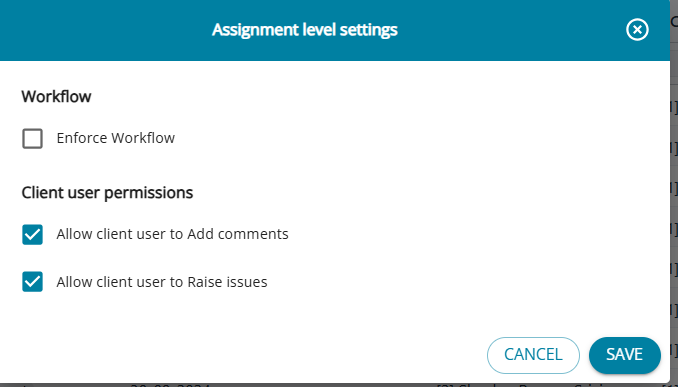
There are two options:
1. Allow client user to Add comments
2. Allow client user to Raise issues
Selecting/un-selecting the check boxes will enable / disable access to the clients to add comments and issues.